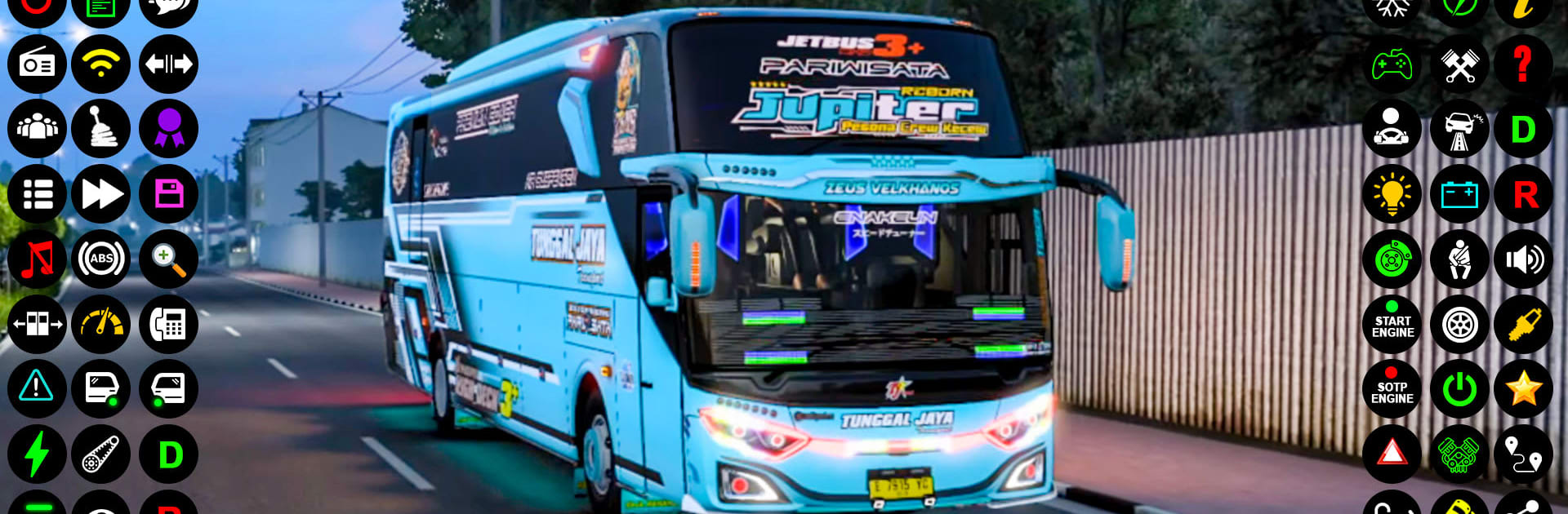
Bus Games 3D City Bus Driving

Bus Games 3D City Bus Driving

Simulation

| Games Legend

Play on PC with BlueStacks or from our cloud

  • Overview
  • Game Features
  • How to Play

Page Modified On: September 19, 2025

Play Bus Games 3D City Bus Driving on PC or Mac

Explore a whole new adventure with Bus Games 3D City Bus Driving, a Simulation game created by Games Legend. Experience great gameplay with BlueStacks, the most popular gaming platform to play Android games on your PC or Mac.

About the Game

Bus Games 3D City Bus Driving hands you the keys to a busy transport gig where timing, patience, and clean turns actually matter. Built by Games Legend, this Simulation title lets you ferry riders through crowded streets and rugged hill roads while keeping an eye on the clock and your route. Some trips feel chill; others get tense fast when traffic stacks up and the next stop is across a winding mountain pass.

Game Features

  • Realistic Routes and Timers: Pick up riders, follow scheduled stops, and reach terminals before the clock runs out. Miss a turn and you’ll feel it.
  • City Streets and Mountain Roads: Navigate tight downtown lanes, wide highways, and steep off-road climbs with hairpins that demand careful throttle and braking.
  • Weighty, Responsive Handling: Big vehicles feel big. Master cornering, braking distance, and lane discipline as the cabin rattles and engines hum.
  • Parking That Actually Counts: Slide into marked bays cleanly to complete shifts. Botch the angle and you’ll need to correct under pressure.
  • Multiple Camera Views: Switch from a full interior dashboard to external and 360-degree views for tight squeezes and tricky reverses.
  • Unlock and Personalize Your Fleet: Earn rewards to open new models and change colors to give your ride a look that fits your style.
  • Guidance Without Hand-Holding: Route arrows and indicators help you stay on course while still leaving room for your own driving judgment.
  • Lively Audio and Visuals: Crisp environments, traffic hustle, and punchy engine sounds make long hauls feel satisfying rather than grindy.
  • Play Offline: Run routes anytime, perfect for quick practice runs or longer sessions on the go.
  • PC-Friendly Option: Prefer a bigger screen and precise steering? You can play on BlueStacks for a smooth setup without changing how the game feels.

Ready to top the leaderboard? We bet you do. Let precise controls and sharp visuals optimized on BlueStacks lead you to victory.


Game Features

Enhancements

  • Macros
  • Multi Instance
  • Multi Instance Sync
  • Script
  • Enhancements
Macros

Macros

Automate the predictable in Bus Games 3D City Bus Driving and transform your gameplay with Macros. Get access to inventive Macros in the BlueStacks Macro Community
Multi Instance

Multi Instance

Play Bus Games 3D City Bus Driving on one window. And chat with your friend on the other. Press CTRL + Shift + 8 to open the Multi-Instance Manager. And start creating fresh instances or clone an existing one.
Multi Instance Sync

Multi Instance Sync

Play Bus Games 3D City Bus Driving with the power of Multi-Instance Sync. Replicate what you are doing on the main instance on all other instances. Level up faster, play more.
Script

Script

Script your way to gaming glory in Bus Games 3D City Bus Driving with BlueStacks Script. Write and run a set of commands to automate repeated tasks. Trigger the command by assigning it to any key.
Read More

How to Download and Play Bus Games 3D City Bus Driving on PC or Mac

  • Download and install BlueStacks on your PC or Mac

  • Complete Google sign-in to access the Play Store, or do it later

  • Look for Bus Games 3D City Bus Driving in the search bar at the top right corner

  • Click to install Bus Games 3D City Bus Driving from the search results

  • Complete Google sign-in (if you skipped step 2) to install Bus Games 3D City Bus Driving

  • Click the Bus Games 3D City Bus Driving icon on the home screen to start playing

video
Watch Video

Minimum System Requirements

With BlueStacks 5, you can get started on a PC that fulfills the following requirements.

  • Operating System

    Microsoft Windows 7 or above, macOS 11 (Big Sur) or above

  • Processor

    Intel, AMD or Apple Silicon Processor

  • RAM

    at least 4GB

  • HDD

    10GB Free Disk Space

Note:

* You must be an Administrator on your PC. Up to date graphics drivers from Microsoft or the chipset vendor.

Bus Games 3D City Bus Driving - FAQs

  • How to play Bus Games 3D City Bus Driving on Windows PC & Mac?

    Play Bus Games 3D City Bus Driving on your PC or Mac by following these simple steps.

    • Click on 'Play Bus Games 3D City Bus Driving on PC’ to download BlueStacks
    • Install it and log-in to Google Play Store
    • Launch and play the game.
  • Why is BlueStacks the fastest and safest platform to play games on PC?

    BlueStacks respects your privacy and is always safe and secure to use. It does not carry any malware, spyware, or any sort of additional software that could harm your PC.

    It is engineered to optimize speed and performance for a seamless gaming experience.

  • What are Bus Games 3D City Bus Driving PC requirements?

    Minimum requirement to run Bus Games 3D City Bus Driving on your PC

    • OS: Microsoft Windows 7 or above MacOS 11 (Big Sur) or above
    • Processor: Intel, AMD or Apple Silicon Processor
    • RAM: Your PC must have at least 4GB of RAM. (Note that having 4GB or more disk space is not a substitute for RAM)
    • HDD: 10GB Free Disk Space.
    • You must be an Administrator on your PC.