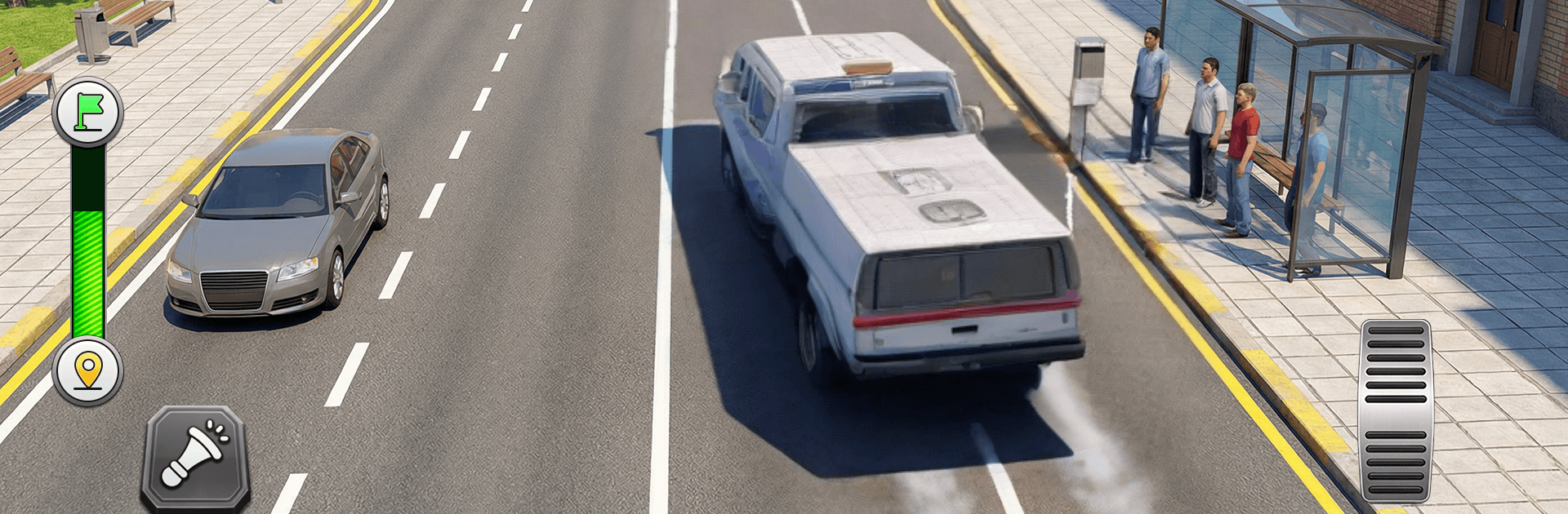
Bus Driving Simulator Game 3d

Bus Driving Simulator Game 3d

Simulation

| VIRTUAL MARKET LTD

Play on PC with BlueStacks or from our cloud

  • Overview
  • Game Features
  • How to Play

Page Modified On: September 25, 2026

Play Bus Driving Simulator Game 3d on PC or Mac

Bring your A-game to Bus Driving Simulator Game 3d, the Simulation game sensation from VIRTUAL MARKET LTD. Give your gameplay the much-needed boost with precise game controls, high FPS graphics, and top-tier features on your PC or Mac with BlueStacks.

About the Game

Bus Driving Simulator Game 3d is a Simulation that hands you the keys to a full fleet of buses and lets you prove you can keep a route on time. Expect tight city turns, long highway runs, and bumpy hill roads where smooth control matters and every stop counts. Prefer a bigger screen? It feels great on BlueStacks without getting in the way of the drive.

Game Features

  • Authentic driving feel: Steering wheel, buttons, or tilt—pick what’s comfortable, then balance throttle, brakes, and an automatic gearbox for clean, steady runs.
  • Diverse routes and terrain: Navigate busy city streets, open highways, and rough offroad sections with steep climbs and sharp descents that test your timing.
  • Passenger pickup system: Pull into marked stops, board riders, drop them safely, and earn cash for finishing routes cleanly and on schedule.
  • Progression that rewards skill: Use your earnings to unlock fresh routes and new rides, turning solid drives into steady upgrades.
  • A garage full of buses: Swap between mini bus, city bus, and luxury coach options to match the job—or your mood.
  • Deep customization: Repaint the exterior, tweak interiors, pick horn sounds, light up those LEDs, and personalize number plates to make each bus yours.
  • Multiple ways to play: Tackle structured Career missions, relax in Free Roam, race the clock in Time Challenge, or brave rugged paths in Offroad Mode.
  • Smooth handling and feedback: Tight controls and weighty vehicle response make every corner, climb, and stop feel satisfying.
  • 3D visuals that set the mood: Clean environments and clear sightlines help you read traffic, spot stops early, and plan smoother approaches.
  • Built for anytime sessions: Hop in for a quick route or settle in for a longer haul—works great offline when you just want to drive.

Ready to top the leaderboard? We bet you do. Let precise controls and sharp visuals optimized on BlueStacks lead you to victory.


Game Features

Enhancements

  • Macros
  • Multi Instance
  • Multi Instance Sync
  • Script
  • Enhancements
Macros

Macros

Automate the predictable in Bus Driving Simulator Game 3d and transform your gameplay with Macros. Get access to inventive Macros in the BlueStacks Macro Community
Multi Instance

Multi Instance

Play Bus Driving Simulator Game 3d on one window. And chat with your friend on the other. Press CTRL + Shift + 8 to open the Multi-Instance Manager. And start creating fresh instances or clone an existing one.
Multi Instance Sync

Multi Instance Sync

Play Bus Driving Simulator Game 3d with the power of Multi-Instance Sync. Replicate what you are doing on the main instance on all other instances. Level up faster, play more.
Script

Script

Script your way to gaming glory in Bus Driving Simulator Game 3d with BlueStacks Script. Write and run a set of commands to automate repeated tasks. Trigger the command by assigning it to any key.
Read More

How to Download and Play Bus Driving Simulator Game 3d on PC or Mac

  • Download and install BlueStacks on your PC or Mac

  • Complete Google sign-in to access the Play Store, or do it later

  • Look for Bus Driving Simulator Game 3d in the search bar at the top right corner

  • Click to install Bus Driving Simulator Game 3d from the search results

  • Complete Google sign-in (if you skipped step 2) to install Bus Driving Simulator Game 3d

  • Click the Bus Driving Simulator Game 3d icon on the home screen to start playing

video
Watch Video

Minimum System Requirements

With BlueStacks 5, you can get started on a PC that fulfills the following requirements.

  • Operating System

    Microsoft Windows 7 or above, macOS 11 (Big Sur) or above

  • Processor

    Intel, AMD or Apple Silicon Processor

  • RAM

    at least 4GB

  • HDD

    10GB Free Disk Space

Note:

* You must be an Administrator on your PC. Up to date graphics drivers from Microsoft or the chipset vendor.

Bus Driving Simulator Game 3d - FAQs

  • How to play Bus Driving Simulator Game 3d on Windows PC & Mac?

    Play Bus Driving Simulator Game 3d on your PC or Mac by following these simple steps.

    • Click on 'Play Bus Driving Simulator Game 3d on PC’ to download BlueStacks
    • Install it and log-in to Google Play Store
    • Launch and play the game.
  • Why is BlueStacks the fastest and safest platform to play games on PC?

    BlueStacks respects your privacy and is always safe and secure to use. It does not carry any malware, spyware, or any sort of additional software that could harm your PC.

    It is engineered to optimize speed and performance for a seamless gaming experience.

  • What are Bus Driving Simulator Game 3d PC requirements?

    Minimum requirement to run Bus Driving Simulator Game 3d on your PC

    • OS: Microsoft Windows 7 or above MacOS 11 (Big Sur) or above
    • Processor: Intel, AMD or Apple Silicon Processor
    • RAM: Your PC must have at least 4GB of RAM. (Note that having 4GB or more disk space is not a substitute for RAM)
    • HDD: 10GB Free Disk Space.
    • You must be an Administrator on your PC.