Bus Games Mini Coach Driving

Bus Games Mini Coach Driving

Simulation

| HalfByte

Play on PC with BlueStacks or from our cloud

  • Overview
  • Game Features
  • How to Play

Page Modified On: November 03, 2025

Play Bus Games Mini Coach Driving on PC or Mac

Step into the World of Bus Games Mini Coach Driving, a thrilling Simulation game from the house of HalfByte. Play this Android game on BlueStacks App Player and experience immersive gaming on PC or Mac.

About the Game

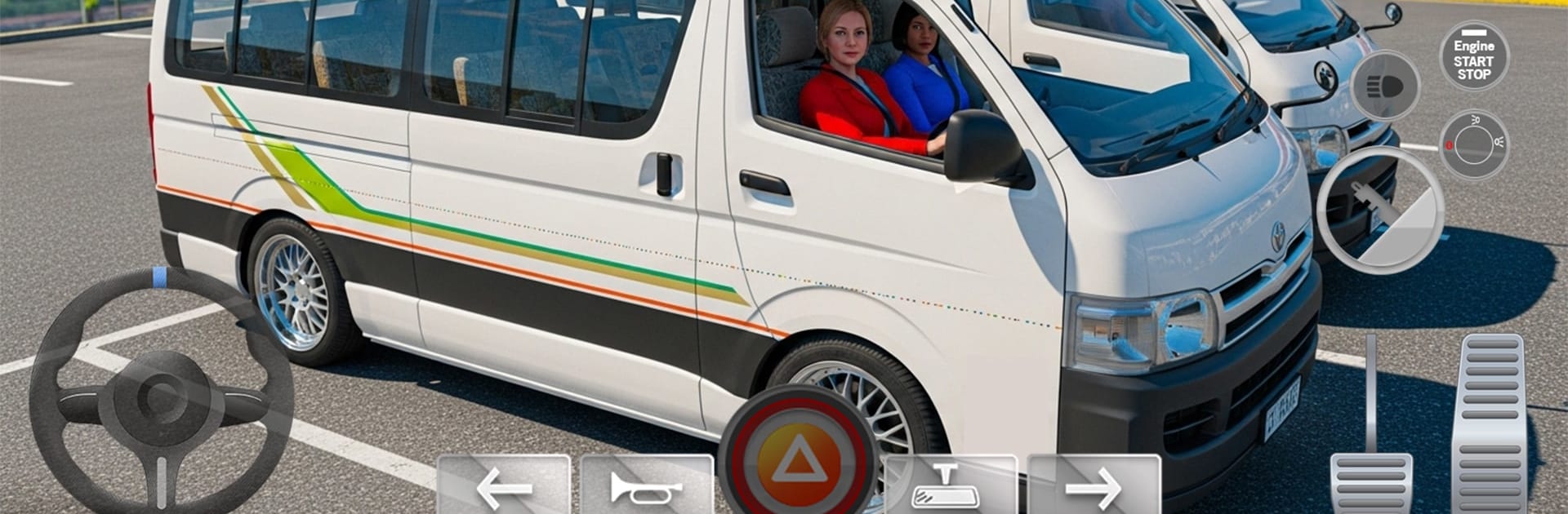
Bus Games Mini Coach Driving puts you in the front seat of a busy city coach, where every route tells a different story. One moment you’re cruising along a seaside road, the next you’re threading through neon-lit streets to hit your checkpoints on time. It’s a chill commute one minute and a white-knuckle rescue the next—classic Simulation energy from HalfByte. Prefer a bigger screen and crisp controls? It plays smoothly on PC with BlueStacks.

Game Features

  • Lively Terminals
    Watch passengers queue up with luggage, grab snacks, and hop aboard as you manage departures like a pro.

  • US and Indian Driving Styles
    Switch between regional driving vibes and vehicle handling to feel the difference in pace, traffic flow, and route design.

  • City to Seaside Routes
    Navigate tight city corners, hotel districts, concert venues, and scenic coastal roads without losing control of your coach.

  • Checkpoint-Focused Challenges
    Hit every checkpoint while keeping your timing tight and your driving clean—close calls included.

  • Calm Rides and Rescue Runs
    Not just commuter duty: take on dramatic missions where you shuttle injured passengers to the hospital with an offroad bus.

  • Multiple Coaches to Master
    From a classic passenger bus to a luxury coach and a powerful heavy-duty ride, each feels distinct on the road.

  • 3D World with Personality
    Bright nights, busy intersections, and detailed streets turn each trip into a little tour of the city.

  • Smooth, Practical Controls
    Steer, brake, and line up at stops with precision so travelers step off smiling and on schedule.

Make your gaming sessions memorable with precise controls that give you an edge in close combats and visuals that pop up, bringing every character to life.


Game Features

Enhancements

  • Macros
  • Multi Instance
  • Multi Instance Sync
  • Script
  • Enhancements
Macros

Macros

Automate the predictable in Bus Games Mini Coach Driving and transform your gameplay with Macros. Get access to inventive Macros in the BlueStacks Macro Community
Multi Instance

Multi Instance

Play Bus Games Mini Coach Driving on one window. And chat with your friend on the other. Press CTRL + Shift + 8 to open the Multi-Instance Manager. And start creating fresh instances or clone an existing one.
Multi Instance Sync

Multi Instance Sync

Play Bus Games Mini Coach Driving with the power of Multi-Instance Sync. Replicate what you are doing on the main instance on all other instances. Level up faster, play more.
Script

Script

Script your way to gaming glory in Bus Games Mini Coach Driving with BlueStacks Script. Write and run a set of commands to automate repeated tasks. Trigger the command by assigning it to any key.
Read More

How to Download and Play Bus Games Mini Coach Driving on PC or Mac

  • Download and install BlueStacks on your PC or Mac

  • Complete Google sign-in to access the Play Store, or do it later

  • Look for Bus Games Mini Coach Driving in the search bar at the top right corner

  • Click to install Bus Games Mini Coach Driving from the search results

  • Complete Google sign-in (if you skipped step 2) to install Bus Games Mini Coach Driving

  • Click the Bus Games Mini Coach Driving icon on the home screen to start playing

video
Watch Video

Minimum System Requirements

With BlueStacks 5, you can get started on a PC that fulfills the following requirements.

  • Operating System

    Microsoft Windows 7 or above, macOS 11 (Big Sur) or above

  • Processor

    Intel, AMD or Apple Silicon Processor

  • RAM

    at least 4GB

  • HDD

    10GB Free Disk Space

Note:

* You must be an Administrator on your PC. Up to date graphics drivers from Microsoft or the chipset vendor.

Bus Games Mini Coach Driving - FAQs

  • How to play Bus Games Mini Coach Driving on Windows PC & Mac?

    Play Bus Games Mini Coach Driving on your PC or Mac by following these simple steps.

    • Click on 'Play Bus Games Mini Coach Driving on PC’ to download BlueStacks
    • Install it and log-in to Google Play Store
    • Launch and play the game.
  • Why is BlueStacks the fastest and safest platform to play games on PC?

    BlueStacks respects your privacy and is always safe and secure to use. It does not carry any malware, spyware, or any sort of additional software that could harm your PC.

    It is engineered to optimize speed and performance for a seamless gaming experience.

  • What are Bus Games Mini Coach Driving PC requirements?

    Minimum requirement to run Bus Games Mini Coach Driving on your PC

    • OS: Microsoft Windows 7 or above MacOS 11 (Big Sur) or above
    • Processor: Intel, AMD or Apple Silicon Processor
    • RAM: Your PC must have at least 4GB of RAM. (Note that having 4GB or more disk space is not a substitute for RAM)
    • HDD: 10GB Free Disk Space.
    • You must be an Administrator on your PC.