Bus Renovation Simulator

Bus Renovation Simulator

Simulation

| TeaGames!

Play on PC with BlueStacks or from our cloud

  • Overview
  • Game Features
  • How to Play

Page Modified On: January 02, 2026

Play Bus Renovation Simulator on PC or Mac

Step into the World of Bus Renovation Simulator, a thrilling Simulation game from the house of TeaGames!. Play this Android game on BlueStacks App Player and experience immersive gaming on PC or Mac.

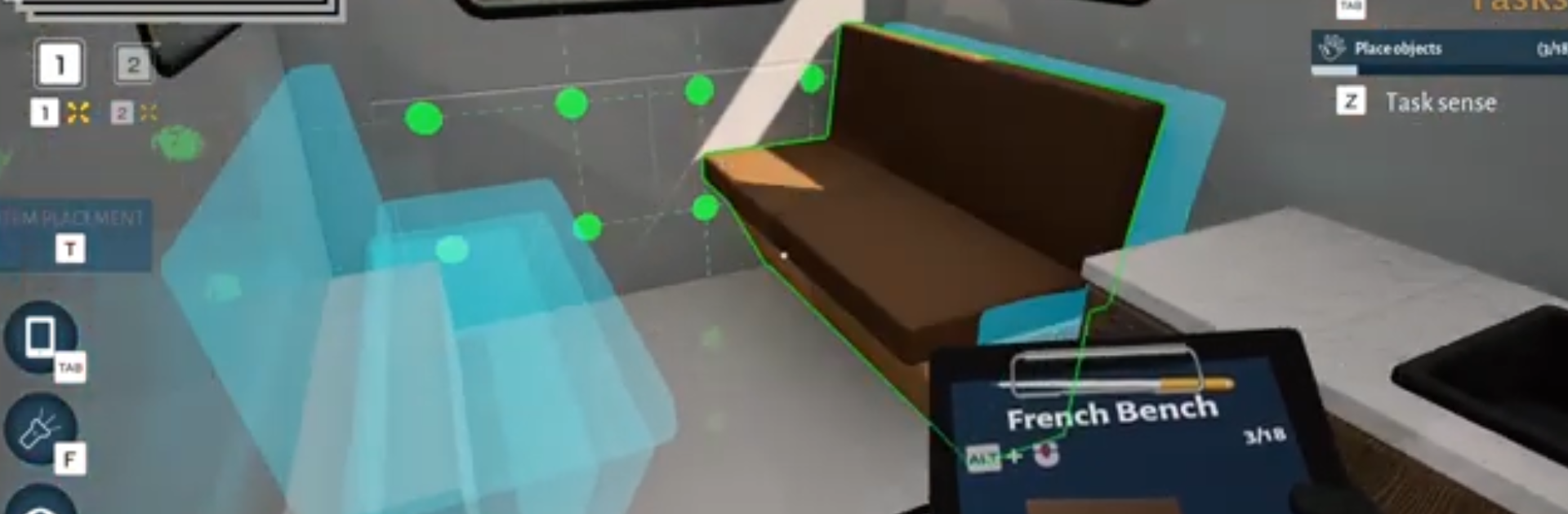
Bus Renovation Simulator is all about taking tired, beat-up RVs and turning them into clean, workable little homes on wheels. The loop is simple but oddly satisfying. The player rolls up to a job, checks the damage, then gets into hands-on tasks like washing off grime, grinding away rust, sanding panels smooth, swapping busted parts, and laying down paint that actually looks sharp when the light hits it. Then come the interiors, which is where it gets fun. Furniture placement, fixing wiring, adding modules for power or water, and throwing in decor so the space feels lived-in. It moves at a calm pace, but there are budgets and deadlines, so there is just enough pressure to keep things focused.

The economy makes sense. Client jobs pay out, better tools get unlocked, the work speeds up. A faster sander or a more controlled sprayer saves real time, and polishing up that final panel gives a nice little click in the brain. The player also improves the bus-workshop itself, so storage grows, layouts get cleaner, and the whole workflow becomes less messy. It is methodical and a bit therapeutic, with enough variety in RV layouts and requests that it does not turn into the same task list every time. On PC with BlueStacks, mouse control makes detailing and paint lines feel accurate, and switching tools with keys keeps the rhythm steady. The game leans toward creative freedom too, since colors, materials, and liveries are wide open, so a clunky wreck slowly becomes something someone would actually want to travel in.

Ready to top the leaderboard? We bet you do. Let precise controls and sharp visuals optimized on BlueStacks lead you to victory.


Game Features

Enhancements

  • Macros
  • Multi Instance
  • Multi Instance Sync
  • Script
  • Enhancements
Macros

Macros

Automate the predictable in Bus Renovation Simulator and transform your gameplay with Macros. Get access to inventive Macros in the BlueStacks Macro Community
Multi Instance

Multi Instance

Play Bus Renovation Simulator on one window. And chat with your friend on the other. Press CTRL + Shift + 8 to open the Multi-Instance Manager. And start creating fresh instances or clone an existing one.
Multi Instance Sync

Multi Instance Sync

Play Bus Renovation Simulator with the power of Multi-Instance Sync. Replicate what you are doing on the main instance on all other instances. Level up faster, play more.
Script

Script

Script your way to gaming glory in Bus Renovation Simulator with BlueStacks Script. Write and run a set of commands to automate repeated tasks. Trigger the command by assigning it to any key.
Read More

How to Download and Play Bus Renovation Simulator on PC or Mac

  • Download and install BlueStacks on your PC or Mac

  • Complete Google sign-in to access the Play Store, or do it later

  • Look for Bus Renovation Simulator in the search bar at the top right corner

  • Click to install Bus Renovation Simulator from the search results

  • Complete Google sign-in (if you skipped step 2) to install Bus Renovation Simulator

  • Click the Bus Renovation Simulator icon on the home screen to start playing

video
Watch Video

Minimum System Requirements

With BlueStacks 5, you can get started on a PC that fulfills the following requirements.

  • Operating System

    Microsoft Windows 7 or above, macOS 11 (Big Sur) or above

  • Processor

    Intel, AMD or Apple Silicon Processor

  • RAM

    at least 4GB

  • HDD

    10GB Free Disk Space

Note:

* You must be an Administrator on your PC. Up to date graphics drivers from Microsoft or the chipset vendor.

Bus Renovation Simulator - FAQs

  • How to play Bus Renovation Simulator on Windows PC & Mac?

    Play Bus Renovation Simulator on your PC or Mac by following these simple steps.

    • Click on 'Play Bus Renovation Simulator on PC’ to download BlueStacks
    • Install it and log-in to Google Play Store
    • Launch and play the game.
  • Why is BlueStacks the fastest and safest platform to play games on PC?

    BlueStacks respects your privacy and is always safe and secure to use. It does not carry any malware, spyware, or any sort of additional software that could harm your PC.

    It is engineered to optimize speed and performance for a seamless gaming experience.

  • What are Bus Renovation Simulator PC requirements?

    Minimum requirement to run Bus Renovation Simulator on your PC

    • OS: Microsoft Windows 7 or above MacOS 11 (Big Sur) or above
    • Processor: Intel, AMD or Apple Silicon Processor
    • RAM: Your PC must have at least 4GB of RAM. (Note that having 4GB or more disk space is not a substitute for RAM)
    • HDD: 10GB Free Disk Space.
    • You must be an Administrator on your PC.