Bus Simulator India Game 2026

Bus Simulator India Game 2026

Simulation

| Thaigrr Frolic Sol

Play on PC with BlueStacks or from our cloud

  • Overview
  • Game Features
  • How to Play

Page Modified On: June 29, 2026

Play Bus Simulator India Game 2026 on PC or Mac

Bring your A-game to Bus Simulator India Game 2026, the Simulation game sensation from Thaigrr Frolic Sol. Give your gameplay the much-needed boost with precise game controls, high FPS graphics, and top-tier features on your PC or Mac with BlueStacks.

About the Game

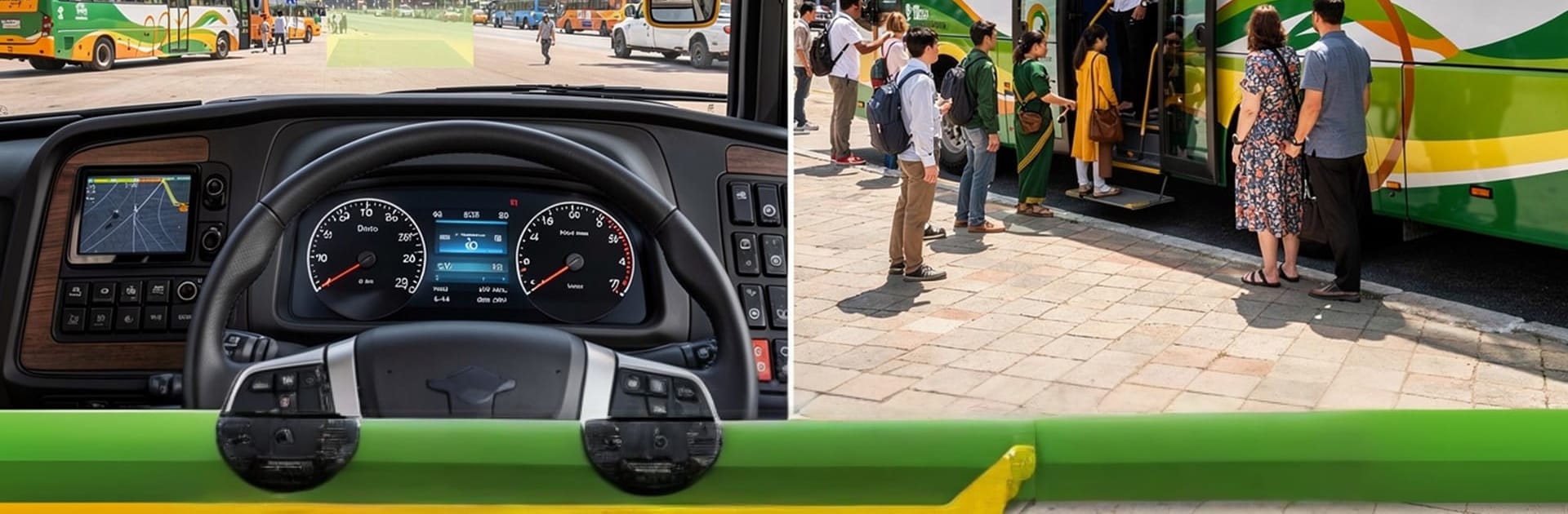
Bus Simulator India Game 2026 is a Simulation title that hands you the keys to a full-size coach and sets you loose on Indian roads. You’ll squeeze through packed city lanes, relax into long highway stretches, and juggle real driver duties along the way. The buses feel legit, the traffic acts like the real thing, and every route asks for smooth, confident driving. Prefer a bigger screen? It also runs great on PC with BlueStacks.

Game Features

  • Authentic Indian driving: Navigate bustling cities, national highways, and everything in between, with conditions that mirror the quirks and chaos of real roads.
  • Detailed buses and cabins: Sit in a fully modeled cockpit with working controls and interiors that make every route feel hands-on.
  • Lively traffic system: Deal with vehicles that behave unpredictably, forcing you to read the road, plan overtakes, and keep it safe.
  • Varied routes and trips: Tackle quick urban runs or settle in for long hauls, including favorites like Mumbai–Ahmedabad, Delhi–Manali, and scenic stretches across South India—even a hotel-to-stadium shuttle.
  • Smooth, responsive handling: Steering, braking, and acceleration feel tight and reliable so you can focus on timing, turns, and passengers.
  • Day and night cycle: Drive under blazing afternoon sun, dusk glow, or quiet midnight skies for a different vibe every time.
  • Iconic Indian sounds: Hit classic horns and hear ambient road noise that sells the illusion of being on the highway.
  • Missions with passengers: Pick up, drop off, and manage timing and safety to complete challenges and grow your reputation.
  • Works offline: Keep driving without a connection—perfect for quick sessions or long rides.
  • Optimized performance: Stable frame rates and fast loading help keep the focus on the road, not the menus.

BlueStacks gives you more room to focus on the game and less time adjusting around mobile limitations.


Game Features

Enhancements

  • Macros
  • Multi Instance
  • Multi Instance Sync
  • Script
  • Enhancements
Macros

Macros

Automate the predictable in Bus Simulator India Game 2026 and transform your gameplay with Macros. Get access to inventive Macros in the BlueStacks Macro Community
Multi Instance

Multi Instance

Play Bus Simulator India Game 2026 on one window. And chat with your friend on the other. Press CTRL + Shift + 8 to open the Multi-Instance Manager. And start creating fresh instances or clone an existing one.
Multi Instance Sync

Multi Instance Sync

Play Bus Simulator India Game 2026 with the power of Multi-Instance Sync. Replicate what you are doing on the main instance on all other instances. Level up faster, play more.
Script

Script

Script your way to gaming glory in Bus Simulator India Game 2026 with BlueStacks Script. Write and run a set of commands to automate repeated tasks. Trigger the command by assigning it to any key.
Read More

How to Download and Play Bus Simulator India Game 2026 on PC or Mac

  • Download and install BlueStacks on your PC or Mac

  • Complete Google sign-in to access the Play Store, or do it later

  • Look for Bus Simulator India Game 2026 in the search bar at the top right corner

  • Click to install Bus Simulator India Game 2026 from the search results

  • Complete Google sign-in (if you skipped step 2) to install Bus Simulator India Game 2026

  • Click the Bus Simulator India Game 2026 icon on the home screen to start playing

video
Watch Video

Minimum System Requirements

With BlueStacks 5, you can get started on a PC that fulfills the following requirements.

  • Operating System

    Microsoft Windows 7 or above, macOS 11 (Big Sur) or above

  • Processor

    Intel, AMD or Apple Silicon Processor

  • RAM

    at least 4GB

  • HDD

    10GB Free Disk Space

Note:

* You must be an Administrator on your PC. Up to date graphics drivers from Microsoft or the chipset vendor.

Bus Simulator India Game 2026 - FAQs

  • How to play Bus Simulator India Game 2026 on Windows PC & Mac?

    Play Bus Simulator India Game 2026 on your PC or Mac by following these simple steps.

    • Click on 'Play Bus Simulator India Game 2026 on PC’ to download BlueStacks
    • Install it and log-in to Google Play Store
    • Launch and play the game.
  • Why is BlueStacks the fastest and safest platform to play games on PC?

    BlueStacks respects your privacy and is always safe and secure to use. It does not carry any malware, spyware, or any sort of additional software that could harm your PC.

    It is engineered to optimize speed and performance for a seamless gaming experience.

  • What are Bus Simulator India Game 2026 PC requirements?

    Minimum requirement to run Bus Simulator India Game 2026 on your PC

    • OS: Microsoft Windows 7 or above MacOS 11 (Big Sur) or above
    • Processor: Intel, AMD or Apple Silicon Processor
    • RAM: Your PC must have at least 4GB of RAM. (Note that having 4GB or more disk space is not a substitute for RAM)
    • HDD: 10GB Free Disk Space.
    • You must be an Administrator on your PC.