Bus Simulator Real
Bus Simulator Real

Bus Simulator Real

Simulation

| Shadow Mission Game Soft

Play on PC with BlueStacks or from our cloud

  • Overview
  • Game Features
  • How to Play

Page Modified On: October 24, 2025

Play Bus Simulator Real on PC or Mac

Join millions to experience Bus Simulator Real, an exciting Simulation game from Shadow Mission Game Soft. With BlueStacks App Player, you are always a step ahead of your opponent, ready to outplay them with faster gameplay and better control with the mouse and keyboard on your PC or Mac.

About the Game

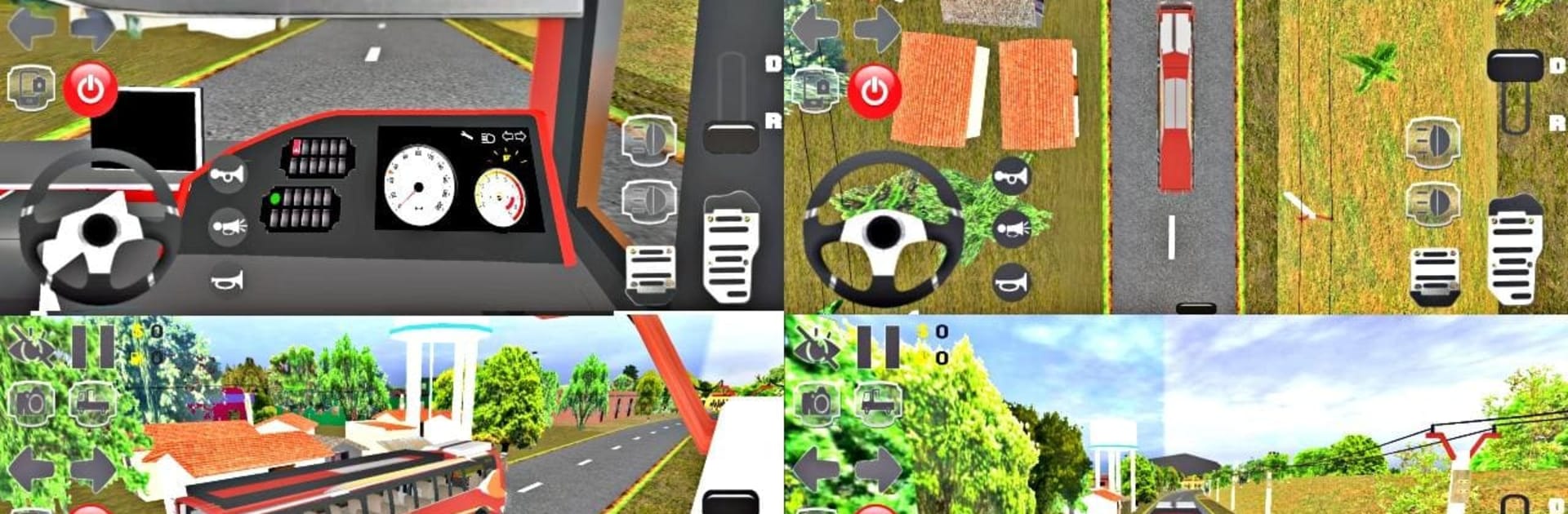
Bus Simulator Real is a down-to-earth Simulation experience from Shadow Mission Game Soft that turns everyday routes into memorable drives. Set across Indian cities, villages, hills, deserts, and snowy stretches, you’ll ferry passengers, follow the rules, and earn cash for good driving. Prefer a bigger screen? It also runs smoothly on PC with BlueStacks.

Game Features

  • Authentic Indian routes: Navigate city streets, quiet towns, winding hill roads, sandy highways, and icy passesβ€”all crafted with dense scenery and close-up details.
  • 14 distinct buses: Government, private, tourist, coach, and more. Each model brings its own vibe and interior feel.
  • Real passenger jobs: Pick up, drop off, and get rated on how you drive; your earnings fund fuel and maintenance.
  • Driver walking mode: Step out, explore the area on foot, and even grab your bus keys at the transport office.
  • Deep customization: Create free bus liveries, swap horns, and personalize your driver’s face and outfit. Add new buses without replacing the originals.
  • Cameras and interiors: Switch views on the fly, rotate through detailed cabins, and personalize interior photo albums.
  • Weather and time: Drive under clear skies, rain, day-night cycles, and flip on wipers and headlights when conditions call for it.
  • Realistic systems: Fuel up at stations, service your bus when it’s acting up, and even use water wash spots to keep things tidy.
  • Traffic that behaves: AI vehicles, hotel parking, and believable road behavior keep you alert.
  • Play your way: Free Drive for chill sessions, career-style jobs for progression, and time-based challenges for quick runs.
  • Flexible controls: Choose steering wheel or buttons, tweak graphics for your device, and pick the driving style that fits you.

Start your journey now. Download the game on BlueStacks, invite your friends, and march on a new adventure.


Game Features

Enhancements

  • Macros
  • Multi Instance
  • Multi Instance Sync
  • Script
  • Enhancements
Macros

Macros

Automate the predictable in Bus Simulator Real and transform your gameplay with Macros. Get access to inventive Macros in the BlueStacks Macro Community
Multi Instance

Multi Instance

Play Bus Simulator Real on one window. And chat with your friend on the other. Press CTRL + Shift + 8 to open the Multi-Instance Manager. And start creating fresh instances or clone an existing one.
Multi Instance Sync

Multi Instance Sync

Play Bus Simulator Real with the power of Multi-Instance Sync. Replicate what you are doing on the main instance on all other instances. Level up faster, play more.
Script

Script

Script your way to gaming glory in Bus Simulator Real with BlueStacks Script. Write and run a set of commands to automate repeated tasks. Trigger the command by assigning it to any key.
Read More

How to Download and Play Bus Simulator Real on PC or Mac

  • Download and install BlueStacks on your PC or Mac

  • Complete Google sign-in to access the Play Store, or do it later

  • Look for Bus Simulator Real in the search bar at the top right corner

  • Click to install Bus Simulator Real from the search results

  • Complete Google sign-in (if you skipped step 2) to install Bus Simulator Real

  • Click the Bus Simulator Real icon on the home screen to start playing

video
Watch Video

Minimum System Requirements

With BlueStacks 5, you can get started on a PC that fulfills the following requirements.

  • Operating System

    Microsoft Windows 7 or above, macOS 11 (Big Sur) or above

  • Processor

    Intel, AMD or Apple Silicon Processor

  • RAM

    at least 4GB

  • HDD

    10GB Free Disk Space

Note:

* You must be an Administrator on your PC. Up to date graphics drivers from Microsoft or the chipset vendor.

Bus Simulator Real - FAQs

  • How to play Bus Simulator Real on Windows PC & Mac?

    Play Bus Simulator Real on your PC or Mac by following these simple steps.

    • Click on 'Play Bus Simulator Real on PC’ to download BlueStacks
    • Install it and log-in to Google Play Store
    • Launch and play the game.
  • Why is BlueStacks the fastest and safest platform to play games on PC?

    BlueStacks respects your privacy and is always safe and secure to use. It does not carry any malware, spyware, or any sort of additional software that could harm your PC.

    It is engineered to optimize speed and performance for a seamless gaming experience.

  • What are Bus Simulator Real PC requirements?

    Minimum requirement to run Bus Simulator Real on your PC

    • OS: Microsoft Windows 7 or above MacOS 11 (Big Sur) or above
    • Processor: Intel, AMD or Apple Silicon Processor
    • RAM: Your PC must have at least 4GB of RAM. (Note that having 4GB or more disk space is not a substitute for RAM)
    • HDD: 10GB Free Disk Space.
    • You must be an Administrator on your PC.