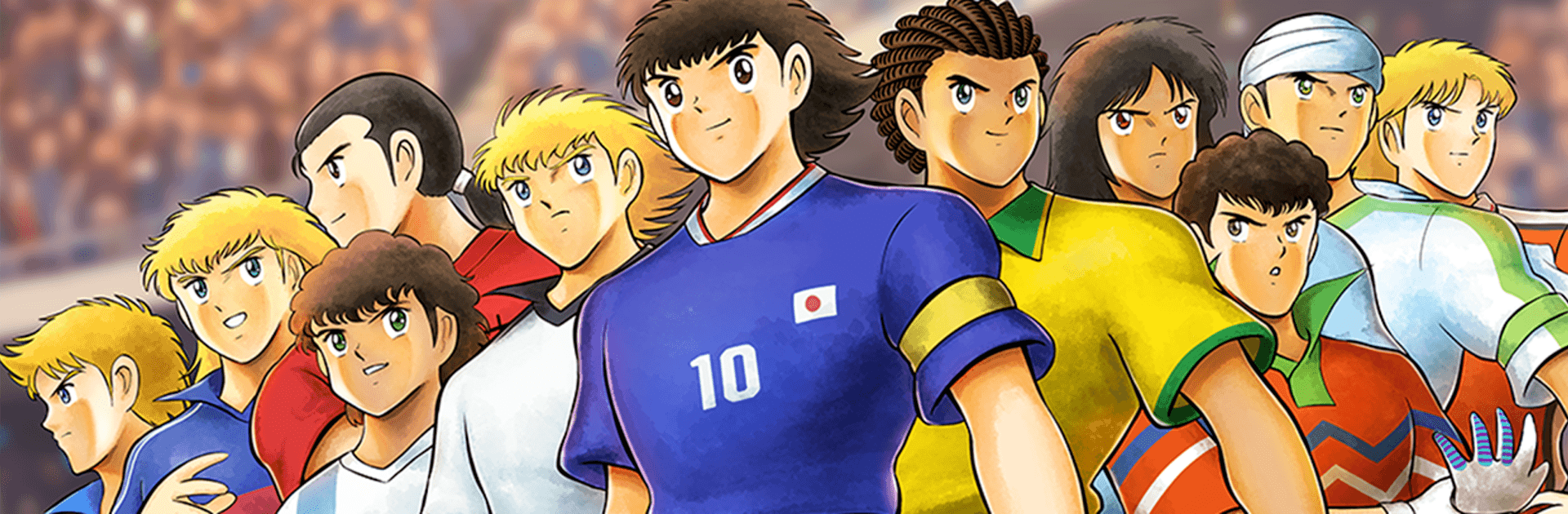
CaptainTsubasa:MyGoldenXI MG11

CaptainTsubasa:MyGoldenXI MG11

Simulation

| ALPSE PTE

Play on PC with BlueStacks or from our cloud

  • Overview
  • Game Features
  • How to Play

Page Modified On: August 03, 2026

Play CaptainTsubasa:MyGoldenXI MG11 on PC or Mac

Bring your A-game to CaptainTsubasa:MyGoldenXI MG11, the Simulation game sensation from ALPSE PTE. Give your gameplay the much-needed boost with precise game controls, high FPS graphics, and top-tier features on your PC or Mac with BlueStacks.

About the Game

CaptainTsubasa:MyGoldenXI MG11 is a fast, flashy Simulation take on soccer where you build a dream squad and let them loose with outrageous signature shots. Train your favorites, set the tactics, and watch those risky choices pay off in tense matchups. Want it on a bigger screen with smooth performance? It runs nicely on BlueStacks, too.

Game Features

  • Create Your Star: Pick a player and guide their growth through focused training sessions that shape how they play.
  • Choices Shape Stats: Your training calls—what to practice, when to push, when to rest—directly influence final attributes and the skills they unlock.
  • Build the Golden XI: Combine the talents you’ve developed into a custom starting lineup and bench built for your strategy.
  • Smart Formations: Assign roles and tweak formations to match your style, from all-out pressure to patient counterattacks.
  • Signature Specials: Fire off iconic moves like the Drive Shot and the Tiger Shot, complete with eye-catching animations.
  • Tactics Meet Spectacle: Matches highlight the plans you’ve made—clever positioning, timely subs, and explosive moments on the ball.
  • Rival Clashes: Test your squad against tough opponents and see whether your training blueprint holds up when the whistle blows.
  • Play Your Way: Prefer a technical midfield or a relentless strike force? Shape your squad’s identity and stick to it when the pressure’s on.

Start playing CaptainTsubasa:MyGoldenXI MG11 on BlueStacks and get a smoother, more comfortable PC or Mac setup.


Game Features

Enhancements

  • Macros
  • Multi Instance
  • Multi Instance Sync
  • Script
  • Enhancements
Macros

Macros

Automate the predictable in CaptainTsubasa:MyGoldenXI MG11 and transform your gameplay with Macros. Get access to inventive Macros in the BlueStacks Macro Community
Multi Instance

Multi Instance

Play CaptainTsubasa:MyGoldenXI MG11 on one window. And chat with your friend on the other. Press CTRL + Shift + 8 to open the Multi-Instance Manager. And start creating fresh instances or clone an existing one.
Multi Instance Sync

Multi Instance Sync

Play CaptainTsubasa:MyGoldenXI MG11 with the power of Multi-Instance Sync. Replicate what you are doing on the main instance on all other instances. Level up faster, play more.
Script

Script

Script your way to gaming glory in CaptainTsubasa:MyGoldenXI MG11 with BlueStacks Script. Write and run a set of commands to automate repeated tasks. Trigger the command by assigning it to any key.
Read More

How to Download and Play CaptainTsubasa:MyGoldenXI MG11 on PC or Mac

  • Download and install BlueStacks on your PC or Mac

  • Complete Google sign-in to access the Play Store, or do it later

  • Look for CaptainTsubasa:MyGoldenXI MG11 in the search bar at the top right corner

  • Click to install CaptainTsubasa:MyGoldenXI MG11 from the search results

  • Complete Google sign-in (if you skipped step 2) to install CaptainTsubasa:MyGoldenXI MG11

  • Click the CaptainTsubasa:MyGoldenXI MG11 icon on the home screen to start playing

video
Watch Video

Minimum System Requirements

With BlueStacks 5, you can get started on a PC that fulfills the following requirements.

  • Operating System

    Microsoft Windows 7 or above, macOS 11 (Big Sur) or above

  • Processor

    Intel, AMD or Apple Silicon Processor

  • RAM

    at least 4GB

  • HDD

    10GB Free Disk Space

Note:

* You must be an Administrator on your PC. Up to date graphics drivers from Microsoft or the chipset vendor.

CaptainTsubasa:MyGoldenXI MG11 - FAQs

  • How to play CaptainTsubasa:MyGoldenXI MG11 on Windows PC & Mac?

    Play CaptainTsubasa:MyGoldenXI MG11 on your PC or Mac by following these simple steps.

    • Click on 'Play CaptainTsubasa:MyGoldenXI MG11 on PC’ to download BlueStacks
    • Install it and log-in to Google Play Store
    • Launch and play the game.
  • Why is BlueStacks the fastest and safest platform to play games on PC?

    BlueStacks respects your privacy and is always safe and secure to use. It does not carry any malware, spyware, or any sort of additional software that could harm your PC.

    It is engineered to optimize speed and performance for a seamless gaming experience.

  • What are CaptainTsubasa:MyGoldenXI MG11 PC requirements?

    Minimum requirement to run CaptainTsubasa:MyGoldenXI MG11 on your PC

    • OS: Microsoft Windows 7 or above MacOS 11 (Big Sur) or above
    • Processor: Intel, AMD or Apple Silicon Processor
    • RAM: Your PC must have at least 4GB of RAM. (Note that having 4GB or more disk space is not a substitute for RAM)
    • HDD: 10GB Free Disk Space.
    • You must be an Administrator on your PC.