Car Crash Driving Simulator 3D

Car Crash Driving Simulator 3D

Simulation

| GamePark

Play on PC with BlueStacks or from our cloud

  • Overview
  • Game Features
  • How to Play

Page Modified On: August 10, 2026

Play Car Crash Driving Simulator 3D on PC or Mac

Car Crash Driving Simulator 3D by GamePark has plenty to keep you busy. BlueStacks lets you play it on PC or Mac with more screen space, better control, and fewer mobile limits.

About the Game

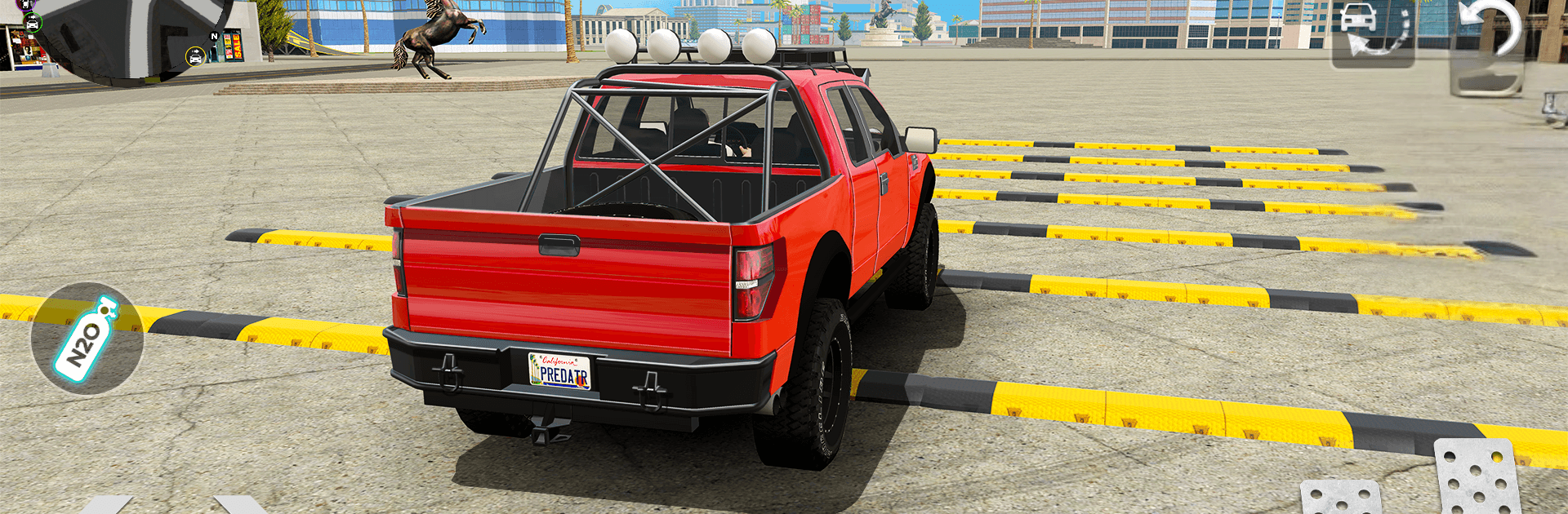
Car Crash Driving Simulator 3D is a chaos-friendly playground for anyone who loves speed, smoke, and the sound of metal folding under pressure. It’s a Simulation game where you can roam a big 3D world, swap between sweet rides, and push them to the edge—then a little past it—just to see what happens. Expect convincing crash physics, a stack of modes to mess around in, and controls that let you fine-tune every turn. Prefer a bigger screen and smoother inputs? It plays nicely on BlueStacks.

Game Features

  • Open-world playground: Explore wide roads, test zones, and stunt spots with no set path or timer telling you what to do.
  • True crash physics: Panels crease, glass breaks, and frames bend in ways that actually affect how your car drives afterward.
  • Garage full of toys: Pick from 20+ vehicles—sports, muscle, luxury, classics, and supercars—each with its own bite and handling.
  • Modes for every mood: Jump between Open World, Career tasks, Demolition arenas, Scenarios, Extreme Tracks, and crash-focused challenges.
  • High-stakes stunts: Hit ramps, thread nasty hairpins, and take on obstacle runs and sketchy roads that punish sloppy lines.
  • Drift and highway rush: Link clean drifts, blast down long straights, and chase quick-win races when you want instant speed.
  • Smooth, responsive controls: Tight steering, reliable braking, and camera options that make precise driving feel natural.
  • No-rules testing: Set up wild pileups, experiment with different cars, or just cruise and enjoy the scenery.
  • Skill-building chaos: Learn throttle control, weight transfer, and recovery as you balance going fast with keeping the wheels pointed forward.
  • PC-friendly option: Looks crisp and feels great with key mapping when you play on BlueStacks.

Get ready for a buttery smooth, high-performance gaming action only on BlueStacks.

Game Features

Enhancements

  • Macros
  • Multi Instance
  • Multi Instance Sync
  • Script
  • Enhancements
Macros

Macros

Automate the predictable in Car Crash Driving Simulator 3D and transform your gameplay with Macros. Get access to inventive Macros in the BlueStacks Macro Community
Multi Instance

Multi Instance

Play Car Crash Driving Simulator 3D on one window. And chat with your friend on the other. Press CTRL + Shift + 8 to open the Multi-Instance Manager. And start creating fresh instances or clone an existing one.
Multi Instance Sync

Multi Instance Sync

Play Car Crash Driving Simulator 3D with the power of Multi-Instance Sync. Replicate what you are doing on the main instance on all other instances. Level up faster, play more.
Script

Script

Script your way to gaming glory in Car Crash Driving Simulator 3D with BlueStacks Script. Write and run a set of commands to automate repeated tasks. Trigger the command by assigning it to any key.
Read More

How to Download and Play Car Crash Driving Simulator 3D on PC or Mac

  • Download and install BlueStacks on your PC or Mac

  • Complete Google sign-in to access the Play Store, or do it later

  • Look for Car Crash Driving Simulator 3D in the search bar at the top right corner

  • Click to install Car Crash Driving Simulator 3D from the search results

  • Complete Google sign-in (if you skipped step 2) to install Car Crash Driving Simulator 3D

  • Click the Car Crash Driving Simulator 3D icon on the home screen to start playing

video
Watch Video

Minimum System Requirements

With BlueStacks 5, you can get started on a PC that fulfills the following requirements.

  • Operating System

    Microsoft Windows 7 or above, macOS 11 (Big Sur) or above

  • Processor

    Intel, AMD or Apple Silicon Processor

  • RAM

    at least 4GB

  • HDD

    10GB Free Disk Space

Note:

* You must be an Administrator on your PC. Up to date graphics drivers from Microsoft or the chipset vendor.

Car Crash Driving Simulator 3D - FAQs

  • How to play Car Crash Driving Simulator 3D on Windows PC & Mac?

    Play Car Crash Driving Simulator 3D on your PC or Mac by following these simple steps.

    • Click on 'Play Car Crash Driving Simulator 3D on PC’ to download BlueStacks
    • Install it and log-in to Google Play Store
    • Launch and play the game.
  • Why is BlueStacks the fastest and safest platform to play games on PC?

    BlueStacks respects your privacy and is always safe and secure to use. It does not carry any malware, spyware, or any sort of additional software that could harm your PC.

    It is engineered to optimize speed and performance for a seamless gaming experience.

  • What are Car Crash Driving Simulator 3D PC requirements?

    Minimum requirement to run Car Crash Driving Simulator 3D on your PC

    • OS: Microsoft Windows 7 or above MacOS 11 (Big Sur) or above
    • Processor: Intel, AMD or Apple Silicon Processor
    • RAM: Your PC must have at least 4GB of RAM. (Note that having 4GB or more disk space is not a substitute for RAM)
    • HDD: 10GB Free Disk Space.
    • You must be an Administrator on your PC.