Car vs Train: High Speed Racing Game

Car vs Train: High Speed Racing Game

Simulation

| PinPrick Gamers

Play on PC with BlueStacks or from our cloud

  • Overview
  • Game Features
  • How to Play

Page Modified On: September 02, 2025

Play Car vs Train: High Speed Racing Game on PC or Mac

Car vs Train: High Speed Racing Game brings the Simulation genre to life, and throws up exciting challenges for gamers. Developed by PinPrick Gamers, this Android game is best experienced on BlueStacks, the World’s #1 app player for PC and Mac users.

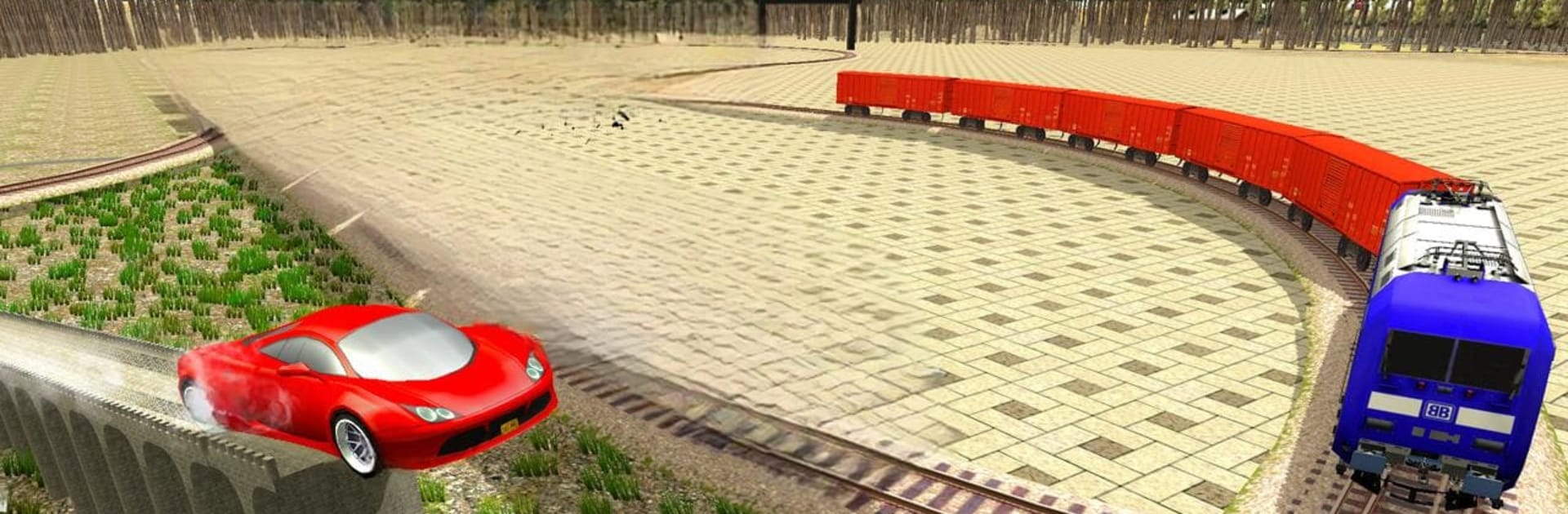
Car vs Train: High Speed Racing Game is exactly what it sounds like. Cars and chunky 4×4 Prados tear down roads that run next to a roaring train, and the whole point is to beat that train to the next stop. It plays like an arcade racer, not a strict sim. Steering is loose on purpose, the handbrake lets the back end swing wide, and the drifts look wild when a crossing is coming up and the train horn is blaring. Tracks jump between shiny city streets, dusty desert stretches, and twisty mountain lanes, so one moment it is smooth asphalt, the next it is bumping over offroad hills where traction fights back. There are a bunch of different Prados to pick from, all fast, all dramatic, with simple pick‑up‑and‑play handling that anyone can get used to in a minute.

Races are short and snappy, and the camera has a couple angles, including one that puts the train in view so the chase feels closer. The train is no joke either, it accelerates hard, so shaving seconds with a clean drift or a tight corner actually matters. On PC with BlueStacks, keyboard steering makes those quick corrections easier and the bigger screen helps spot turns before they sneak up. The look is bright and clean rather than ultra realistic, which fits the whole idea of racing a bullet train across a sprawling city and then barreling into a mountain pass like it is rush hour.

Get ready for a buttery smooth, high-performance gaming action only on BlueStacks.

Game Features

Enhancements

  • Macros
  • Multi Instance
  • Multi Instance Sync
  • Script
  • Enhancements
Macros

Macros

Automate the predictable in Car vs Train: High Speed Racing Game and transform your gameplay with Macros. Get access to inventive Macros in the BlueStacks Macro Community
Multi Instance

Multi Instance

Play Car vs Train: High Speed Racing Game on one window. And chat with your friend on the other. Press CTRL + Shift + 8 to open the Multi-Instance Manager. And start creating fresh instances or clone an existing one.
Multi Instance Sync

Multi Instance Sync

Play Car vs Train: High Speed Racing Game with the power of Multi-Instance Sync. Replicate what you are doing on the main instance on all other instances. Level up faster, play more.
Script

Script

Script your way to gaming glory in Car vs Train: High Speed Racing Game with BlueStacks Script. Write and run a set of commands to automate repeated tasks. Trigger the command by assigning it to any key.
Read More

How to Download and Play Car vs Train: High Speed Racing Game on PC or Mac

  • Download and install BlueStacks on your PC or Mac

  • Complete Google sign-in to access the Play Store, or do it later

  • Look for Car vs Train: High Speed Racing Game in the search bar at the top right corner

  • Click to install Car vs Train: High Speed Racing Game from the search results

  • Complete Google sign-in (if you skipped step 2) to install Car vs Train: High Speed Racing Game

  • Click the Car vs Train: High Speed Racing Game icon on the home screen to start playing

video
Watch Video

Minimum System Requirements

With BlueStacks 5, you can get started on a PC that fulfills the following requirements.

  • Operating System

    Microsoft Windows 7 or above, macOS 11 (Big Sur) or above

  • Processor

    Intel, AMD or Apple Silicon Processor

  • RAM

    at least 4GB

  • HDD

    10GB Free Disk Space

Note:

* You must be an Administrator on your PC. Up to date graphics drivers from Microsoft or the chipset vendor.

Car vs Train: High Speed Racing Game - FAQs

  • How to play Car vs Train: High Speed Racing Game on Windows PC & Mac?

    Play Car vs Train: High Speed Racing Game on your PC or Mac by following these simple steps.

    • Click on 'Play Car vs Train: High Speed Racing Game on PC’ to download BlueStacks
    • Install it and log-in to Google Play Store
    • Launch and play the game.
  • Why is BlueStacks the fastest and safest platform to play games on PC?

    BlueStacks respects your privacy and is always safe and secure to use. It does not carry any malware, spyware, or any sort of additional software that could harm your PC.

    It is engineered to optimize speed and performance for a seamless gaming experience.

  • What are Car vs Train: High Speed Racing Game PC requirements?

    Minimum requirement to run Car vs Train: High Speed Racing Game on your PC

    • OS: Microsoft Windows 7 or above MacOS 11 (Big Sur) or above
    • Processor: Intel, AMD or Apple Silicon Processor
    • RAM: Your PC must have at least 4GB of RAM. (Note that having 4GB or more disk space is not a substitute for RAM)
    • HDD: 10GB Free Disk Space.
    • You must be an Administrator on your PC.