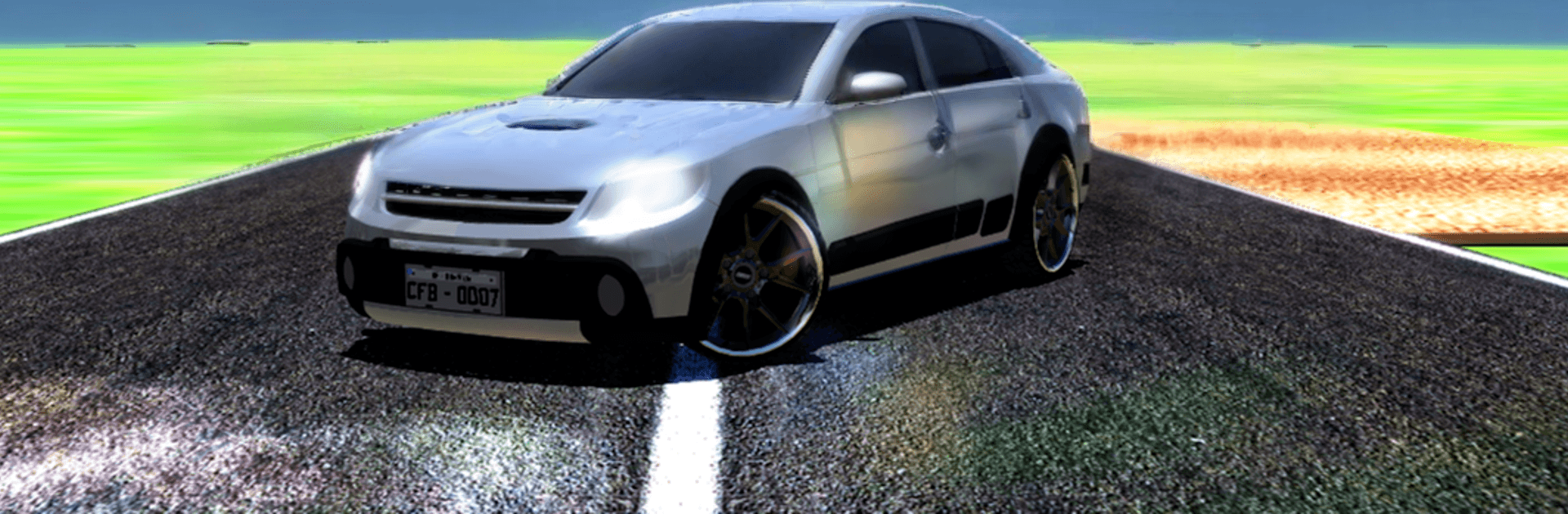
Cars in Fixa - Brazil

Cars in Fixa - Brazil

Simulation

| Milesoft™

Play on PC with BlueStacks or from our cloud

  • Overview
  • Game Features
  • How to Play

Page Modified On: August 15, 2026

Play Cars in Fixa - Brazil on PC or Mac

Cars in Fixa – Brazil brings the Simulation genre to life, and throws up exciting challenges for gamers. Developed by Milesoft™, this Android game is best experienced on BlueStacks, the World’s #1 app player for PC and Mac users.

About the Game

Cars in Fixa – Brazil is all about car culture with a Brazilian twist—build a ride you’re proud of, then live with it in a laid-back city that keeps growing and changing. This Simulation lets you hustle for cash, pick up new cars, and tune them from mild to wild with realistic handling and a ton of style options. Want bigger visuals and comfy controls? It also runs great on PC with BlueStacks.

Game Features

  • Open-city cruising: Drive through a lively urban map with working traffic and signals, then take the long way just to enjoy the scenery.
  • Deep car tuning: Paint, lower, and stance your ride; throw on fresh wheel sets (including chunky off-road options) and dial in the look you’re after.
  • Realistic handling: Feel the weight, grip, and bumps—physics have been tightened up so every build drives like it looks.
  • Custom audio setups: Install powerful automotive sound systems and load in your own music for that rolling-show vibe.
  • Weather and time: Rain changes the mood and the roads, while on-screen time keeps your day moving naturally.
  • First-person walking: Step out of the driver’s seat and check your car up close, explore spots, and mess with details in character view.
  • Property and garages: Buy or rent places around town to store cars, chill, and make the city feel like yours.
  • Flexible controls: Pick control modes that fit your style, tweak traffic options, and switch camera views whenever you need.
  • A growing car list: Keep expanding your collection with new additions—from clean daily builds to machines ready for dirt and highways.
  • Stickers and style: Add custom decals and visual touches for a look that’s unmistakably yours.
  • Performance polish: Smoother FPS, sharper reflections, and improved lighting make your machines pop on the street.
  • Progress that sticks: Save your game so your money, cars, and upgrades are there when you come back.

Get ready for a buttery smooth, high-performance gaming action only on BlueStacks.

Game Features

Enhancements

  • Macros
  • Multi Instance
  • Multi Instance Sync
  • Script
  • Enhancements
Macros

Macros

Automate the predictable in Cars in Fixa - Brazil and transform your gameplay with Macros. Get access to inventive Macros in the BlueStacks Macro Community
Multi Instance

Multi Instance

Play Cars in Fixa - Brazil on one window. And chat with your friend on the other. Press CTRL + Shift + 8 to open the Multi-Instance Manager. And start creating fresh instances or clone an existing one.
Multi Instance Sync

Multi Instance Sync

Play Cars in Fixa - Brazil with the power of Multi-Instance Sync. Replicate what you are doing on the main instance on all other instances. Level up faster, play more.
Script

Script

Script your way to gaming glory in Cars in Fixa - Brazil with BlueStacks Script. Write and run a set of commands to automate repeated tasks. Trigger the command by assigning it to any key.
Read More

How to Download and Play Cars in Fixa - Brazil on PC or Mac

  • Download and install BlueStacks on your PC or Mac

  • Complete Google sign-in to access the Play Store, or do it later

  • Look for Cars in Fixa - Brazil in the search bar at the top right corner

  • Click to install Cars in Fixa - Brazil from the search results

  • Complete Google sign-in (if you skipped step 2) to install Cars in Fixa - Brazil

  • Click the Cars in Fixa - Brazil icon on the home screen to start playing

video
Watch Video

Minimum System Requirements

With BlueStacks 5, you can get started on a PC that fulfills the following requirements.

  • Operating System

    Microsoft Windows 7 or above, macOS 11 (Big Sur) or above

  • Processor

    Intel, AMD or Apple Silicon Processor

  • RAM

    at least 4GB

  • HDD

    10GB Free Disk Space

Note:

* You must be an Administrator on your PC. Up to date graphics drivers from Microsoft or the chipset vendor.

Cars in Fixa - Brazil - FAQs

  • How to play Cars in Fixa - Brazil on Windows PC & Mac?

    Play Cars in Fixa - Brazil on your PC or Mac by following these simple steps.

    • Click on 'Play Cars in Fixa - Brazil on PC’ to download BlueStacks
    • Install it and log-in to Google Play Store
    • Launch and play the game.
  • Why is BlueStacks the fastest and safest platform to play games on PC?

    BlueStacks respects your privacy and is always safe and secure to use. It does not carry any malware, spyware, or any sort of additional software that could harm your PC.

    It is engineered to optimize speed and performance for a seamless gaming experience.

  • What are Cars in Fixa - Brazil PC requirements?

    Minimum requirement to run Cars in Fixa - Brazil on your PC

    • OS: Microsoft Windows 7 or above MacOS 11 (Big Sur) or above
    • Processor: Intel, AMD or Apple Silicon Processor
    • RAM: Your PC must have at least 4GB of RAM. (Note that having 4GB or more disk space is not a substitute for RAM)
    • HDD: 10GB Free Disk Space.
    • You must be an Administrator on your PC.