Case Clicker Revival

Case Clicker Revival

Simulation

| PawlicaWeb

Play on PC with BlueStacks or from our cloud

  • Overview
  • Game Features
  • How to Play

Page Modified On: September 11, 2026

Play Case Clicker Revival on PC or Mac

Play Case Clicker Revival by PawlicaWeb on PC or Mac with BlueStacks. Use a bigger screen, mouse and keyboard controls, and smoother performance while you play.

About the Game

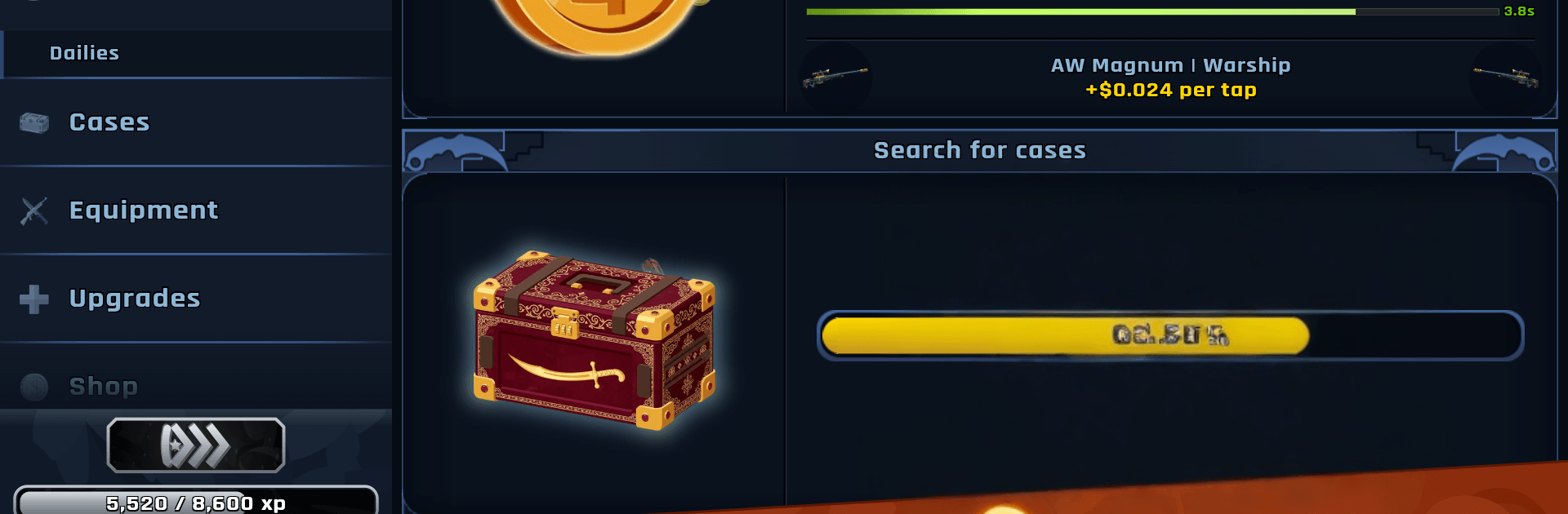
Case Clicker Revival turns the rush of cracking cases into a tap-happy, surprisingly deep Simulation. Stack cash with every click, unbox flashy skins, and try your luck (and skill) across quick mini-games while a live economy keeps things interesting. Prefer tapping with a keyboard? It plays nicely on BlueStacks, too.

Game Features

  • Case opening meets clicker bliss: Tap to earn, then splash your cash on cases, capsules, and sticker packs for that perfect pull.
  • Combos that snowball fast: Chain taps to hit big multipliers and spark Tapping Sprees that shower you with cash.
  • Skill breaks that matter: Hop into fast arcade rounds like Flippy Knife, Sky Stack, and Crate Smasher to snag juicy bonuses.
  • A stack of extra mini-games: Call it in Coin Toss, predict the wheel in Spin & Predict, outsmart Minesweeper, time your exit in Price Rush, climb towers, scratch and win, upgrade risky items, and enter prize draws.
  • Trade like a pro: Swap skins with players worldwide and work a marketplace where prices move with real player demand.
  • Tap it out head‑to‑head: Jump into 1v1 Speed Tap duels for real-time bragging rights and quick rewards.
  • Build your own cases: Use the Custom Case Creator to choose items, style the look, and share your creations; browse and open community-made sets.
  • Gear up your armory: Equip pistols, SMGs, rifles, heavies, knives, and gloves across two teams, apply up to four stickers per weapon, rename and show off your loadout.
  • Progress that keeps giving: Push through hundreds of upgrades, climb multiple rank ladders, complete campaigns, and chase a huge list of achievements.
  • Earn while you’re away: Bank passive income offline, then come back to a stash ready to reinvest.
  • A massive collection to chase: Over 1,150 skins plus 320+ stickers spread across 85+ containers, including 25 regular series and 11 gold series for set collectors.
  • Online play with friends: Trade, chat, join online prize pools, and keep everything synced with cloud saves.

Get ready for a buttery smooth, high-performance gaming action only on BlueStacks.

Game Features

Enhancements

  • Macros
  • Multi Instance
  • Multi Instance Sync
  • Script
  • Enhancements
Macros

Macros

Automate the predictable in Case Clicker Revival and transform your gameplay with Macros. Get access to inventive Macros in the BlueStacks Macro Community
Multi Instance

Multi Instance

Play Case Clicker Revival on one window. And chat with your friend on the other. Press CTRL + Shift + 8 to open the Multi-Instance Manager. And start creating fresh instances or clone an existing one.
Multi Instance Sync

Multi Instance Sync

Play Case Clicker Revival with the power of Multi-Instance Sync. Replicate what you are doing on the main instance on all other instances. Level up faster, play more.
Script

Script

Script your way to gaming glory in Case Clicker Revival with BlueStacks Script. Write and run a set of commands to automate repeated tasks. Trigger the command by assigning it to any key.
Read More

How to Download and Play Case Clicker Revival on PC or Mac

  • Download and install BlueStacks on your PC or Mac

  • Complete Google sign-in to access the Play Store, or do it later

  • Look for Case Clicker Revival in the search bar at the top right corner

  • Click to install Case Clicker Revival from the search results

  • Complete Google sign-in (if you skipped step 2) to install Case Clicker Revival

  • Click the Case Clicker Revival icon on the home screen to start playing

video
Watch Video

Minimum System Requirements

With BlueStacks 5, you can get started on a PC that fulfills the following requirements.

  • Operating System

    Microsoft Windows 7 or above, macOS 11 (Big Sur) or above

  • Processor

    Intel, AMD or Apple Silicon Processor

  • RAM

    at least 4GB

  • HDD

    10GB Free Disk Space

Note:

* You must be an Administrator on your PC. Up to date graphics drivers from Microsoft or the chipset vendor.

Case Clicker Revival - FAQs

  • How to play Case Clicker Revival on Windows PC & Mac?

    Play Case Clicker Revival on your PC or Mac by following these simple steps.

    • Click on 'Play Case Clicker Revival on PC’ to download BlueStacks
    • Install it and log-in to Google Play Store
    • Launch and play the game.
  • Why is BlueStacks the fastest and safest platform to play games on PC?

    BlueStacks respects your privacy and is always safe and secure to use. It does not carry any malware, spyware, or any sort of additional software that could harm your PC.

    It is engineered to optimize speed and performance for a seamless gaming experience.

  • What are Case Clicker Revival PC requirements?

    Minimum requirement to run Case Clicker Revival on your PC

    • OS: Microsoft Windows 7 or above MacOS 11 (Big Sur) or above
    • Processor: Intel, AMD or Apple Silicon Processor
    • RAM: Your PC must have at least 4GB of RAM. (Note that having 4GB or more disk space is not a substitute for RAM)
    • HDD: 10GB Free Disk Space.
    • You must be an Administrator on your PC.