Cheeky Naughty Monkey Chaos 3D

Cheeky Naughty Monkey Chaos 3D

Simulation

| GamersMania

Play on PC with BlueStacks or from our cloud

  • Overview
  • Game Features
  • How to Play

Page Modified On: August 20, 2026

Play Cheeky Naughty Monkey Chaos 3D on PC or Mac

Cheeky Naughty Monkey Chaos 3D by GamersMania has plenty to keep you busy. BlueStacks lets you play it on PC or Mac with more screen space, better control, and fewer mobile limits.

About the Game

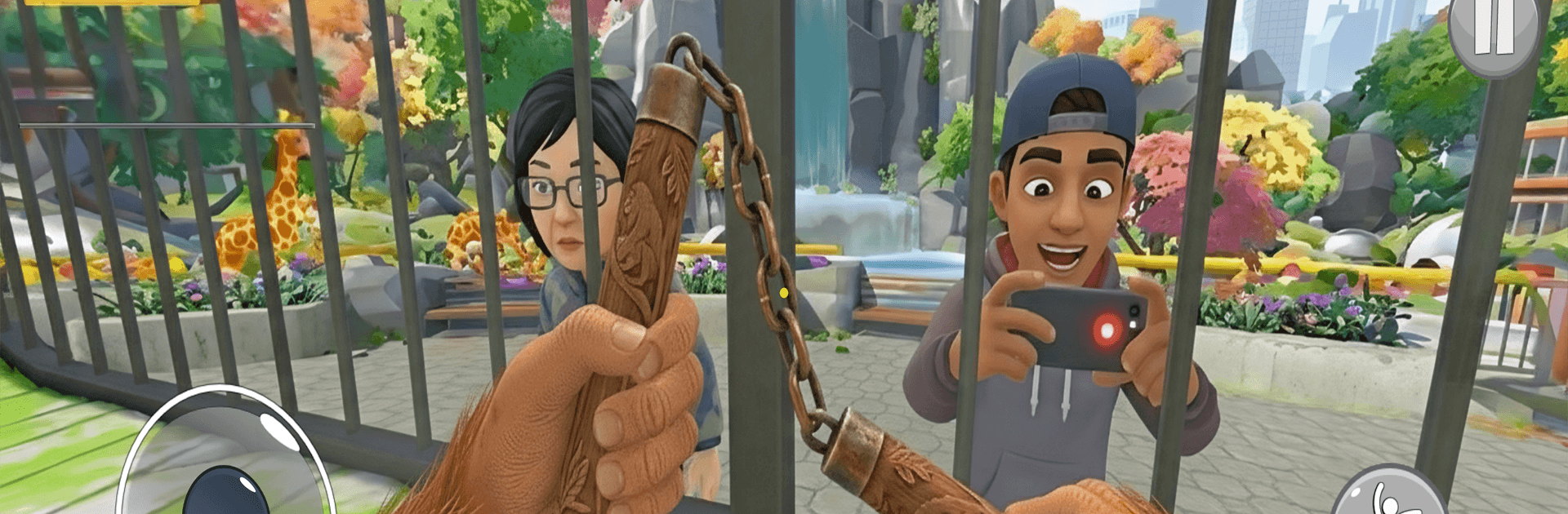
Cheeky Naughty Monkey Chaos 3D turns mischief into a playground. This Simulation puts you in the fluffy feet of a prank-loving monkey who lives for sneaky setups, wild escapes, and laugh-out-loud reactions. Expect roaming spaces, smart timing, and plenty of ridiculous ways to make humans slip, shriek, and scatter—and yes, it also feels great on PC with BlueStacks if you like a bigger view.

Game Features

  • Playful Pranks: Lay goofy traps, swipe snacks, and pull off cheeky setups that snowball into hilarious mayhem.
  • Sneak and Sprint: Creep behind benches and bushes, wait for the perfect moment, then bolt when the crowd catches on.
  • Parkour Movement: Climb walls, hop rooftops, and leap across obstacles to stay one step ahead of anyone giving chase.
  • Reactive Crowds: Watch folks trip, shout, scatter, or rally to catch you—every prank lands with a different reaction.
  • Open-Ended Maps: Stir up trouble in busy streets, quiet neighborhoods, leafy parks, deep jungles, and more, each with its own quirks.
  • Progress That Pays Off: Rack up prank scores to unlock fresh areas, goofy tools, and tougher challenges that reward creativity.
  • Upgrades and Style: Boost your speed and jump, then suit up with funny skins, hats, and accessories that match your prankster vibe.
  • Quick Sessions or Long Runs: Squeeze in a fast prank spree or settle in for extended chaos—both feel smooth and satisfying.
  • Colorful Look and Sound: Bright visuals, playful animations, and punchy effects keep every gag crisp, noisy, and wildly entertaining.

Ready to top the leaderboard? We bet you do. Let precise controls and sharp visuals optimized on BlueStacks lead you to victory.


Game Features

Enhancements

  • Macros
  • Multi Instance
  • Multi Instance Sync
  • Script
  • Enhancements
Macros

Macros

Automate the predictable in Cheeky Naughty Monkey Chaos 3D and transform your gameplay with Macros. Get access to inventive Macros in the BlueStacks Macro Community
Multi Instance

Multi Instance

Play Cheeky Naughty Monkey Chaos 3D on one window. And chat with your friend on the other. Press CTRL + Shift + 8 to open the Multi-Instance Manager. And start creating fresh instances or clone an existing one.
Multi Instance Sync

Multi Instance Sync

Play Cheeky Naughty Monkey Chaos 3D with the power of Multi-Instance Sync. Replicate what you are doing on the main instance on all other instances. Level up faster, play more.
Script

Script

Script your way to gaming glory in Cheeky Naughty Monkey Chaos 3D with BlueStacks Script. Write and run a set of commands to automate repeated tasks. Trigger the command by assigning it to any key.
Read More

How to Download and Play Cheeky Naughty Monkey Chaos 3D on PC or Mac

  • Download and install BlueStacks on your PC or Mac

  • Complete Google sign-in to access the Play Store, or do it later

  • Look for Cheeky Naughty Monkey Chaos 3D in the search bar at the top right corner

  • Click to install Cheeky Naughty Monkey Chaos 3D from the search results

  • Complete Google sign-in (if you skipped step 2) to install Cheeky Naughty Monkey Chaos 3D

  • Click the Cheeky Naughty Monkey Chaos 3D icon on the home screen to start playing

video
Watch Video

Minimum System Requirements

With BlueStacks 5, you can get started on a PC that fulfills the following requirements.

  • Operating System

    Microsoft Windows 7 or above, macOS 11 (Big Sur) or above

  • Processor

    Intel, AMD or Apple Silicon Processor

  • RAM

    at least 4GB

  • HDD

    10GB Free Disk Space

Note:

* You must be an Administrator on your PC. Up to date graphics drivers from Microsoft or the chipset vendor.

Cheeky Naughty Monkey Chaos 3D - FAQs

  • How to play Cheeky Naughty Monkey Chaos 3D on Windows PC & Mac?

    Play Cheeky Naughty Monkey Chaos 3D on your PC or Mac by following these simple steps.

    • Click on 'Play Cheeky Naughty Monkey Chaos 3D on PC’ to download BlueStacks
    • Install it and log-in to Google Play Store
    • Launch and play the game.
  • Why is BlueStacks the fastest and safest platform to play games on PC?

    BlueStacks respects your privacy and is always safe and secure to use. It does not carry any malware, spyware, or any sort of additional software that could harm your PC.

    It is engineered to optimize speed and performance for a seamless gaming experience.

  • What are Cheeky Naughty Monkey Chaos 3D PC requirements?

    Minimum requirement to run Cheeky Naughty Monkey Chaos 3D on your PC

    • OS: Microsoft Windows 7 or above MacOS 11 (Big Sur) or above
    • Processor: Intel, AMD or Apple Silicon Processor
    • RAM: Your PC must have at least 4GB of RAM. (Note that having 4GB or more disk space is not a substitute for RAM)
    • HDD: 10GB Free Disk Space.
    • You must be an Administrator on your PC.