City Bus Games Driving Sim 3D

City Bus Games Driving Sim 3D

Simulation

| Epic Drive Studio

Play on PC with BlueStacks or from our cloud

  • Overview
  • Game Features
  • How to Play

Page Modified On: May 20, 2026

Play City Bus Games Driving Sim 3D on PC or Mac

Explore a whole new adventure with City Bus Games Driving Sim 3D, a Simulation game created by Epic Drive Studio. Experience great gameplay with BlueStacks, the most popular gaming platform to play Android games on your PC or Mac.

About the Game

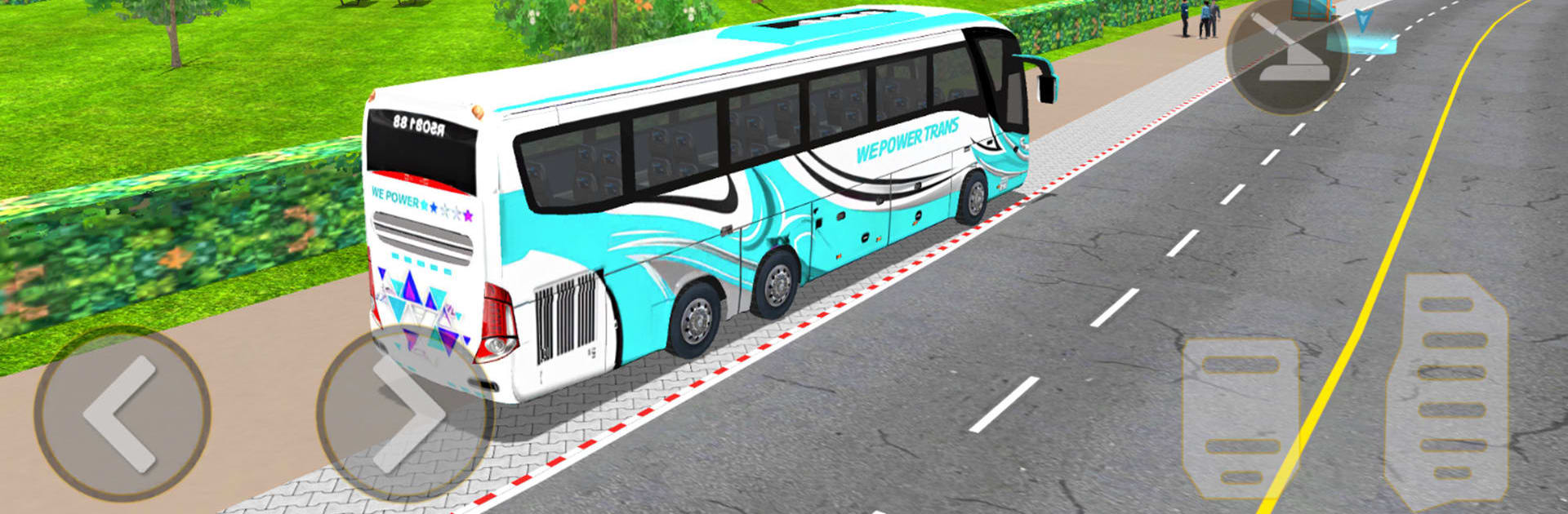
City Bus Games Driving Sim 3D puts you behind the wheel of everyday city transport and lets the small details do the heavy lifting. You’ll juggle schedules, squeeze into tight stops, and handle real traffic patterns that actually make you slow down and think. Prefer a bigger screen? It feels right at home on BlueStacks, too.

Game Features

  • Real city flow: Weave through busy avenues, manage sharp turns, and react to dynamic traffic that never sits still.
  • Pickups and parking: Hit precise stops, line up the doors cleanly, and keep passengers moving without clipping a curb.
  • Smooth, responsive controls: Steering, braking, and acceleration are snappy and predictable, so your timing—not clunky inputs—decides the run.
  • Buses you can make yours: Rotate through multiple bus types and freshen them up with customizable liveries.
  • Clean look and sound: Crisp 3D visuals and punchy audio sell every turn signal, brake squeal, and engine rev.
  • Play anytime, anywhere: Offline support means quick sessions on the go or longer routes when you’ve got time.
  • Built for all skill levels: New drivers get approachable tasks; tighter, more demanding missions keep seasoned hands engaged.
  • A proper Simulation vibe: It rewards patience and precision—perfect if you’re into a “bus wala game” feel or love Coach driving bus games.

Start your journey now. Download the game on BlueStacks, invite your friends, and march on a new adventure.


Game Features

Enhancements

  • Macros
  • Multi Instance
  • Multi Instance Sync
  • Script
  • Enhancements
Macros

Macros

Automate the predictable in City Bus Games Driving Sim 3D and transform your gameplay with Macros. Get access to inventive Macros in the BlueStacks Macro Community
Multi Instance

Multi Instance

Play City Bus Games Driving Sim 3D on one window. And chat with your friend on the other. Press CTRL + Shift + 8 to open the Multi-Instance Manager. And start creating fresh instances or clone an existing one.
Multi Instance Sync

Multi Instance Sync

Play City Bus Games Driving Sim 3D with the power of Multi-Instance Sync. Replicate what you are doing on the main instance on all other instances. Level up faster, play more.
Script

Script

Script your way to gaming glory in City Bus Games Driving Sim 3D with BlueStacks Script. Write and run a set of commands to automate repeated tasks. Trigger the command by assigning it to any key.
Read More

How to Download and Play City Bus Games Driving Sim 3D on PC or Mac

  • Download and install BlueStacks on your PC or Mac

  • Complete Google sign-in to access the Play Store, or do it later

  • Look for City Bus Games Driving Sim 3D in the search bar at the top right corner

  • Click to install City Bus Games Driving Sim 3D from the search results

  • Complete Google sign-in (if you skipped step 2) to install City Bus Games Driving Sim 3D

  • Click the City Bus Games Driving Sim 3D icon on the home screen to start playing

video
Watch Video

Minimum System Requirements

With BlueStacks 5, you can get started on a PC that fulfills the following requirements.

  • Operating System

    Microsoft Windows 7 or above, macOS 11 (Big Sur) or above

  • Processor

    Intel, AMD or Apple Silicon Processor

  • RAM

    at least 4GB

  • HDD

    10GB Free Disk Space

Note:

* You must be an Administrator on your PC. Up to date graphics drivers from Microsoft or the chipset vendor.

City Bus Games Driving Sim 3D - FAQs

  • How to play City Bus Games Driving Sim 3D on Windows PC & Mac?

    Play City Bus Games Driving Sim 3D on your PC or Mac by following these simple steps.

    • Click on 'Play City Bus Games Driving Sim 3D on PC’ to download BlueStacks
    • Install it and log-in to Google Play Store
    • Launch and play the game.
  • Why is BlueStacks the fastest and safest platform to play games on PC?

    BlueStacks respects your privacy and is always safe and secure to use. It does not carry any malware, spyware, or any sort of additional software that could harm your PC.

    It is engineered to optimize speed and performance for a seamless gaming experience.

  • What are City Bus Games Driving Sim 3D PC requirements?

    Minimum requirement to run City Bus Games Driving Sim 3D on your PC

    • OS: Microsoft Windows 7 or above MacOS 11 (Big Sur) or above
    • Processor: Intel, AMD or Apple Silicon Processor
    • RAM: Your PC must have at least 4GB of RAM. (Note that having 4GB or more disk space is not a substitute for RAM)
    • HDD: 10GB Free Disk Space.
    • You must be an Administrator on your PC.