
Crypto Legends–Trade & Collect

Crypto Legends–Trade & Collect

Simulation

| 2GoodApps

Play on PC with BlueStacks or from our cloud

  • Overview
  • Game Features
  • How to Play

Page Modified On: October 10, 2025

Play Crypto Legends–Trade & Collect on PC or Mac

Crypto Legends–Trade & Collect brings the Simulation genre to life, and throws up exciting challenges for gamers. Developed by 2GoodApps, this Android game is best experienced on BlueStacks, the World’s #1 app player for PC and Mac users.

About the Game

Crypto Legends–Trade & Collect is a Simulation by 2GoodApps that turns the ups and downs of crypto markets into a playful training ground. You’ll practice trading with virtual funds, chase rare collectibles, and jump into auctions and competitions without risking a cent. It’s approachable if you’re curious, deep enough if you’re serious, and always about learning by doing.

Game Features

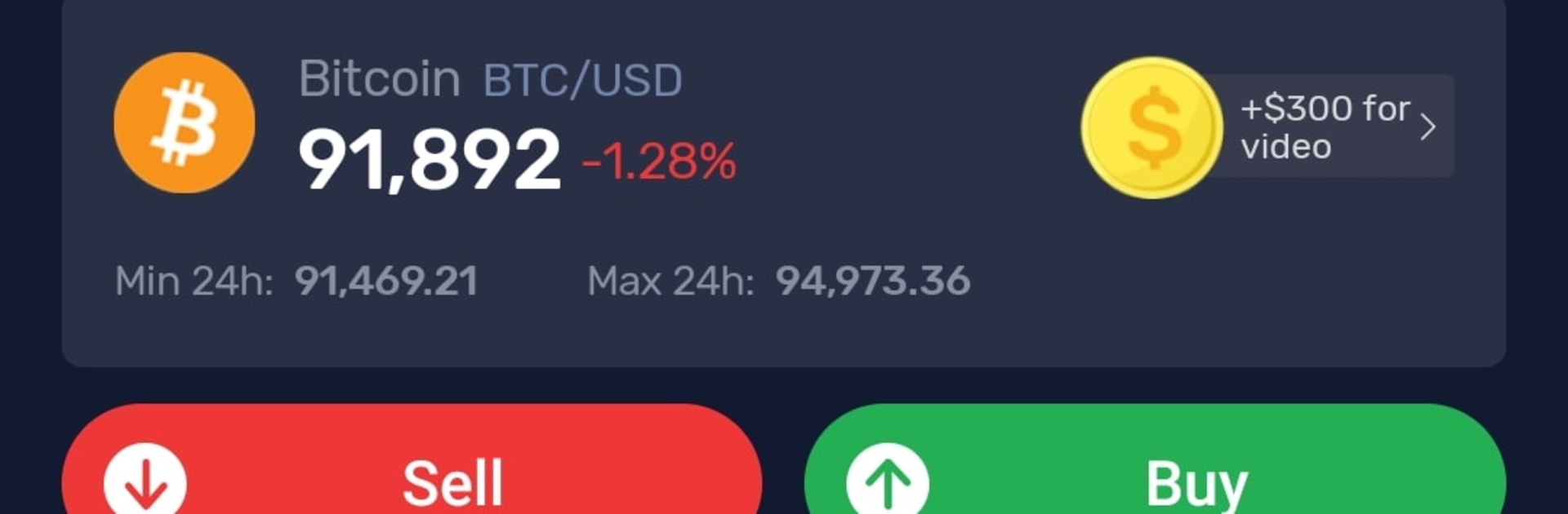
  • Practice Crypto Trading — Try strategies on Bitcoin, Ethereum, Tether, Solana, and 40+ other coins using virtual capital. Work with real tools like Stop Loss, Take Profit, and leverage to see what actually helps (and what doesn’t) in a no-risk space.
  • Compete on Leaderboards — Join competitive events and climb the ranks. Show off your timing, your patience, or your gutsy plays—whatever gets you to the top.
  • Daily Challenges — Quick, focused tasks keep you active and earning. Great for sharpening habits and testing ideas in bite-size sessions.
  • Rewards & Mini-Games — Grab daily bonuses, unlock achievements, and play side activities to stack up in-game goodies you can reinvest or spend.
  • Auctions & Rare Finds — Jump into time-limited auctions for rare GTs and exclusive profile decorations. Outbid rivals and score standout items that feel earned.
  • Collect BGTs & Build Comics — Gather BGTs to assemble themed comic collections—ghost vibes, cyberpunk, and more. It’s part gallery, part grind, all yours.
  • Passive Gains from Rarity — Hold rare GTs/BGTs and watch them generate in-game profits over time. Use the returns to trade more or customize your profile.
  • Friends & Referrals — Invite buddies and you both get bonuses. Trade tips, compare portfolios, and keep each other moving.
  • No Real-Money Risk — It’s a true simulator: no deposits, no cash-outs, no real-money trading. Skills learned here don’t guarantee real-world results.
  • Optional on PC — Prefer a big screen and comfy controls? Play it on BlueStacks and keep your progress rolling.

Make your gaming sessions memorable with precise controls that give you an edge in close combats and visuals that pop up, bringing every character to life.


Game Features

Enhancements

  • Macros
  • Multi Instance
  • Multi Instance Sync
  • Script
  • Enhancements
Macros

Macros

Automate the predictable in Crypto Legends–Trade & Collect and transform your gameplay with Macros. Get access to inventive Macros in the BlueStacks Macro Community
Multi Instance

Multi Instance

Play Crypto Legends–Trade & Collect on one window. And chat with your friend on the other. Press CTRL + Shift + 8 to open the Multi-Instance Manager. And start creating fresh instances or clone an existing one.
Multi Instance Sync

Multi Instance Sync

Play Crypto Legends–Trade & Collect with the power of Multi-Instance Sync. Replicate what you are doing on the main instance on all other instances. Level up faster, play more.
Script

Script

Script your way to gaming glory in Crypto Legends–Trade & Collect with BlueStacks Script. Write and run a set of commands to automate repeated tasks. Trigger the command by assigning it to any key.
Read More

How to Download and Play Crypto Legends–Trade & Collect on PC or Mac

  • Download and install BlueStacks on your PC or Mac

  • Complete Google sign-in to access the Play Store, or do it later

  • Look for Crypto Legends–Trade & Collect in the search bar at the top right corner

  • Click to install Crypto Legends–Trade & Collect from the search results

  • Complete Google sign-in (if you skipped step 2) to install Crypto Legends–Trade & Collect

  • Click the Crypto Legends–Trade & Collect icon on the home screen to start playing

video
Watch Video

Minimum System Requirements

With BlueStacks 5, you can get started on a PC that fulfills the following requirements.

  • Operating System

    Microsoft Windows 7 or above, macOS 11 (Big Sur) or above

  • Processor

    Intel, AMD or Apple Silicon Processor

  • RAM

    at least 4GB

  • HDD

    10GB Free Disk Space

Note:

* You must be an Administrator on your PC. Up to date graphics drivers from Microsoft or the chipset vendor.

Crypto Legends–Trade & Collect - FAQs

  • How to play Crypto Legends–Trade & Collect on Windows PC & Mac?

    Play Crypto Legends–Trade & Collect on your PC or Mac by following these simple steps.

    • Click on 'Play Crypto Legends–Trade & Collect on PC’ to download BlueStacks
    • Install it and log-in to Google Play Store
    • Launch and play the game.
  • Why is BlueStacks the fastest and safest platform to play games on PC?

    BlueStacks respects your privacy and is always safe and secure to use. It does not carry any malware, spyware, or any sort of additional software that could harm your PC.

    It is engineered to optimize speed and performance for a seamless gaming experience.

  • What are Crypto Legends–Trade & Collect PC requirements?

    Minimum requirement to run Crypto Legends–Trade & Collect on your PC

    • OS: Microsoft Windows 7 or above MacOS 11 (Big Sur) or above
    • Processor: Intel, AMD or Apple Silicon Processor
    • RAM: Your PC must have at least 4GB of RAM. (Note that having 4GB or more disk space is not a substitute for RAM)
    • HDD: 10GB Free Disk Space.
    • You must be an Administrator on your PC.







