
DinosaurCraft: Survival Hunter

DinosaurCraft: Survival Hunter

Simulation

| Funny Popular Ringtones Play

Play on PC with BlueStacks or from our cloud

  • Overview
  • Game Features
  • How to Play

Page Modified On: June 02, 2026

Play DinosaurCraft: Survival Hunter on PC or Mac

Play DinosaurCraft: Survival Hunter by Funny Popular Ringtones Play on PC or Mac with BlueStacks. Use a bigger screen, mouse and keyboard controls, and smoother performance while you play.

About the Game

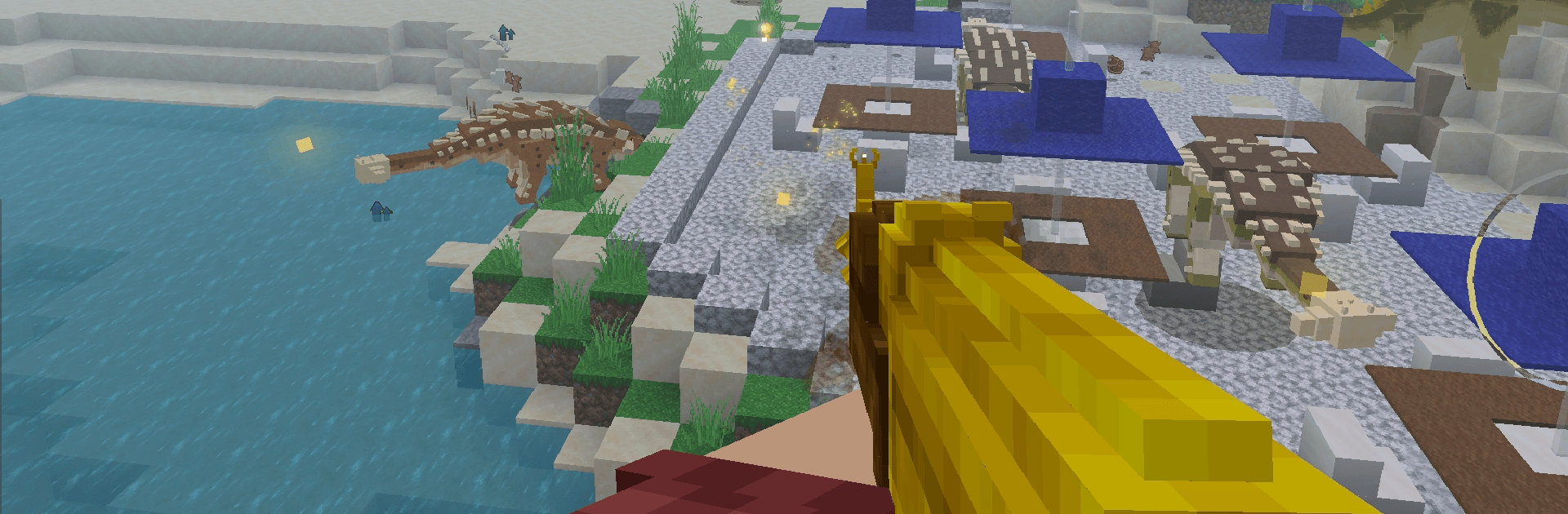
DinosaurCraft: Survival Hunter drops you into a rough voxel wilderness where massive dinosaurs and relentless zombies both want a bite. It’s a gritty Simulation of hunting and survival, blending open-world roaming with tense, moment-to-moment shootouts and smart resource management. Expect quiet tracking one minute and heart-pounding fights the next.

Game Features

  • Hunt Apex Dinosaurs: Stalk everything from quick pack hunters to a charging T‑Rex. Learn their behavior, pick your moment, and use cover and movement to turn close calls into clean takedowns.
  • Outlast the Night: Zombies swarm after dark, and they don’t come politely. Survive wave-based attacks by staying mobile, watching your flanks, and keeping ammo topped up.
  • Fast, Punchy Gunfights: Weapons hit hard, but control matters. Manage recoil, line up shots, and use smart positioning to win close- and mid-range encounters.
  • A Voxel Wilderness to Roam: Trek through forests, ruins, and red‑zone hotspots. Each area changes how you hunt, how you escape, and how long you’ll last.
  • Progression That Matters: Unlock stronger guns and sharpen survival skills that actually impact your runs, letting you push farther and face tougher threats.
  • Boss Hunts: Challenge towering prehistoric bosses with unique attack patterns that reward patience, timing, and well-placed shots.
  • Subtle PC Comfort: Prefer keyboard and mouse? The game feels great on PC with BlueStacks, making long sessions and precise aiming a lot easier.

Start playing DinosaurCraft: Survival Hunter on BlueStacks and get a smoother, more comfortable PC or Mac setup.


Game Features

Enhancements

  • Macros
  • Multi Instance
  • Multi Instance Sync
  • Script
  • Enhancements
Macros

Macros

Automate the predictable in DinosaurCraft: Survival Hunter and transform your gameplay with Macros. Get access to inventive Macros in the BlueStacks Macro Community
Multi Instance

Multi Instance

Play DinosaurCraft: Survival Hunter on one window. And chat with your friend on the other. Press CTRL + Shift + 8 to open the Multi-Instance Manager. And start creating fresh instances or clone an existing one.
Multi Instance Sync

Multi Instance Sync

Play DinosaurCraft: Survival Hunter with the power of Multi-Instance Sync. Replicate what you are doing on the main instance on all other instances. Level up faster, play more.
Script

Script

Script your way to gaming glory in DinosaurCraft: Survival Hunter with BlueStacks Script. Write and run a set of commands to automate repeated tasks. Trigger the command by assigning it to any key.
Read More

How to Download and Play DinosaurCraft: Survival Hunter on PC or Mac

  • Download and install BlueStacks on your PC or Mac

  • Complete Google sign-in to access the Play Store, or do it later

  • Look for DinosaurCraft: Survival Hunter in the search bar at the top right corner

  • Click to install DinosaurCraft: Survival Hunter from the search results

  • Complete Google sign-in (if you skipped step 2) to install DinosaurCraft: Survival Hunter

  • Click the DinosaurCraft: Survival Hunter icon on the home screen to start playing

video
Watch Video

Minimum System Requirements

With BlueStacks 5, you can get started on a PC that fulfills the following requirements.

  • Operating System

    Microsoft Windows 7 or above, macOS 11 (Big Sur) or above

  • Processor

    Intel, AMD or Apple Silicon Processor

  • RAM

    at least 4GB

  • HDD

    10GB Free Disk Space

Note:

* You must be an Administrator on your PC. Up to date graphics drivers from Microsoft or the chipset vendor.

DinosaurCraft: Survival Hunter - FAQs

  • How to play DinosaurCraft: Survival Hunter on Windows PC & Mac?

    Play DinosaurCraft: Survival Hunter on your PC or Mac by following these simple steps.

    • Click on 'Play DinosaurCraft: Survival Hunter on PC’ to download BlueStacks
    • Install it and log-in to Google Play Store
    • Launch and play the game.
  • Why is BlueStacks the fastest and safest platform to play games on PC?

    BlueStacks respects your privacy and is always safe and secure to use. It does not carry any malware, spyware, or any sort of additional software that could harm your PC.

    It is engineered to optimize speed and performance for a seamless gaming experience.

  • What are DinosaurCraft: Survival Hunter PC requirements?

    Minimum requirement to run DinosaurCraft: Survival Hunter on your PC

    • OS: Microsoft Windows 7 or above MacOS 11 (Big Sur) or above
    • Processor: Intel, AMD or Apple Silicon Processor
    • RAM: Your PC must have at least 4GB of RAM. (Note that having 4GB or more disk space is not a substitute for RAM)
    • HDD: 10GB Free Disk Space.
    • You must be an Administrator on your PC.







