Dress up and Impress

Dress up and Impress

Simulation

| BMH Game

Play on PC with BlueStacks or from our cloud

  • Overview
  • Game Features
  • How to Play

Page Modified On: April 07, 2026

Play Dress up and Impress on PC or Mac

Bring your A-game to Dress up and Impress, the Simulation game sensation from BMH Game. Give your gameplay the much-needed boost with precise game controls, high FPS graphics, and top-tier features on your PC or Mac with BlueStacks.

About the Game

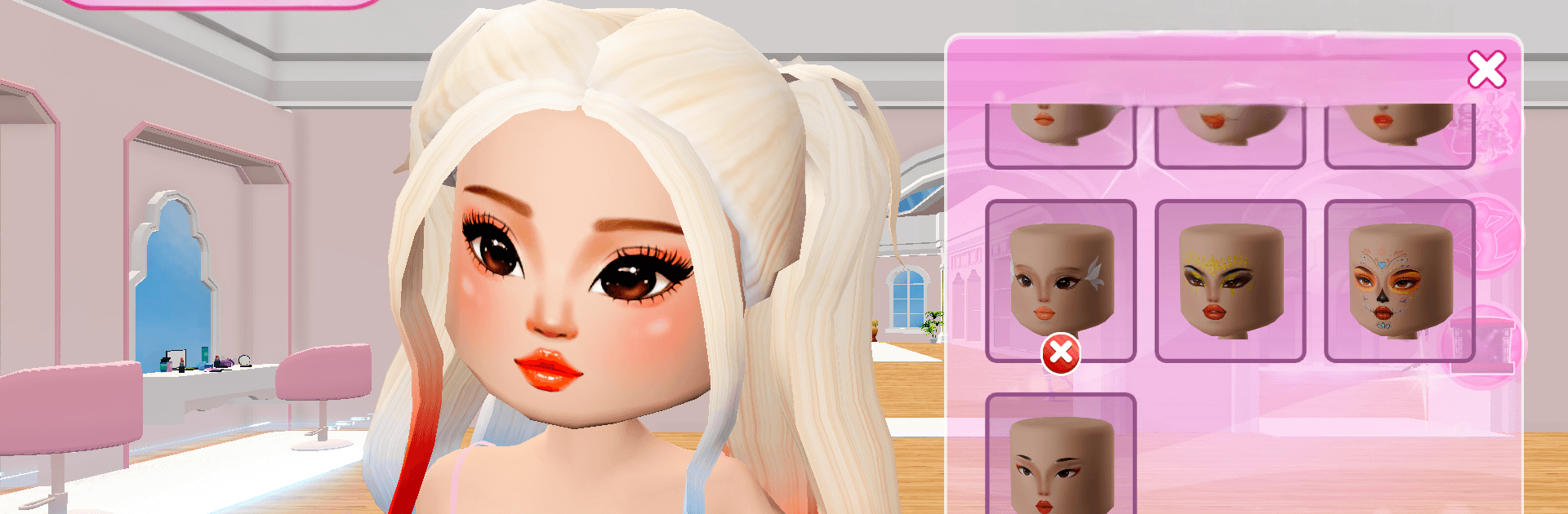
Dress up and Impress is a chill fashion playground where your styling ideas turn into show-stealing looks. Made by BMH Game, this Simulation is all about building characters, assembling outfits from a stacked closet, and stepping onto friendly stages to see what stands out. Sweet fairy-tale glam, bold anime vibes, or laid-back streetwear? Mix it up, tweak the details, and keep experimenting until it feels just right.

Game Features

  • Big Closet, Bigger Possibilities: Explore a deep wardrobe of dresses, separates, shoes, accessories, and hair options to create fresh looks anytime.
  • Full Character Glow-Ups: Go beyond clothes with beauty touches and hairstyles that shift a character’s personality and mood.
  • Style Themes, Your Way: Move easily from princess sparkle to anime drama to casual city trends—or blend them for something totally new.
  • Show-Time Moments: Put your outfit on stage and see how your creativity compares in lighthearted showcases.
  • DIY Flair: Add personal touches with crafty combinations and color ideas for looks that feel uniquely yours.
  • Modern Paper-Doll Feel: Enjoy drag-and-drop ease with the cozy charm of classic paper dolls, updated with a crisp, modern style.
  • Quick, Chill Play: Pick a character, swap pieces fast, and try bold combos without stress—perfect for short breaks or deep styling sessions.
  • Creativity That Sticks: Open-ended design encourages imagination, expression, and a little fashion bravery.
  • Optional PC Play: Prefer a bigger screen? Dress up and Impress works great on BlueStacks so every detail pops.

Make your gaming sessions memorable with precise controls that give you an edge in close combats and visuals that pop up, bringing every character to life.


Game Features

Enhancements

  • Macros
  • Multi Instance
  • Multi Instance Sync
  • Script
  • Enhancements
Macros

Macros

Automate the predictable in Dress up and Impress and transform your gameplay with Macros. Get access to inventive Macros in the BlueStacks Macro Community
Multi Instance

Multi Instance

Play Dress up and Impress on one window. And chat with your friend on the other. Press CTRL + Shift + 8 to open the Multi-Instance Manager. And start creating fresh instances or clone an existing one.
Multi Instance Sync

Multi Instance Sync

Play Dress up and Impress with the power of Multi-Instance Sync. Replicate what you are doing on the main instance on all other instances. Level up faster, play more.
Script

Script

Script your way to gaming glory in Dress up and Impress with BlueStacks Script. Write and run a set of commands to automate repeated tasks. Trigger the command by assigning it to any key.
Read More

How to Download and Play Dress up and Impress on PC or Mac

  • Download and install BlueStacks on your PC or Mac

  • Complete Google sign-in to access the Play Store, or do it later

  • Look for Dress up and Impress in the search bar at the top right corner

  • Click to install Dress up and Impress from the search results

  • Complete Google sign-in (if you skipped step 2) to install Dress up and Impress

  • Click the Dress up and Impress icon on the home screen to start playing

video
Watch Video

Minimum System Requirements

With BlueStacks 5, you can get started on a PC that fulfills the following requirements.

  • Operating System

    Microsoft Windows 7 or above, macOS 11 (Big Sur) or above

  • Processor

    Intel, AMD or Apple Silicon Processor

  • RAM

    at least 4GB

  • HDD

    10GB Free Disk Space

Note:

* You must be an Administrator on your PC. Up to date graphics drivers from Microsoft or the chipset vendor.

Dress up and Impress - FAQs

  • How to play Dress up and Impress on Windows PC & Mac?

    Play Dress up and Impress on your PC or Mac by following these simple steps.

    • Click on 'Play Dress up and Impress on PC’ to download BlueStacks
    • Install it and log-in to Google Play Store
    • Launch and play the game.
  • Why is BlueStacks the fastest and safest platform to play games on PC?

    BlueStacks respects your privacy and is always safe and secure to use. It does not carry any malware, spyware, or any sort of additional software that could harm your PC.

    It is engineered to optimize speed and performance for a seamless gaming experience.

  • What are Dress up and Impress PC requirements?

    Minimum requirement to run Dress up and Impress on your PC

    • OS: Microsoft Windows 7 or above MacOS 11 (Big Sur) or above
    • Processor: Intel, AMD or Apple Silicon Processor
    • RAM: Your PC must have at least 4GB of RAM. (Note that having 4GB or more disk space is not a substitute for RAM)
    • HDD: 10GB Free Disk Space.
    • You must be an Administrator on your PC.