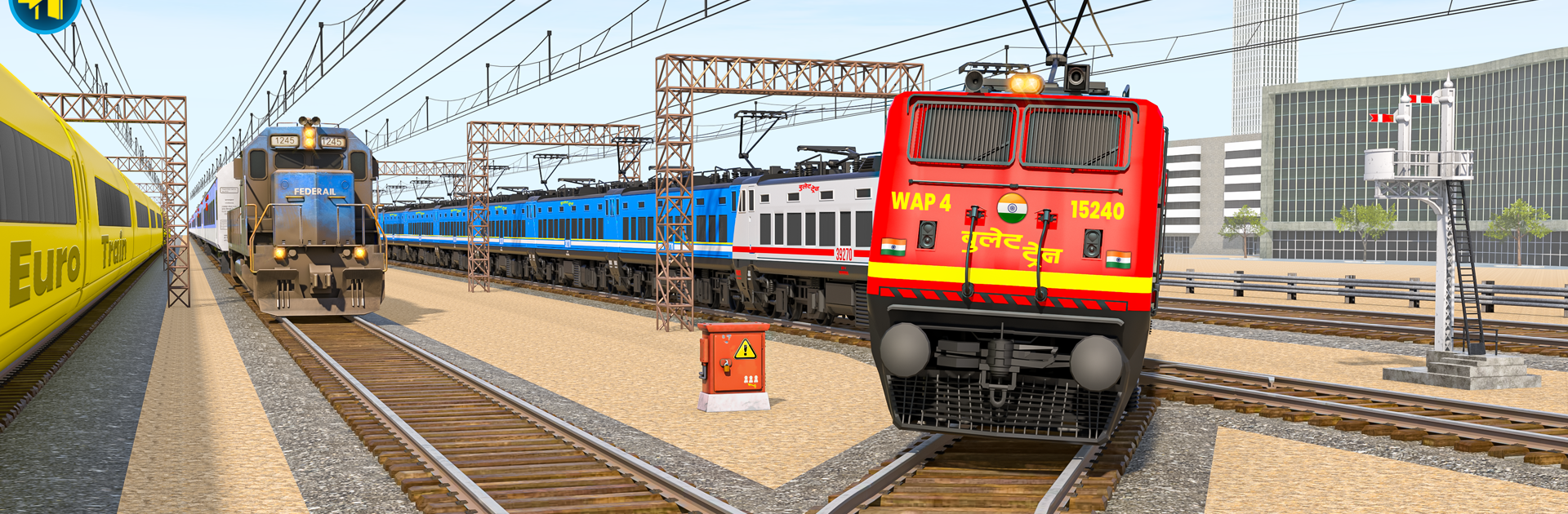
Euro Train Driving Simulator

Euro Train Driving Simulator

Simulation

| Supersoft Studio

Play on PC with BlueStacks or from our cloud

  • Overview
  • Game Features
  • How to Play

Page Modified On: November 03, 2025

Play Euro Train Driving Simulator on PC or Mac

From the innovators and creators at Supersoft Studio, Euro Train Driving Simulator is another fun addition to the World of Simulation games. Go beyond your mobile screen and play it bigger and better on your PC or Mac. An immersive experience awaits you.

About the Game

Euro Train Driving Simulator puts you in the engineer’s seat with a satisfying mix of relaxed sightseeing and tight, schedule-focused runs. This Simulation title from Supersoft Studio lets you shuttle passengers, haul cargo, and push high-speed sets across busy cities, quiet villages, and steep mountain climbs. Prefer a bigger screen and finer control? It runs smoothly on BlueStacks, too.

Game Features

  • Authentic controls: Work the throttle, brakes, horn, and doors from a detailed cab, with physics that make every ton of steel feel alive.
  • Trains for every job: Swap between sleek bullet trains, dependable electric units, and long freight consists—each with its own handling and personality.
  • Modes for any mood: Tackle structured levels, jump into quick challenges, or take a laid-back free ride when you just want to enjoy the rails.
  • Varied routes: Thread through city loops, countryside tracks, and mountain passes while keeping an eye on signals, speed limits, and station timing.
  • Passenger and cargo runs: Keep commuters on schedule, then switch to freight duties that test your braking, acceleration, and planning.
  • Flexible cameras: Switch effortlessly between cab view, chase cam, and wide cinematic angles to monitor signals and admire the scenery.
  • Polished presentation: Crisp 3D environments and smooth performance keep the journey clean and immersive from station to station.
  • Offline friendly: Run routes and clear objectives even without a connection.
  • Progress that sticks: Complete scenarios to unlock new trains and fresh challenges, growing your collection as your skills improve.
  • Easy to learn, satisfying to master: Straightforward controls and balanced difficulty welcome newcomers while rewarding precise driving.

Get ready for a buttery smooth, high-performance gaming action only on BlueStacks.

Game Features

Enhancements

  • Macros
  • Multi Instance
  • Multi Instance Sync
  • Script
  • Enhancements
Macros

Macros

Automate the predictable in Euro Train Driving Simulator and transform your gameplay with Macros. Get access to inventive Macros in the BlueStacks Macro Community
Multi Instance

Multi Instance

Play Euro Train Driving Simulator on one window. And chat with your friend on the other. Press CTRL + Shift + 8 to open the Multi-Instance Manager. And start creating fresh instances or clone an existing one.
Multi Instance Sync

Multi Instance Sync

Play Euro Train Driving Simulator with the power of Multi-Instance Sync. Replicate what you are doing on the main instance on all other instances. Level up faster, play more.
Script

Script

Script your way to gaming glory in Euro Train Driving Simulator with BlueStacks Script. Write and run a set of commands to automate repeated tasks. Trigger the command by assigning it to any key.
Read More

How to Download and Play Euro Train Driving Simulator on PC or Mac

  • Download and install BlueStacks on your PC or Mac

  • Complete Google sign-in to access the Play Store, or do it later

  • Look for Euro Train Driving Simulator in the search bar at the top right corner

  • Click to install Euro Train Driving Simulator from the search results

  • Complete Google sign-in (if you skipped step 2) to install Euro Train Driving Simulator

  • Click the Euro Train Driving Simulator icon on the home screen to start playing

video
Watch Video

Minimum System Requirements

With BlueStacks 5, you can get started on a PC that fulfills the following requirements.

  • Operating System

    Microsoft Windows 7 or above, macOS 11 (Big Sur) or above

  • Processor

    Intel, AMD or Apple Silicon Processor

  • RAM

    at least 4GB

  • HDD

    10GB Free Disk Space

Note:

* You must be an Administrator on your PC. Up to date graphics drivers from Microsoft or the chipset vendor.

Euro Train Driving Simulator - FAQs

  • How to play Euro Train Driving Simulator on Windows PC & Mac?

    Play Euro Train Driving Simulator on your PC or Mac by following these simple steps.

    • Click on 'Play Euro Train Driving Simulator on PC’ to download BlueStacks
    • Install it and log-in to Google Play Store
    • Launch and play the game.
  • Why is BlueStacks the fastest and safest platform to play games on PC?

    BlueStacks respects your privacy and is always safe and secure to use. It does not carry any malware, spyware, or any sort of additional software that could harm your PC.

    It is engineered to optimize speed and performance for a seamless gaming experience.

  • What are Euro Train Driving Simulator PC requirements?

    Minimum requirement to run Euro Train Driving Simulator on your PC

    • OS: Microsoft Windows 7 or above MacOS 11 (Big Sur) or above
    • Processor: Intel, AMD or Apple Silicon Processor
    • RAM: Your PC must have at least 4GB of RAM. (Note that having 4GB or more disk space is not a substitute for RAM)
    • HDD: 10GB Free Disk Space.
    • You must be an Administrator on your PC.