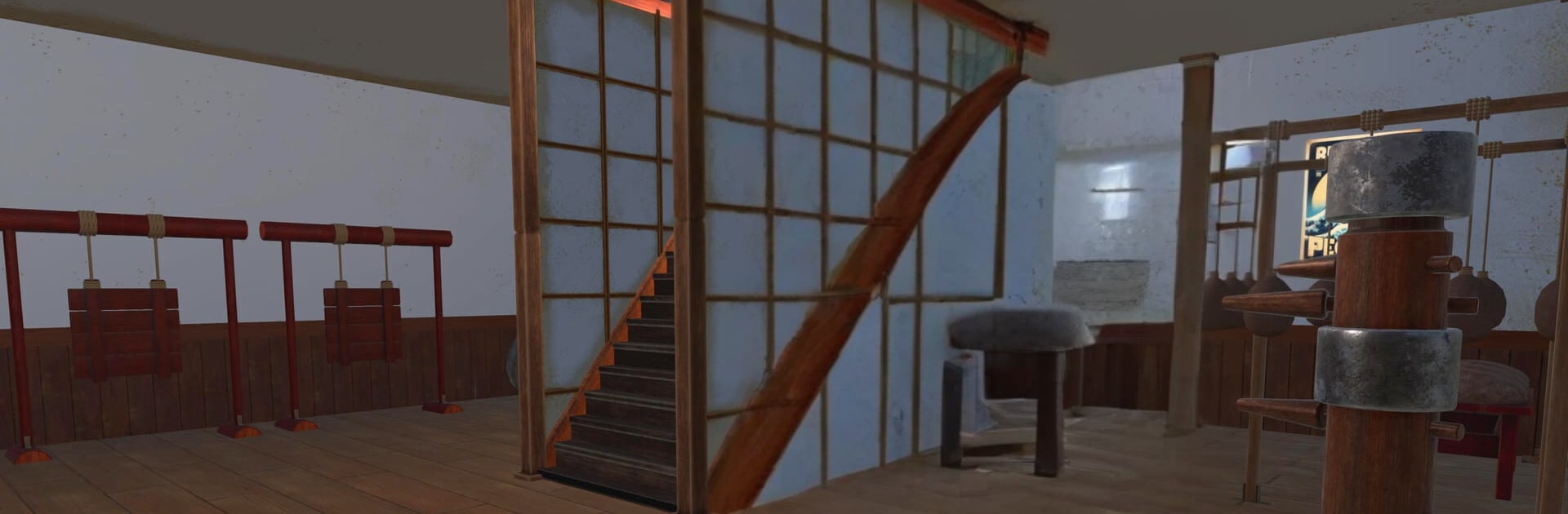
Fight School Simulator

Fight School Simulator

Simulation

| Queen Developer 95

Play on PC with BlueStacks or from our cloud

  • Overview
  • Game Features
  • How to Play

Page Modified On: October 13, 2025

Play Fight School Simulator on PC or Mac

Step into the World of Fight School Simulator, a thrilling Simulation game from the house of Queen Developer 95. Play this Android game on BlueStacks App Player and experience immersive gaming on PC or Mac.

Fight School Simulator plays like a mix of chill dojo management and quick scraps around town. It starts small with a bare room, then grows as players drop in gear like bags, dummies, and mats, plus little decorations to make the place feel like a real school. The Grand Master sets bite-size tasks that turn into mini games, and landing those teaches new techniques. Those moves are not just for show. They can be passed to students so the school’s roster fights better and looks cooler in action.

Students can be shaped into kick-focused hitters, punch-first specialists, or a more even build. Training on equipment nudges their stats up, and the tiny helper crew keeps the place from falling apart when things get busy. Rivals are not just a menu option either. Other schools pick fights, raid the dojo, and force quick decisions about who defends and who goes on the next counterattack. Sometimes it pays to talk before throwing hands, which is a nice wrinkle. Outside the dojo, side missions send the crew after street thugs and a small-time mafia, which bumps reputation and brings in more eager learners.

On PC with BlueStacks, the building side feels smoother with a mouse, and mapping strikes or dodges to keys makes the scuffles easier to read. It has a lot of little systems that click into place once the school gets moving.

Start your journey now. Download the game on BlueStacks, invite your friends, and march on a new adventure.


Game Features

Enhancements

  • Macros
  • Multi Instance
  • Multi Instance Sync
  • Script
  • Enhancements
Macros

Macros

Automate the predictable in Fight School Simulator and transform your gameplay with Macros. Get access to inventive Macros in the BlueStacks Macro Community
Multi Instance

Multi Instance

Play Fight School Simulator on one window. And chat with your friend on the other. Press CTRL + Shift + 8 to open the Multi-Instance Manager. And start creating fresh instances or clone an existing one.
Multi Instance Sync

Multi Instance Sync

Play Fight School Simulator with the power of Multi-Instance Sync. Replicate what you are doing on the main instance on all other instances. Level up faster, play more.
Script

Script

Script your way to gaming glory in Fight School Simulator with BlueStacks Script. Write and run a set of commands to automate repeated tasks. Trigger the command by assigning it to any key.
Read More

How to Download and Play Fight School Simulator on PC or Mac

  • Download and install BlueStacks on your PC or Mac

  • Complete Google sign-in to access the Play Store, or do it later

  • Look for Fight School Simulator in the search bar at the top right corner

  • Click to install Fight School Simulator from the search results

  • Complete Google sign-in (if you skipped step 2) to install Fight School Simulator

  • Click the Fight School Simulator icon on the home screen to start playing

video
Watch Video

Minimum System Requirements

With BlueStacks 5, you can get started on a PC that fulfills the following requirements.

  • Operating System

    Microsoft Windows 7 or above, macOS 11 (Big Sur) or above

  • Processor

    Intel, AMD or Apple Silicon Processor

  • RAM

    at least 4GB

  • HDD

    10GB Free Disk Space

Note:

* You must be an Administrator on your PC. Up to date graphics drivers from Microsoft or the chipset vendor.

Fight School Simulator - FAQs

  • How to play Fight School Simulator on Windows PC & Mac?

    Play Fight School Simulator on your PC or Mac by following these simple steps.

    • Click on 'Play Fight School Simulator on PC’ to download BlueStacks
    • Install it and log-in to Google Play Store
    • Launch and play the game.
  • Why is BlueStacks the fastest and safest platform to play games on PC?

    BlueStacks respects your privacy and is always safe and secure to use. It does not carry any malware, spyware, or any sort of additional software that could harm your PC.

    It is engineered to optimize speed and performance for a seamless gaming experience.

  • What are Fight School Simulator PC requirements?

    Minimum requirement to run Fight School Simulator on your PC

    • OS: Microsoft Windows 7 or above MacOS 11 (Big Sur) or above
    • Processor: Intel, AMD or Apple Silicon Processor
    • RAM: Your PC must have at least 4GB of RAM. (Note that having 4GB or more disk space is not a substitute for RAM)
    • HDD: 10GB Free Disk Space.
    • You must be an Administrator on your PC.