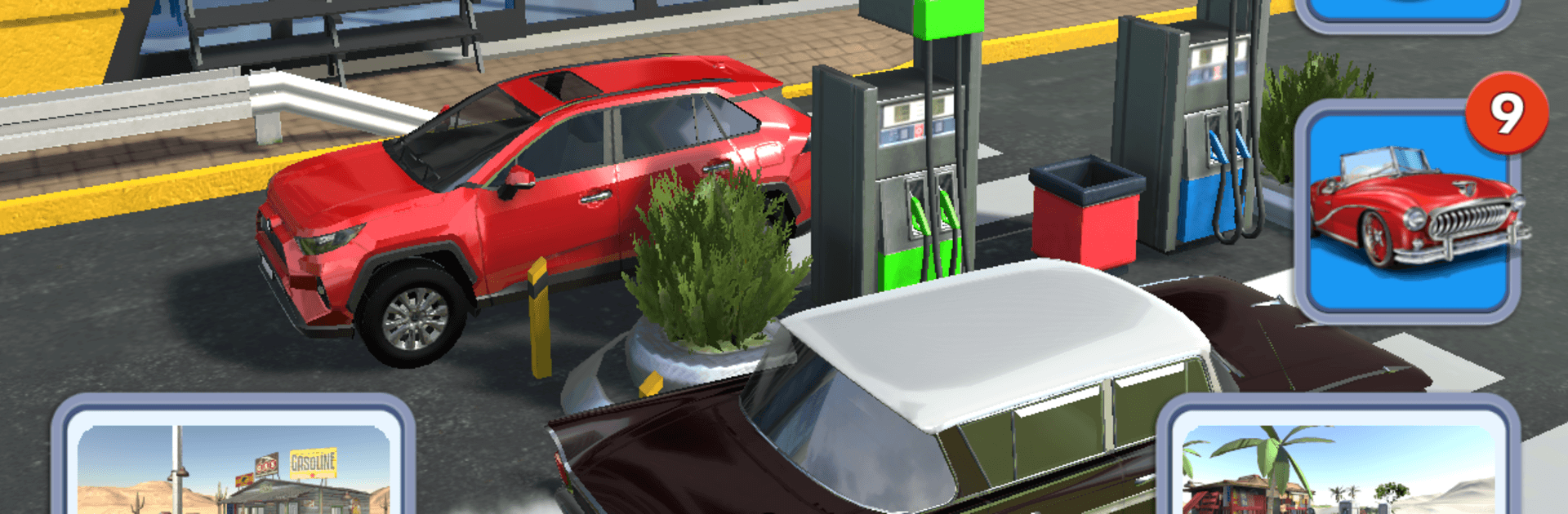
Gas Station
Gas Station

Gas Station

Simulation

| BoomBit Games

Play on PC with BlueStacks or from our cloud

  • Overview
  • Game Features
  • How to Play

Page Modified On: May 26, 2026

Play Gas Station on PC or Mac

Bring your A-game to Gas Station, the Simulation game sensation from BoomBit Games. Give your gameplay the much-needed boost with precise game controls, high FPS graphics, and top-tier features on your PC or Mac with BlueStacks.

About the Game

Gas Station is a laid-back Simulation where you turn a modest roadside stop into the place everyone pulls into. Keep the pumps busy, keep the lines short, and reinvest every dollar into smarter upgrades that make the whole operation hum. Prefer planning on a bigger screen? It plays comfortably on BlueStacks, too.

Game Features

  • Run the forecourt: Manage the flow of cars, refuel fast, and make sure every driver leaves topped off and happy.
  • Smart upgrades: Expand the number of gas pumps to handle more traffic and keep wait times down.
  • Pricing with purpose: Raise prices when your service shines, but balance profits with customer satisfaction so folks keep coming back.
  • Marketing that works: Buy advertising to spread the word and pull in more drivers throughout the day.
  • Build momentum: Turn steady earnings into bigger improvements, unlocking a station that feels busier and more efficient with every upgrade.
  • More cars, more variety: As your reputation grows, new types of vehicles show up—spot them, serve them, and keep the forecourt buzzing.
  • Easygoing idle vibe: Jump in for quick decisions or let the business tick along while you plan your next move.
  • Clean, satisfying loop: Earn cash, invest wisely, watch your station grow from a single pump into a well-oiled roadside hub.

BlueStacks gives you more room to focus on the game and less time adjusting around mobile limitations.


Game Features

Enhancements

  • Macros
  • Multi Instance
  • Multi Instance Sync
  • Script
  • Enhancements
Macros

Macros

Automate the predictable in Gas Station and transform your gameplay with Macros. Get access to inventive Macros in the BlueStacks Macro Community
Multi Instance

Multi Instance

Play Gas Station on one window. And chat with your friend on the other. Press CTRL + Shift + 8 to open the Multi-Instance Manager. And start creating fresh instances or clone an existing one.
Multi Instance Sync

Multi Instance Sync

Play Gas Station with the power of Multi-Instance Sync. Replicate what you are doing on the main instance on all other instances. Level up faster, play more.
Script

Script

Script your way to gaming glory in Gas Station with BlueStacks Script. Write and run a set of commands to automate repeated tasks. Trigger the command by assigning it to any key.
Read More

How to Download and Play Gas Station on PC or Mac

  • Download and install BlueStacks on your PC or Mac

  • Complete Google sign-in to access the Play Store, or do it later

  • Look for Gas Station in the search bar at the top right corner

  • Click to install Gas Station from the search results

  • Complete Google sign-in (if you skipped step 2) to install Gas Station

  • Click the Gas Station icon on the home screen to start playing

video
Watch Video

Minimum System Requirements

With BlueStacks 5, you can get started on a PC that fulfills the following requirements.

  • Operating System

    Microsoft Windows 7 or above, macOS 11 (Big Sur) or above

  • Processor

    Intel, AMD or Apple Silicon Processor

  • RAM

    at least 4GB

  • HDD

    10GB Free Disk Space

Note:

* You must be an Administrator on your PC. Up to date graphics drivers from Microsoft or the chipset vendor.

Gas Station - FAQs

  • How to play Gas Station on Windows PC & Mac?

    Play Gas Station on your PC or Mac by following these simple steps.

    • Click on 'Play Gas Station on PC’ to download BlueStacks
    • Install it and log-in to Google Play Store
    • Launch and play the game.
  • Why is BlueStacks the fastest and safest platform to play games on PC?

    BlueStacks respects your privacy and is always safe and secure to use. It does not carry any malware, spyware, or any sort of additional software that could harm your PC.

    It is engineered to optimize speed and performance for a seamless gaming experience.

  • What are Gas Station PC requirements?

    Minimum requirement to run Gas Station on your PC

    • OS: Microsoft Windows 7 or above MacOS 11 (Big Sur) or above
    • Processor: Intel, AMD or Apple Silicon Processor
    • RAM: Your PC must have at least 4GB of RAM. (Note that having 4GB or more disk space is not a substitute for RAM)
    • HDD: 10GB Free Disk Space.
    • You must be an Administrator on your PC.