Happy Fitness: Gym Game

Happy Fitness: Gym Game

Simulation

| WeFun: Casual,Cooking & Hospital Games

Play on PC with BlueStacks or from our cloud

  • Overview
  • Game Features
  • How to Play

Page Modified On: November 20, 2025

Play Happy Fitness: Gym Game on PC or Mac

Explore a whole new adventure with Happy Fitness: Gym Game, a Simulation game created by WeFun: Casual,Cooking & Hospital Games. Experience great gameplay with BlueStacks, the most popular gaming platform to play Android games on your PC or Mac.

About the Game

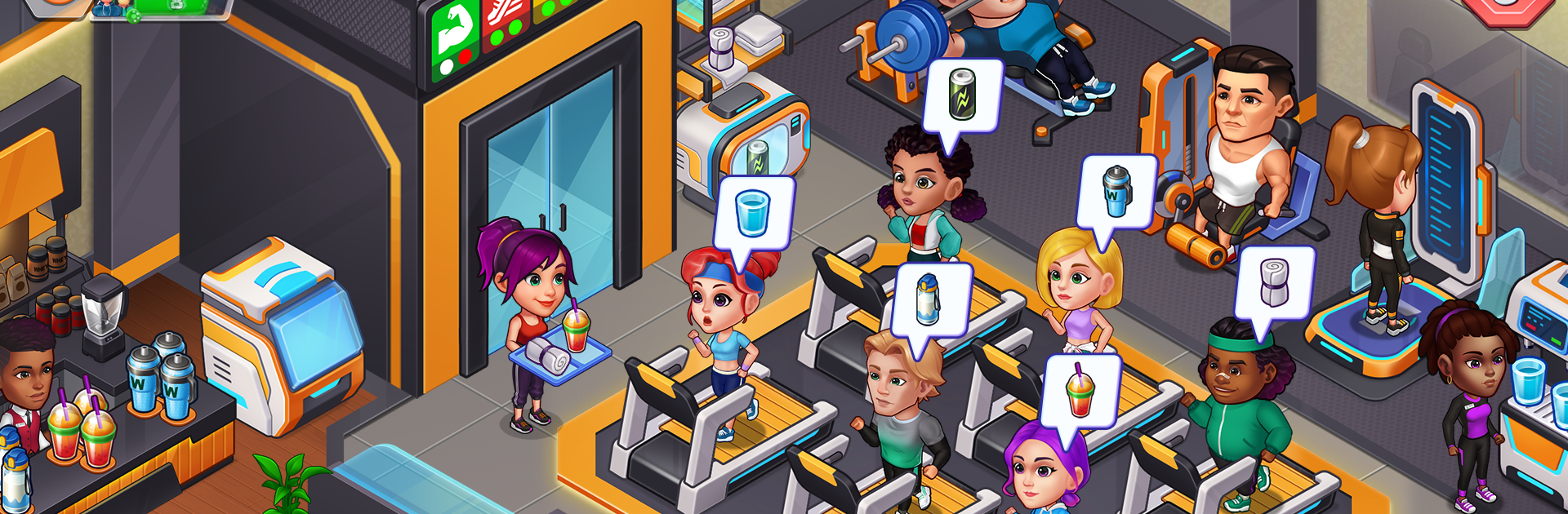
Happy Fitness: Gym Game hands you the keys to a bustling fitness center and asks, “How would you run it?” Start with a modest space, pick the machines, set the vibe, and help members hit their goals while your business grows. It’s a lighthearted gym simulator and a cheerful Simulation from WeFun: Casual,Cooking & Hospital Games, mixing quick decisions with relaxed, tap-friendly play. Fans of workout games will feel right at home. If you like a bigger screen, it plays smoothly on BlueStacks as well.

Game Features

  • Build & Design: Plan your floor, place treadmills and free weights, and decorate to match your gym’s personality.
  • Coach Your Members: Create cardio and strength plans, track progress, and guide clients through yoga, boxing, and more.
  • Staff That Shines: Hire trainers, assistants, and cleaners, then level up their skills so each zone runs like clockwork.
  • Upgrade the Gear: Improve machines and unlock advanced equipment to keep workouts efficient and lines short.
  • Expand Your Space: Open new rooms and specialty areas as you grow—from a cozy studio to a full-on gym tycoon setup.
  • Quick, Chill Sessions: Simple tap controls make it easy to jump in for a minute or settle in for a longer stretch.
  • Strategy Matters: Balance budgets, layout, and member happiness; smart choices shape your reputation and revenue.
  • Challenges & Events: Host friendly competitions to boost motivation and snag extra rewards along the way.
  • Bright, Playful Look: Colorful visuals and snappy animations make every rep and routine feel upbeat.
  • Fits Your Style: Whether you’re into exercise games, weight lifting focus, or class-heavy workout games, tailor the gym to what you enjoy most.

Start your journey now. Download the game on BlueStacks, invite your friends, and march on a new adventure.


Game Features

Enhancements

  • Macros
  • Multi Instance
  • Multi Instance Sync
  • Script
  • Enhancements
Macros

Macros

Automate the predictable in Happy Fitness: Gym Game and transform your gameplay with Macros. Get access to inventive Macros in the BlueStacks Macro Community
Multi Instance

Multi Instance

Play Happy Fitness: Gym Game on one window. And chat with your friend on the other. Press CTRL + Shift + 8 to open the Multi-Instance Manager. And start creating fresh instances or clone an existing one.
Multi Instance Sync

Multi Instance Sync

Play Happy Fitness: Gym Game with the power of Multi-Instance Sync. Replicate what you are doing on the main instance on all other instances. Level up faster, play more.
Script

Script

Script your way to gaming glory in Happy Fitness: Gym Game with BlueStacks Script. Write and run a set of commands to automate repeated tasks. Trigger the command by assigning it to any key.
Read More

How to Download and Play Happy Fitness: Gym Game on PC or Mac

  • Download and install BlueStacks on your PC or Mac

  • Complete Google sign-in to access the Play Store, or do it later

  • Look for Happy Fitness: Gym Game in the search bar at the top right corner

  • Click to install Happy Fitness: Gym Game from the search results

  • Complete Google sign-in (if you skipped step 2) to install Happy Fitness: Gym Game

  • Click the Happy Fitness: Gym Game icon on the home screen to start playing

video
Watch Video

Minimum System Requirements

With BlueStacks 5, you can get started on a PC that fulfills the following requirements.

  • Operating System

    Microsoft Windows 7 or above, macOS 11 (Big Sur) or above

  • Processor

    Intel, AMD or Apple Silicon Processor

  • RAM

    at least 4GB

  • HDD

    10GB Free Disk Space

Note:

* You must be an Administrator on your PC. Up to date graphics drivers from Microsoft or the chipset vendor.

Happy Fitness: Gym Game - FAQs

  • How to play Happy Fitness: Gym Game on Windows PC & Mac?

    Play Happy Fitness: Gym Game on your PC or Mac by following these simple steps.

    • Click on 'Play Happy Fitness: Gym Game on PC’ to download BlueStacks
    • Install it and log-in to Google Play Store
    • Launch and play the game.
  • Why is BlueStacks the fastest and safest platform to play games on PC?

    BlueStacks respects your privacy and is always safe and secure to use. It does not carry any malware, spyware, or any sort of additional software that could harm your PC.

    It is engineered to optimize speed and performance for a seamless gaming experience.

  • What are Happy Fitness: Gym Game PC requirements?

    Minimum requirement to run Happy Fitness: Gym Game on your PC

    • OS: Microsoft Windows 7 or above MacOS 11 (Big Sur) or above
    • Processor: Intel, AMD or Apple Silicon Processor
    • RAM: Your PC must have at least 4GB of RAM. (Note that having 4GB or more disk space is not a substitute for RAM)
    • HDD: 10GB Free Disk Space.
    • You must be an Administrator on your PC.