I am Goose
I am Goose

I am Goose

Simulation

| TapEmpire

Play on PC with BlueStacks or from our cloud

  • Overview
  • Game Features
  • How to Play

Page Modified On: April 07, 2026

Play I am Goose on PC or Mac

I am Goose brings the Simulation genre to life, and throws up exciting challenges for gamers. Developed by TapEmpire, this Android game is best experienced on BlueStacks, the World’s #1 app player for PC and Mac users.

About the Game

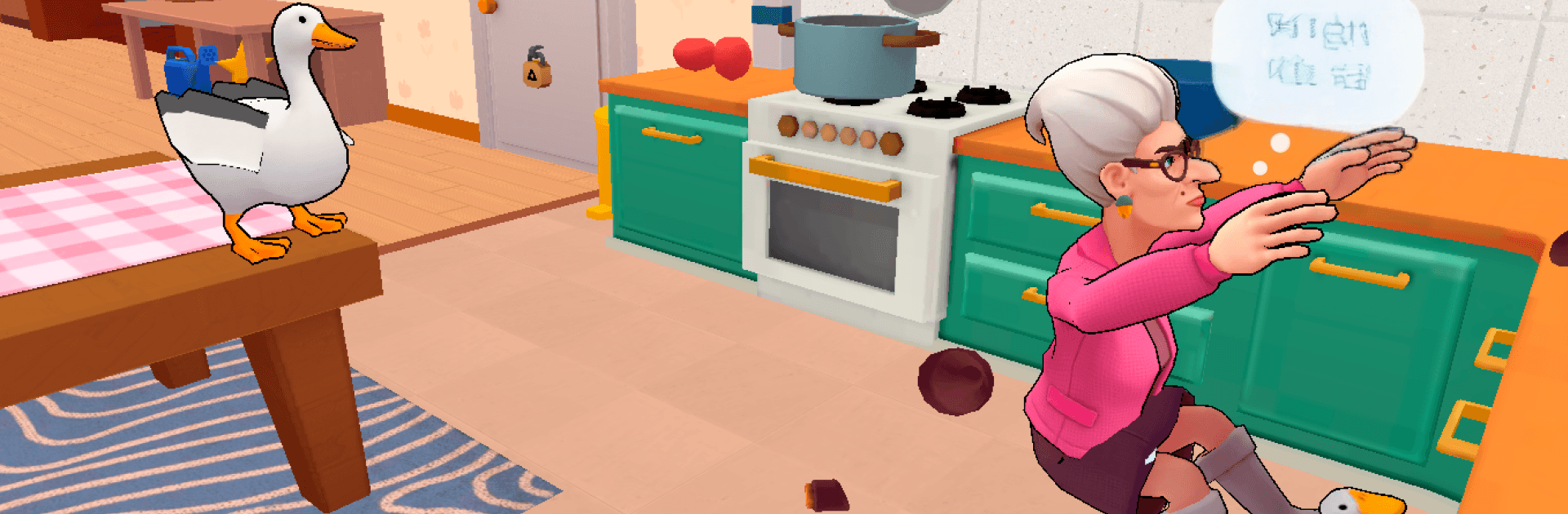
I am Goose is a cheeky little Simulation from TapEmpire where you play a feathery troublemaker living with a no-nonsense grandma and a grumpy grandpa. Your mission? Stir up everyday chaos, poke at everything that isn’t nailed down, and see what kind of mess you can get away with. It’s playful, physics-driven mischief with plenty of slapstick moments and just enough tension to keep you glancing over your wing.

Game Features

  • Home-sized sandbox: Roam a fully interactive house where nearly every object begs to be nudged, snatched, dragged, or loudly honked at.
  • Pranks that snowball: Swipe shiny trinkets, topple shelves, ring bells, pull cords—tiny actions can turn into glorious chain reactions.
  • Quests with a wink: Short, funny challenges give your chaos some direction without boxing you in.
  • Reactive humans: Grandma dishes out swift consequences; grandpa’s slower but far scarier. Get clever… or get moving.
  • Sneak or sprint: Creep around corners, hide behind furniture, or bolt down the hall when things get spicy.
  • Physics that sell the joke: Wobbly stacks, clattering pans, sliding rugs—comedy springs naturally from the world.
  • A goose with attitude: Expressive animations, big personality, and a honk that absolutely refuses to be ignored.
  • Make your own fun: It’s a true sandbox—experiment, retry, escalate. There’s no “right” way to wreak havoc.
  • Easy PC play: Prefer a bigger screen and crisp controls? It plays smoothly on BlueStacks without changing the chill vibe.

Get ready for a buttery smooth, high-performance gaming action only on BlueStacks.

Game Features

Enhancements

  • Macros
  • Multi Instance
  • Multi Instance Sync
  • Script
  • Enhancements
Macros

Macros

Automate the predictable in I am Goose and transform your gameplay with Macros. Get access to inventive Macros in the BlueStacks Macro Community
Multi Instance

Multi Instance

Play I am Goose on one window. And chat with your friend on the other. Press CTRL + Shift + 8 to open the Multi-Instance Manager. And start creating fresh instances or clone an existing one.
Multi Instance Sync

Multi Instance Sync

Play I am Goose with the power of Multi-Instance Sync. Replicate what you are doing on the main instance on all other instances. Level up faster, play more.
Script

Script

Script your way to gaming glory in I am Goose with BlueStacks Script. Write and run a set of commands to automate repeated tasks. Trigger the command by assigning it to any key.
Read More

How to Download and Play I am Goose on PC or Mac

  • Download and install BlueStacks on your PC or Mac

  • Complete Google sign-in to access the Play Store, or do it later

  • Look for I am Goose in the search bar at the top right corner

  • Click to install I am Goose from the search results

  • Complete Google sign-in (if you skipped step 2) to install I am Goose

  • Click the I am Goose icon on the home screen to start playing

video
Watch Video

Minimum System Requirements

With BlueStacks 5, you can get started on a PC that fulfills the following requirements.

  • Operating System

    Microsoft Windows 7 or above, macOS 11 (Big Sur) or above

  • Processor

    Intel, AMD or Apple Silicon Processor

  • RAM

    at least 4GB

  • HDD

    10GB Free Disk Space

Note:

* You must be an Administrator on your PC. Up to date graphics drivers from Microsoft or the chipset vendor.

I am Goose - FAQs

  • How to play I am Goose on Windows PC & Mac?

    Play I am Goose on your PC or Mac by following these simple steps.

    • Click on 'Play I am Goose on PC’ to download BlueStacks
    • Install it and log-in to Google Play Store
    • Launch and play the game.
  • Why is BlueStacks the fastest and safest platform to play games on PC?

    BlueStacks respects your privacy and is always safe and secure to use. It does not carry any malware, spyware, or any sort of additional software that could harm your PC.

    It is engineered to optimize speed and performance for a seamless gaming experience.

  • What are I am Goose PC requirements?

    Minimum requirement to run I am Goose on your PC

    • OS: Microsoft Windows 7 or above MacOS 11 (Big Sur) or above
    • Processor: Intel, AMD or Apple Silicon Processor
    • RAM: Your PC must have at least 4GB of RAM. (Note that having 4GB or more disk space is not a substitute for RAM)
    • HDD: 10GB Free Disk Space.
    • You must be an Administrator on your PC.