
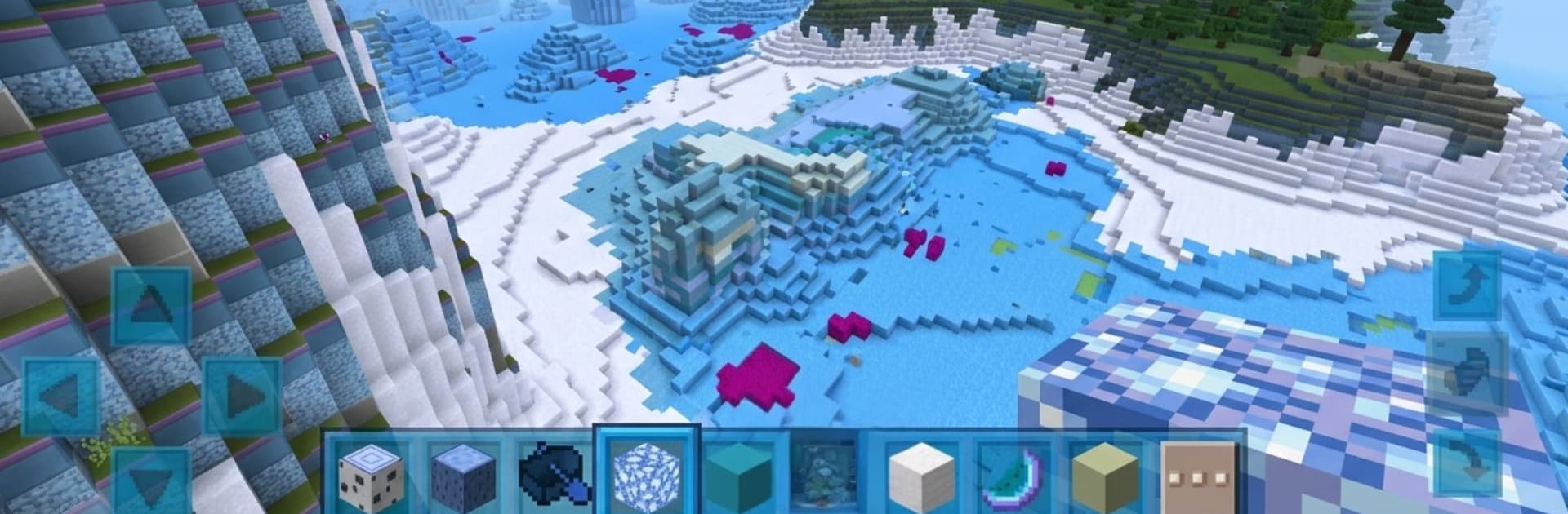
Ice Craft Game - Winter Block

Ice Craft Game - Winter Block

Simulation

| ERSANAY Prodisyion

Play on PC with BlueStacks or from our cloud

  • Overview
  • Game Features
  • How to Play

Page Modified On: May 25, 2026

Play Ice Craft Game - Winter Block on PC or Mac

Ice Craft Game – Winter Block by ERSANAY Prodisyion has plenty to keep you busy. BlueStacks lets you play it on PC or Mac with more screen space, better control, and fewer mobile limits.

About the Game

Ice Craft Game – Winter Block is a chill, block-by-block playground where your ideas turn into snowy skylines. It’s a cozy Simulation sandbox set in a roomy 3D world: roam, gather, and piece together anything from tiny cabins to sprawling cities. Prefer a bigger screen and precise controls? It also feels great on BlueStacks with keyboard and mouse.

Game Features

  • Open Sandbox World: Wander a vast, wintry map and build wherever inspiration strikes—no rails, no rush, just pure creation.
  • Creative Mode: Unlimited blocks and instant access to materials make it easy to prototype, decorate, and experiment without constraints.
  • Exploration Mode: Head out to collect stone, wood, and more, then craft the tools and blocks you need to bring ambitious plans to life.
  • Single-Player Focus: Enjoy a peaceful, distraction-free space to sketch ideas, refine details, and save multiple worlds at your own pace.
  • Classic Block Crafting: Snap blocks together in a familiar, intuitive grid that’s perfect for clean lines, bold shapes, and intricate patterns.
  • From Huts to Cities: Lay foundations, raise walls, plan streets, and add interiors—scale your projects from small builds to full-on townships.
  • Tools and Materials: Turn raw resources into planks, glass, and bricks, then upgrade your gear to build faster and smarter.
  • Smooth 3D Performance: Crisp visuals, steady frame rates, and responsive controls keep the focus on your designs—not on fiddling with settings.
  • Easy-To-Learn Controls: Simple movement and building inputs mean you can start shaping the world within minutes, whether you’re a newcomer or a seasoned builder.

BlueStacks gives you more room to focus on the game and less time adjusting around mobile limitations.


Game Features

Enhancements

  • Macros
  • Multi Instance
  • Multi Instance Sync
  • Script
  • Enhancements
Macros

Macros

Automate the predictable in Ice Craft Game - Winter Block and transform your gameplay with Macros. Get access to inventive Macros in the BlueStacks Macro Community
Multi Instance

Multi Instance

Play Ice Craft Game - Winter Block on one window. And chat with your friend on the other. Press CTRL + Shift + 8 to open the Multi-Instance Manager. And start creating fresh instances or clone an existing one.
Multi Instance Sync

Multi Instance Sync

Play Ice Craft Game - Winter Block with the power of Multi-Instance Sync. Replicate what you are doing on the main instance on all other instances. Level up faster, play more.
Script

Script

Script your way to gaming glory in Ice Craft Game - Winter Block with BlueStacks Script. Write and run a set of commands to automate repeated tasks. Trigger the command by assigning it to any key.
Read More

How to Download and Play Ice Craft Game - Winter Block on PC or Mac

  • Download and install BlueStacks on your PC or Mac

  • Complete Google sign-in to access the Play Store, or do it later

  • Look for Ice Craft Game - Winter Block in the search bar at the top right corner

  • Click to install Ice Craft Game - Winter Block from the search results

  • Complete Google sign-in (if you skipped step 2) to install Ice Craft Game - Winter Block

  • Click the Ice Craft Game - Winter Block icon on the home screen to start playing

video
Watch Video

Minimum System Requirements

With BlueStacks 5, you can get started on a PC that fulfills the following requirements.

  • Operating System

    Microsoft Windows 7 or above, macOS 11 (Big Sur) or above

  • Processor

    Intel, AMD or Apple Silicon Processor

  • RAM

    at least 4GB

  • HDD

    10GB Free Disk Space

Note:

* You must be an Administrator on your PC. Up to date graphics drivers from Microsoft or the chipset vendor.

Ice Craft Game - Winter Block - FAQs

  • How to play Ice Craft Game - Winter Block on Windows PC & Mac?

    Play Ice Craft Game - Winter Block on your PC or Mac by following these simple steps.

    • Click on 'Play Ice Craft Game - Winter Block on PC’ to download BlueStacks
    • Install it and log-in to Google Play Store
    • Launch and play the game.
  • Why is BlueStacks the fastest and safest platform to play games on PC?

    BlueStacks respects your privacy and is always safe and secure to use. It does not carry any malware, spyware, or any sort of additional software that could harm your PC.

    It is engineered to optimize speed and performance for a seamless gaming experience.

  • What are Ice Craft Game - Winter Block PC requirements?

    Minimum requirement to run Ice Craft Game - Winter Block on your PC

    • OS: Microsoft Windows 7 or above MacOS 11 (Big Sur) or above
    • Processor: Intel, AMD or Apple Silicon Processor
    • RAM: Your PC must have at least 4GB of RAM. (Note that having 4GB or more disk space is not a substitute for RAM)
    • HDD: 10GB Free Disk Space.
    • You must be an Administrator on your PC.







