Indian Desi Life Simulator 3D

Indian Desi Life Simulator 3D

Simulation

| Rk Gaming Studio

Play on PC with BlueStacks or from our cloud

  • Overview
  • Game Features
  • How to Play

Page Modified On: December 05, 2025

Play Indian Desi Life Simulator 3D on PC or Mac

Indian Desi Life Simulator 3D brings the Simulation genre to life, and throws up exciting challenges for gamers. Developed by Rk Gaming Studio, this Android game is best experienced on BlueStacks, the World’s #1 app player for PC and Mac users.

About the Game

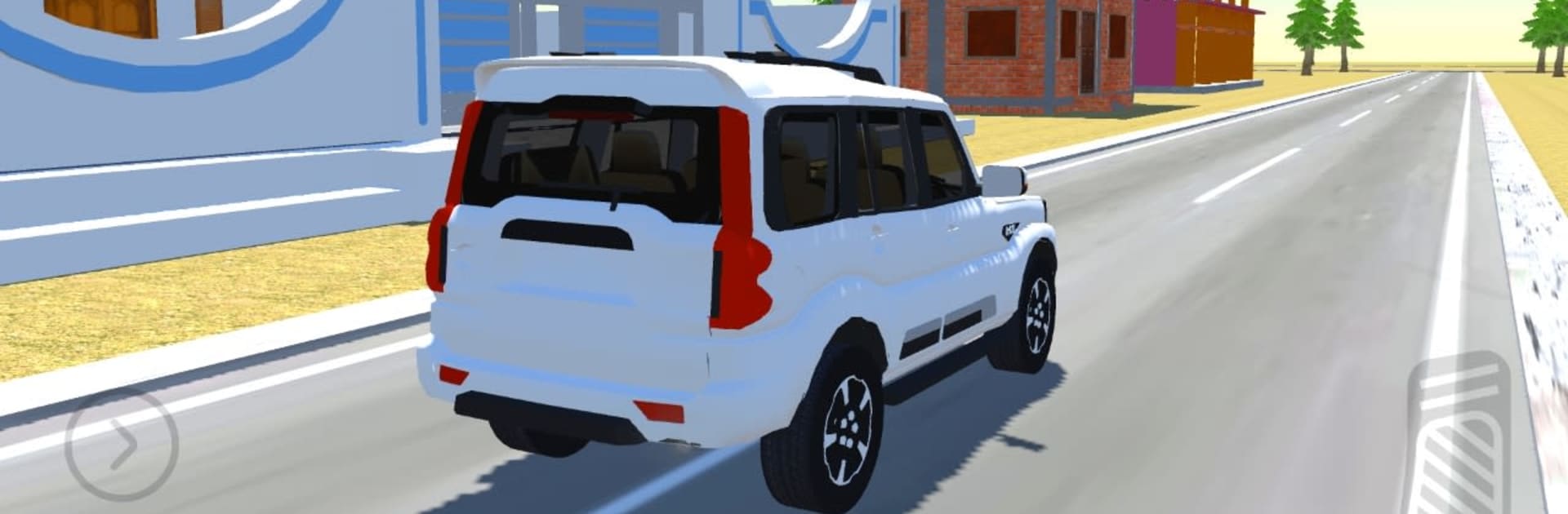
Indian Desi Life Simulator 3D is a relaxed, open-world Simulation game from Rk Gaming Studio that’s all about small-town vibes and big machines. Roam a sprawling Indian village, hop into Indian cars and tractors, and switch between everyday chores and thrill-seeking drives. It’s part driving sandbox, part farming playset, and fully about doing things your way—on mobile or on BlueStacks if you like using a keyboard and a bigger screen.

Game Features

  • Open Village Sandbox: Wander through a big village filled with Indian houses, winding Indian roads, and a proper vehicles showroom. There’s plenty to see and plenty to do.
  • Authentic Rides: Get behind the wheel of Indian cars and Indian tractors, each with their own feel and purpose—haul, cruise, or just mess around.
  • Flexible Driving Controls: Try the one-side brake system for tight tractor turns, kick on a burn drift mode for sideways fun, and test yourself on offroad map routes and mountain paths.
  • Farming Mod: Switch gears from driving to field work. Use the water pump and tubewell system, work your plots on the farming map, and live that day-to-day countryside routine.
  • Vehicle Care: Roll into the vehicles washing center to clean off the mud after a rough off-road run. Keeping things shiny is half the fun.
  • Deep Customization: Tinker with car modifications and tractor upgrades, swap tires, and change colors. Build a look that fits your mood—or the job.
  • Multiple Maps: Explore a detailed village map, a new village map variant for fresh routes, an offroad map for rugged trails, and a dedicated farming map for chores and harvests.

Get ready for a buttery smooth, high-performance gaming action only on BlueStacks.

Game Features

Enhancements

  • Macros
  • Multi Instance
  • Multi Instance Sync
  • Script
  • Enhancements
Macros

Macros

Automate the predictable in Indian Desi Life Simulator 3D and transform your gameplay with Macros. Get access to inventive Macros in the BlueStacks Macro Community
Multi Instance

Multi Instance

Play Indian Desi Life Simulator 3D on one window. And chat with your friend on the other. Press CTRL + Shift + 8 to open the Multi-Instance Manager. And start creating fresh instances or clone an existing one.
Multi Instance Sync

Multi Instance Sync

Play Indian Desi Life Simulator 3D with the power of Multi-Instance Sync. Replicate what you are doing on the main instance on all other instances. Level up faster, play more.
Script

Script

Script your way to gaming glory in Indian Desi Life Simulator 3D with BlueStacks Script. Write and run a set of commands to automate repeated tasks. Trigger the command by assigning it to any key.
Read More

How to Download and Play Indian Desi Life Simulator 3D on PC or Mac

  • Download and install BlueStacks on your PC or Mac

  • Complete Google sign-in to access the Play Store, or do it later

  • Look for Indian Desi Life Simulator 3D in the search bar at the top right corner

  • Click to install Indian Desi Life Simulator 3D from the search results

  • Complete Google sign-in (if you skipped step 2) to install Indian Desi Life Simulator 3D

  • Click the Indian Desi Life Simulator 3D icon on the home screen to start playing

video
Watch Video

Minimum System Requirements

With BlueStacks 5, you can get started on a PC that fulfills the following requirements.

  • Operating System

    Microsoft Windows 7 or above, macOS 11 (Big Sur) or above

  • Processor

    Intel, AMD or Apple Silicon Processor

  • RAM

    at least 4GB

  • HDD

    10GB Free Disk Space

Note:

* You must be an Administrator on your PC. Up to date graphics drivers from Microsoft or the chipset vendor.

Indian Desi Life Simulator 3D - FAQs

  • How to play Indian Desi Life Simulator 3D on Windows PC & Mac?

    Play Indian Desi Life Simulator 3D on your PC or Mac by following these simple steps.

    • Click on 'Play Indian Desi Life Simulator 3D on PC’ to download BlueStacks
    • Install it and log-in to Google Play Store
    • Launch and play the game.
  • Why is BlueStacks the fastest and safest platform to play games on PC?

    BlueStacks respects your privacy and is always safe and secure to use. It does not carry any malware, spyware, or any sort of additional software that could harm your PC.

    It is engineered to optimize speed and performance for a seamless gaming experience.

  • What are Indian Desi Life Simulator 3D PC requirements?

    Minimum requirement to run Indian Desi Life Simulator 3D on your PC

    • OS: Microsoft Windows 7 or above MacOS 11 (Big Sur) or above
    • Processor: Intel, AMD or Apple Silicon Processor
    • RAM: Your PC must have at least 4GB of RAM. (Note that having 4GB or more disk space is not a substitute for RAM)
    • HDD: 10GB Free Disk Space.
    • You must be an Administrator on your PC.