
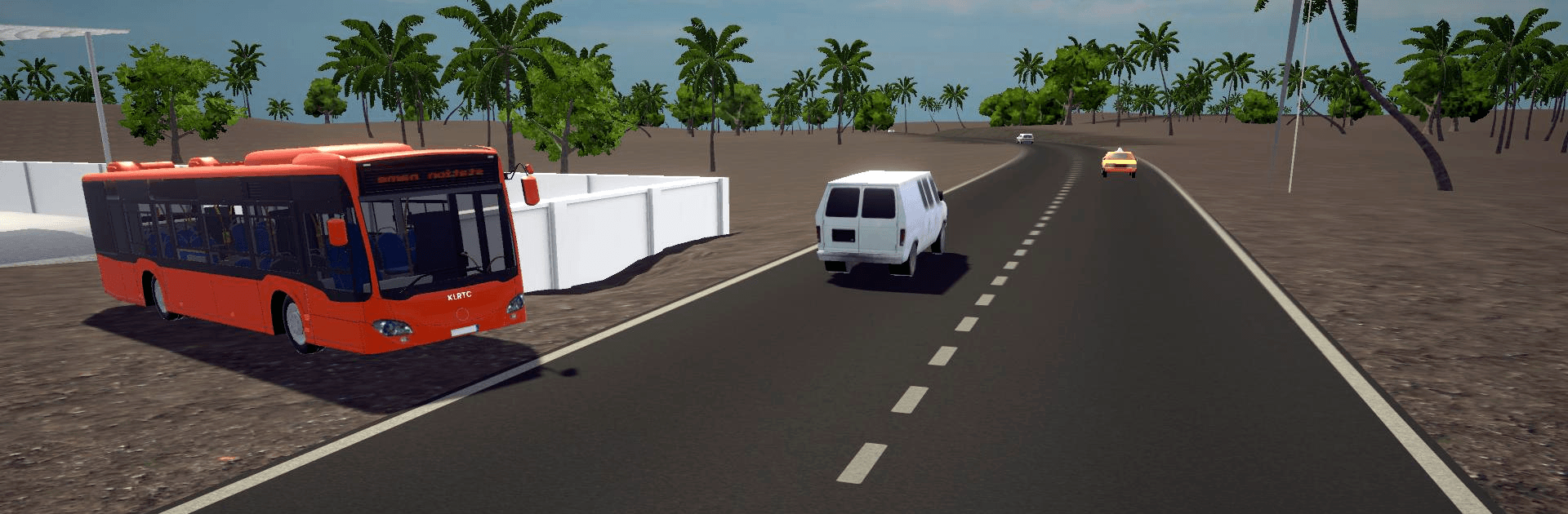
Kerala Bus Simulator

Kerala Bus Simulator

Simulation

| Kerala game studio

Play on PC with BlueStacks or from our cloud

  • Overview
  • Game Features
  • How to Play

Page Modified On: April 24, 2026

Play Kerala Bus Simulator on PC or Mac

Join millions to experience Kerala Bus Simulator, an exciting Simulation game from Kerala game studio. With BlueStacks App Player, you are always a step ahead of your opponent, ready to outplay them with faster gameplay and better control with the mouse and keyboard on your PC or Mac.

About the Game

Kerala Bus Simulator puts you behind the wheel of Kerala’s most recognizable buses and asks you to keep things steady, safe, and on time. It’s all about the feel of real roads, the rhythm of stops, and the everyday charm of public transport. If you enjoy grounded, detail-first driving, this one sticks the landing without fuss.

Game Features

  • Authentic Kerala routes — Wind through coastal stretches, hillside curves, and tight town lanes that capture the region’s look and pace.
  • Iconic fleets — Take charge of KSRTC workhorses and bold, Komban-style rides, each with a distinct presence on the road.
  • Pick your bus — Choose from multiple buses to match your mood, route length, and driving style.
  • Smooth controls — Intuitive, easy-to-learn handling keeps your focus on clean turns, careful braking, and safe stops.
  • Difficulty your way — Adjust challenge settings for a relaxed cruise or a more demanding shift with tighter margins.
  • Crisp visuals — Bright, high-quality graphics bring out the greenery, roadside shops, and signage that make each ride feel familiar.
  • True to its genre — A Simulation experience at heart, built around discipline, timing, and road etiquette rather than arcade chaos.
  • Play on a bigger screen — Prefer a wider view? It runs comfortably on BlueStacks for that roomy, desk-friendly setup.
  • Made with local love — Built by Kerala game studio, with clear attention to the buses and routes Kerala fans care about most.

Start your journey now. Download the game on BlueStacks, invite your friends, and march on a new adventure.


Game Features

Enhancements

  • Macros
  • Multi Instance
  • Multi Instance Sync
  • Script
  • Enhancements
Macros

Macros

Automate the predictable in Kerala Bus Simulator and transform your gameplay with Macros. Get access to inventive Macros in the BlueStacks Macro Community
Multi Instance

Multi Instance

Play Kerala Bus Simulator on one window. And chat with your friend on the other. Press CTRL + Shift + 8 to open the Multi-Instance Manager. And start creating fresh instances or clone an existing one.
Multi Instance Sync

Multi Instance Sync

Play Kerala Bus Simulator with the power of Multi-Instance Sync. Replicate what you are doing on the main instance on all other instances. Level up faster, play more.
Script

Script

Script your way to gaming glory in Kerala Bus Simulator with BlueStacks Script. Write and run a set of commands to automate repeated tasks. Trigger the command by assigning it to any key.
Read More

How to Download and Play Kerala Bus Simulator on PC or Mac

  • Download and install BlueStacks on your PC or Mac

  • Complete Google sign-in to access the Play Store, or do it later

  • Look for Kerala Bus Simulator in the search bar at the top right corner

  • Click to install Kerala Bus Simulator from the search results

  • Complete Google sign-in (if you skipped step 2) to install Kerala Bus Simulator

  • Click the Kerala Bus Simulator icon on the home screen to start playing

video
Watch Video

Minimum System Requirements

With BlueStacks 5, you can get started on a PC that fulfills the following requirements.

  • Operating System

    Microsoft Windows 7 or above, macOS 11 (Big Sur) or above

  • Processor

    Intel, AMD or Apple Silicon Processor

  • RAM

    at least 4GB

  • HDD

    10GB Free Disk Space

Note:

* You must be an Administrator on your PC. Up to date graphics drivers from Microsoft or the chipset vendor.

Kerala Bus Simulator - FAQs

  • How to play Kerala Bus Simulator on Windows PC & Mac?

    Play Kerala Bus Simulator on your PC or Mac by following these simple steps.

    • Click on 'Play Kerala Bus Simulator on PC’ to download BlueStacks
    • Install it and log-in to Google Play Store
    • Launch and play the game.
  • Why is BlueStacks the fastest and safest platform to play games on PC?

    BlueStacks respects your privacy and is always safe and secure to use. It does not carry any malware, spyware, or any sort of additional software that could harm your PC.

    It is engineered to optimize speed and performance for a seamless gaming experience.

  • What are Kerala Bus Simulator PC requirements?

    Minimum requirement to run Kerala Bus Simulator on your PC

    • OS: Microsoft Windows 7 or above MacOS 11 (Big Sur) or above
    • Processor: Intel, AMD or Apple Silicon Processor
    • RAM: Your PC must have at least 4GB of RAM. (Note that having 4GB or more disk space is not a substitute for RAM)
    • HDD: 10GB Free Disk Space.
    • You must be an Administrator on your PC.







