Mafia City RP:Grand Open World

Mafia City RP:Grand Open World

Simulation

| Universe Game Labs

Play on PC with BlueStacks or from our cloud

  • Overview
  • Game Features
  • How to Play

Page Modified On: July 27, 2026

Play Mafia City RP:Grand Open World on PC or Mac

Bring your A-game to Mafia City RP:Grand Open World, the Simulation game sensation from Universe Game Labs. Give your gameplay the much-needed boost with precise game controls, high FPS graphics, and top-tier features on your PC or Mac with BlueStacks.

About the Game

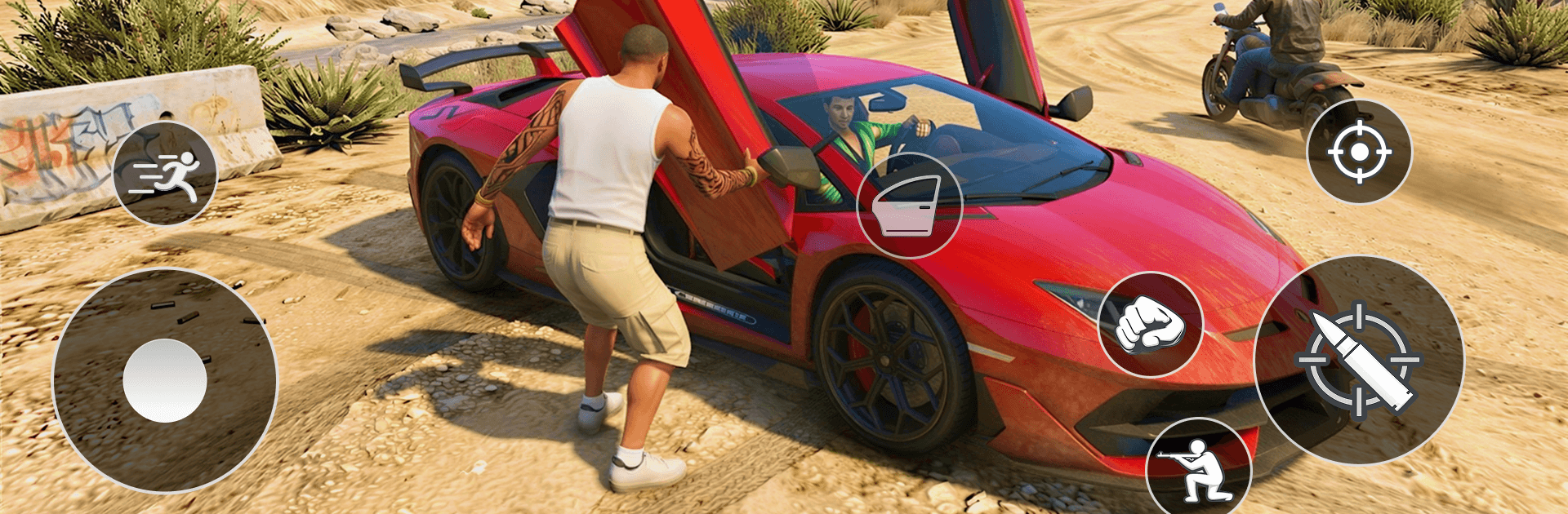
Mafia City RP:Grand Open World drops you into a sprawling urban sandbox where reputation, smarts, and a good set of wheels go a long way. It’s a city built for choices—take on story missions, handle side jobs, or just cruise the highways and alleys to see what trouble (or opportunity) finds you next. Want a bigger screen for those high-speed getaways? It runs smoothly on PC with BlueStacks.

Game Features

  • A living metropolis: Wander through busy downtown blocks, waterfront piers, industrial zones, and tucked-away backstreets—each area has its own look, vibe, and people to meet.
  • Story or free roam: Follow a structured narrative with characters who remember you, or ignore the main thread and create your own path at your own pace.
  • Responsive driving and movement: Cars, bikes, and on-foot controls feel tight and snappy, making quick getaways and tight turns actually satisfying.
  • Missions with variety: Deliver on-time, outmaneuver tails, escape sticky situations, and tackle skill-based challenges that reward clean execution over chaos.
  • Character growth: Improve stats, unlock useful abilities, and tune your build to handle tougher jobs and rival crews.
  • Strategy over brute force: Manage resources, make tactical calls, and use diplomacy when it benefits you—smart decisions open doors fists can’t.
  • Rich sights and sounds: Detailed 3D streets, day-night moods, and crisp audio sell the scale and energy of the city.
  • Built for on-the-go play: Short sessions or long hauls both work, thanks to smooth performance and thoughtful UI that fits mobile screens.
  • Genre: Simulation

Get ready for a buttery smooth, high-performance gaming action only on BlueStacks.

Game Features

Enhancements

  • Macros
  • Multi Instance
  • Multi Instance Sync
  • Script
  • Enhancements
Macros

Macros

Automate the predictable in Mafia City RP:Grand Open World and transform your gameplay with Macros. Get access to inventive Macros in the BlueStacks Macro Community
Multi Instance

Multi Instance

Play Mafia City RP:Grand Open World on one window. And chat with your friend on the other. Press CTRL + Shift + 8 to open the Multi-Instance Manager. And start creating fresh instances or clone an existing one.
Multi Instance Sync

Multi Instance Sync

Play Mafia City RP:Grand Open World with the power of Multi-Instance Sync. Replicate what you are doing on the main instance on all other instances. Level up faster, play more.
Script

Script

Script your way to gaming glory in Mafia City RP:Grand Open World with BlueStacks Script. Write and run a set of commands to automate repeated tasks. Trigger the command by assigning it to any key.
Read More

How to Download and Play Mafia City RP:Grand Open World on PC or Mac

  • Download and install BlueStacks on your PC or Mac

  • Complete Google sign-in to access the Play Store, or do it later

  • Look for Mafia City RP:Grand Open World in the search bar at the top right corner

  • Click to install Mafia City RP:Grand Open World from the search results

  • Complete Google sign-in (if you skipped step 2) to install Mafia City RP:Grand Open World

  • Click the Mafia City RP:Grand Open World icon on the home screen to start playing

video
Watch Video

Minimum System Requirements

With BlueStacks 5, you can get started on a PC that fulfills the following requirements.

  • Operating System

    Microsoft Windows 7 or above, macOS 11 (Big Sur) or above

  • Processor

    Intel, AMD or Apple Silicon Processor

  • RAM

    at least 4GB

  • HDD

    10GB Free Disk Space

Note:

* You must be an Administrator on your PC. Up to date graphics drivers from Microsoft or the chipset vendor.

Mafia City RP:Grand Open World - FAQs

  • How to play Mafia City RP:Grand Open World on Windows PC & Mac?

    Play Mafia City RP:Grand Open World on your PC or Mac by following these simple steps.

    • Click on 'Play Mafia City RP:Grand Open World on PC’ to download BlueStacks
    • Install it and log-in to Google Play Store
    • Launch and play the game.
  • Why is BlueStacks the fastest and safest platform to play games on PC?

    BlueStacks respects your privacy and is always safe and secure to use. It does not carry any malware, spyware, or any sort of additional software that could harm your PC.

    It is engineered to optimize speed and performance for a seamless gaming experience.

  • What are Mafia City RP:Grand Open World PC requirements?

    Minimum requirement to run Mafia City RP:Grand Open World on your PC

    • OS: Microsoft Windows 7 or above MacOS 11 (Big Sur) or above
    • Processor: Intel, AMD or Apple Silicon Processor
    • RAM: Your PC must have at least 4GB of RAM. (Note that having 4GB or more disk space is not a substitute for RAM)
    • HDD: 10GB Free Disk Space.
    • You must be an Administrator on your PC.