Mafia Crime Cleaner simulator

Mafia Crime Cleaner simulator

Simulation

| Feel Free Studio

Play on PC with BlueStacks or from our cloud

  • Overview
  • Game Features
  • How to Play

Page Modified On: August 08, 2025

Play Mafia Crime Cleaner simulator on PC or Mac

Mafia Crime Cleaner simulator brings the Simulation genre to life, and throws up exciting challenges for gamers. Developed by Feel Free Studio, this Android game is best experienced on BlueStacks, the World’s #1 app player for PC and Mac users.

About the Game

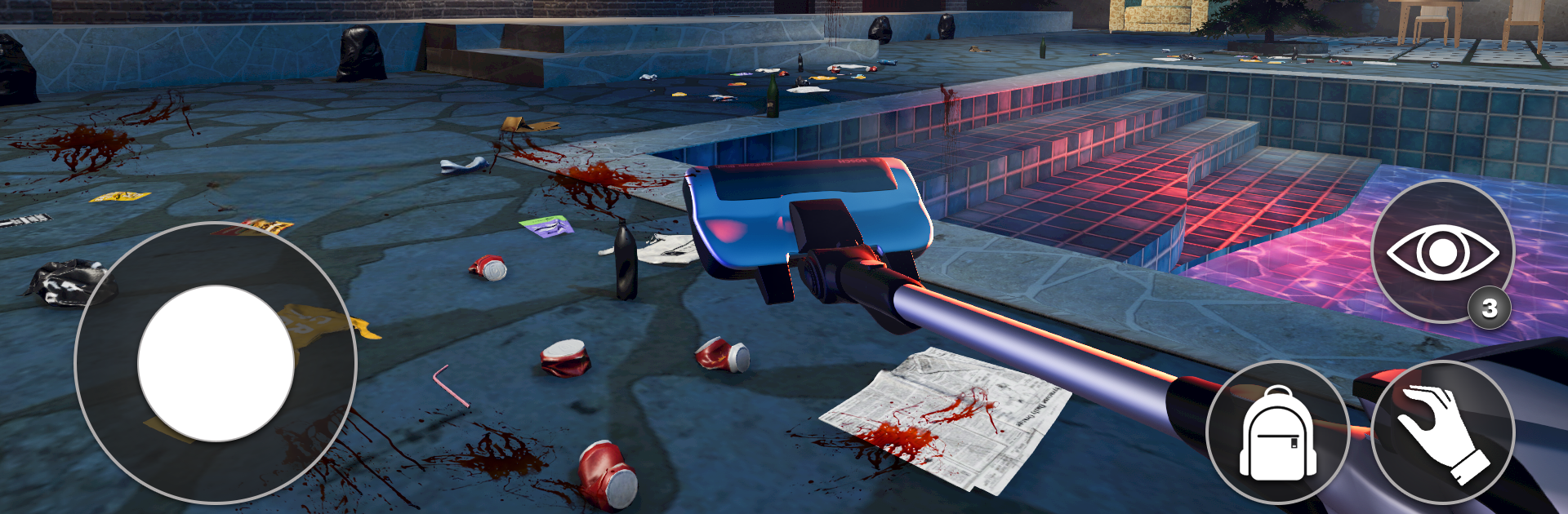
Ever thought about the unsung heroes who tidy up the mess after the mob’s been through? Mafia Crime Cleaner simulator puts you in the shoes of a specialist who’s not squeamish about getting their hands dirty. It’s all about restoring crime scenes to spotless order—while juggling the pressures of the underworld and some pretty grim realities. It’s odd, a little dark, and surprisingly rewarding when your hard work pays off.

Game Features

  • Gritty Crime Scene Cleanup
    Each level throws you into a fresh mess—from abandoned lots to ritzy penthouses—where your cleaning skills are the difference between order and absolute chaos.

  • Specialized Cleaning Tools
    There’s a tool for every dirty job. Use pro gear to scrub blood, manage hazardous waste, and erase every last clue—just don’t leave anything behind.

  • Story-Driven Missions
    It’s not just mopping and sweeping; you’re doing this to help your grandmother and stay ahead of rising hospital bills. The mob’s pulling the strings, and the stakes climb with every assignment.

  • Strategic Choices
    Sometimes, you’ll need to be quick and quiet to dodge law enforcement or make tough calls about which jobs to take on based on the criminal activity in each district.

  • Detailed 3D Environments
    The scenes are fully rendered, so you’ll notice every gritty detail—right down to the stuff most folks would rather not look at twice.

  • Intuitive Controls
    Easy to pick up but tricky to master, especially if you’re playing on BlueStacks, where mouse and keyboard can make scrubbing those virtual stains almost therapeutic.

  • Challenging Scenarios
    No two jobs are the same. Some places will test your nerves and attention to detail—one missed spot and it’s back to square one.

Slay your opponents with your epic moves. Play it your way on BlueStacks and dominate the battlefield.


Game Features

Enhancements

  • Macros
  • Multi Instance
  • Multi Instance Sync
  • Script
  • Enhancements
Macros

Macros

Automate the predictable in Mafia Crime Cleaner simulator and transform your gameplay with Macros. Get access to inventive Macros in the BlueStacks Macro Community
Multi Instance

Multi Instance

Play Mafia Crime Cleaner simulator on one window. And chat with your friend on the other. Press CTRL + Shift + 8 to open the Multi-Instance Manager. And start creating fresh instances or clone an existing one.
Multi Instance Sync

Multi Instance Sync

Play Mafia Crime Cleaner simulator with the power of Multi-Instance Sync. Replicate what you are doing on the main instance on all other instances. Level up faster, play more.
Script

Script

Script your way to gaming glory in Mafia Crime Cleaner simulator with BlueStacks Script. Write and run a set of commands to automate repeated tasks. Trigger the command by assigning it to any key.
Read More

How to Download and Play Mafia Crime Cleaner simulator on PC or Mac

  • Download and install BlueStacks on your PC or Mac

  • Complete Google sign-in to access the Play Store, or do it later

  • Look for Mafia Crime Cleaner simulator in the search bar at the top right corner

  • Click to install Mafia Crime Cleaner simulator from the search results

  • Complete Google sign-in (if you skipped step 2) to install Mafia Crime Cleaner simulator

  • Click the Mafia Crime Cleaner simulator icon on the home screen to start playing

video
Watch Video

Minimum System Requirements

With BlueStacks 5, you can get started on a PC that fulfills the following requirements.

  • Operating System

    Microsoft Windows 7 or above, macOS 11 (Big Sur) or above

  • Processor

    Intel, AMD or Apple Silicon Processor

  • RAM

    at least 4GB

  • HDD

    10GB Free Disk Space

Note:

* You must be an Administrator on your PC. Up to date graphics drivers from Microsoft or the chipset vendor.

Mafia Crime Cleaner simulator - FAQs

  • How to play Mafia Crime Cleaner simulator on Windows PC & Mac?

    Play Mafia Crime Cleaner simulator on your PC or Mac by following these simple steps.

    • Click on 'Play Mafia Crime Cleaner simulator on PC’ to download BlueStacks
    • Install it and log-in to Google Play Store
    • Launch and play the game.
  • Why is BlueStacks the fastest and safest platform to play games on PC?

    BlueStacks respects your privacy and is always safe and secure to use. It does not carry any malware, spyware, or any sort of additional software that could harm your PC.

    It is engineered to optimize speed and performance for a seamless gaming experience.

  • What are Mafia Crime Cleaner simulator PC requirements?

    Minimum requirement to run Mafia Crime Cleaner simulator on your PC

    • OS: Microsoft Windows 7 or above MacOS 11 (Big Sur) or above
    • Processor: Intel, AMD or Apple Silicon Processor
    • RAM: Your PC must have at least 4GB of RAM. (Note that having 4GB or more disk space is not a substitute for RAM)
    • HDD: 10GB Free Disk Space.
    • You must be an Administrator on your PC.