Megane Drift & Driving Simulator

Megane Drift & Driving Simulator

Simulation

| Apaydın Games

Play on PC with BlueStacks or from our cloud

  • Overview
  • Game Features
  • How to Play

Page Modified On: August 15, 2026

Play Megane Drift & Driving Simulator on PC or Mac

Step into the World of Megane Drift & Driving Simulator, a thrilling Simulation game from the house of Apaydın Games. Play this Android game on BlueStacks App Player and experience immersive gaming on PC or Mac.

About the Game

Megane Drift & Driving Simulator is a Simulation built around that sweet balance of grip and slide—pick your car, pick your map, and let the tires do the talking. It’s all about control, style, and the freedom to cruise, race, or throw smoky drifts through wide arenas and busy city streets. Prefer a keyboard and a bigger screen? You can also play it on PC with BlueStacks for a different feel.

Game Features

  • Driving styles you can feel: Swap between responsive road handling and drift-focused dynamics to match your mood and skill.
  • Tuning that matters: Paint, wheels, suspension height, and more—dial in seven detailed customization options and make the car yours.
  • Three distinct cars: Slide the Megane, push a Scirocco, or unleash a hyper-aggressive Aventador—each brings its own personality.
  • Six varied maps: Explore City, Snowy Mountain, Green Valley, Drift Arena, Desert, and a dedicated Racing track built for hot laps.
  • Weather that changes the game: Rain, snow, or sunshine—grip and visibility shift, so your approach has to as well.
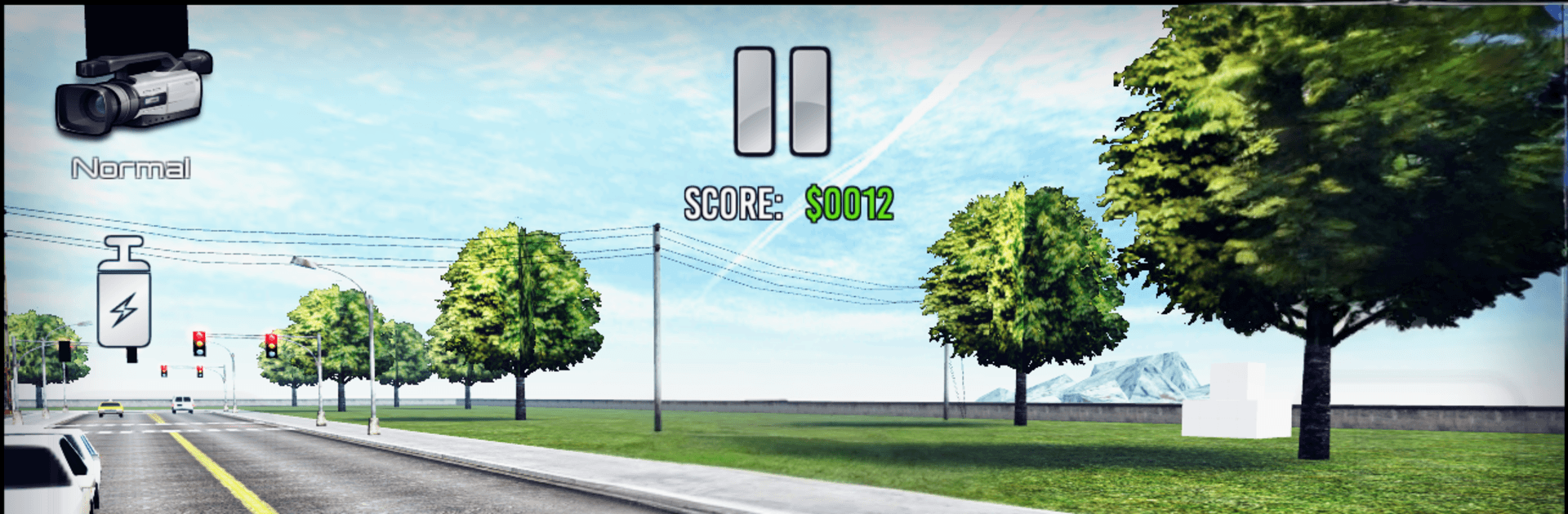
  • Multiple camera views: Go cockpit for immersion, switch to drift or action cams for flair, or stick with a clear, classic view.
  • Control it your way: Use a virtual steering wheel, quick left-right taps, or let auto-accelerate handle the throttle.
  • Useful car systems: Headlights, horn, turn signals, a time-slowing effect, turbo boost, and even a police siren for a little drama.
  • Races and levels: Tackle 13 bite-size challenges or jump into race events when you want structure over free roaming.
  • Smarter traffic, real rules: Cruise with traffic and observe signals—or don’t—and watch how AI drivers react.
  • Smooth performance options: Tweak graphics and controls in an optimized settings menu so it runs great on a wide range of devices.

Start your journey now. Download the game on BlueStacks, invite your friends, and march on a new adventure.


Game Features

Enhancements

  • Macros
  • Multi Instance
  • Multi Instance Sync
  • Script
  • Enhancements
Macros

Macros

Automate the predictable in Megane Drift & Driving Simulator and transform your gameplay with Macros. Get access to inventive Macros in the BlueStacks Macro Community
Multi Instance

Multi Instance

Play Megane Drift & Driving Simulator on one window. And chat with your friend on the other. Press CTRL + Shift + 8 to open the Multi-Instance Manager. And start creating fresh instances or clone an existing one.
Multi Instance Sync

Multi Instance Sync

Play Megane Drift & Driving Simulator with the power of Multi-Instance Sync. Replicate what you are doing on the main instance on all other instances. Level up faster, play more.
Script

Script

Script your way to gaming glory in Megane Drift & Driving Simulator with BlueStacks Script. Write and run a set of commands to automate repeated tasks. Trigger the command by assigning it to any key.
Read More

How to Download and Play Megane Drift & Driving Simulator on PC or Mac

  • Download and install BlueStacks on your PC or Mac

  • Complete Google sign-in to access the Play Store, or do it later

  • Look for Megane Drift & Driving Simulator in the search bar at the top right corner

  • Click to install Megane Drift & Driving Simulator from the search results

  • Complete Google sign-in (if you skipped step 2) to install Megane Drift & Driving Simulator

  • Click the Megane Drift & Driving Simulator icon on the home screen to start playing

video
Watch Video

Minimum System Requirements

With BlueStacks 5, you can get started on a PC that fulfills the following requirements.

  • Operating System

    Microsoft Windows 7 or above, macOS 11 (Big Sur) or above

  • Processor

    Intel, AMD or Apple Silicon Processor

  • RAM

    at least 4GB

  • HDD

    10GB Free Disk Space

Note:

* You must be an Administrator on your PC. Up to date graphics drivers from Microsoft or the chipset vendor.

Megane Drift & Driving Simulator - FAQs

  • How to play Megane Drift & Driving Simulator on Windows PC & Mac?

    Play Megane Drift & Driving Simulator on your PC or Mac by following these simple steps.

    • Click on 'Play Megane Drift & Driving Simulator on PC’ to download BlueStacks
    • Install it and log-in to Google Play Store
    • Launch and play the game.
  • Why is BlueStacks the fastest and safest platform to play games on PC?

    BlueStacks respects your privacy and is always safe and secure to use. It does not carry any malware, spyware, or any sort of additional software that could harm your PC.

    It is engineered to optimize speed and performance for a seamless gaming experience.

  • What are Megane Drift & Driving Simulator PC requirements?

    Minimum requirement to run Megane Drift & Driving Simulator on your PC

    • OS: Microsoft Windows 7 or above MacOS 11 (Big Sur) or above
    • Processor: Intel, AMD or Apple Silicon Processor
    • RAM: Your PC must have at least 4GB of RAM. (Note that having 4GB or more disk space is not a substitute for RAM)
    • HDD: 10GB Free Disk Space.
    • You must be an Administrator on your PC.