Merge Spaceship: Idle Space

Merge Spaceship: Idle Space

Simulation

| Dlnko

Play on PC with BlueStacks or from our cloud

  • Overview
  • Game Features
  • How to Play

Page Modified On: August 03, 2026

Play Merge Spaceship: Idle Space on PC or Mac

Explore a whole new adventure with Merge Spaceship: Idle Space, a Simulation game created by Dlnko. Experience great gameplay with BlueStacks, the most popular gaming platform to play Android games on your PC or Mac.

About the Game

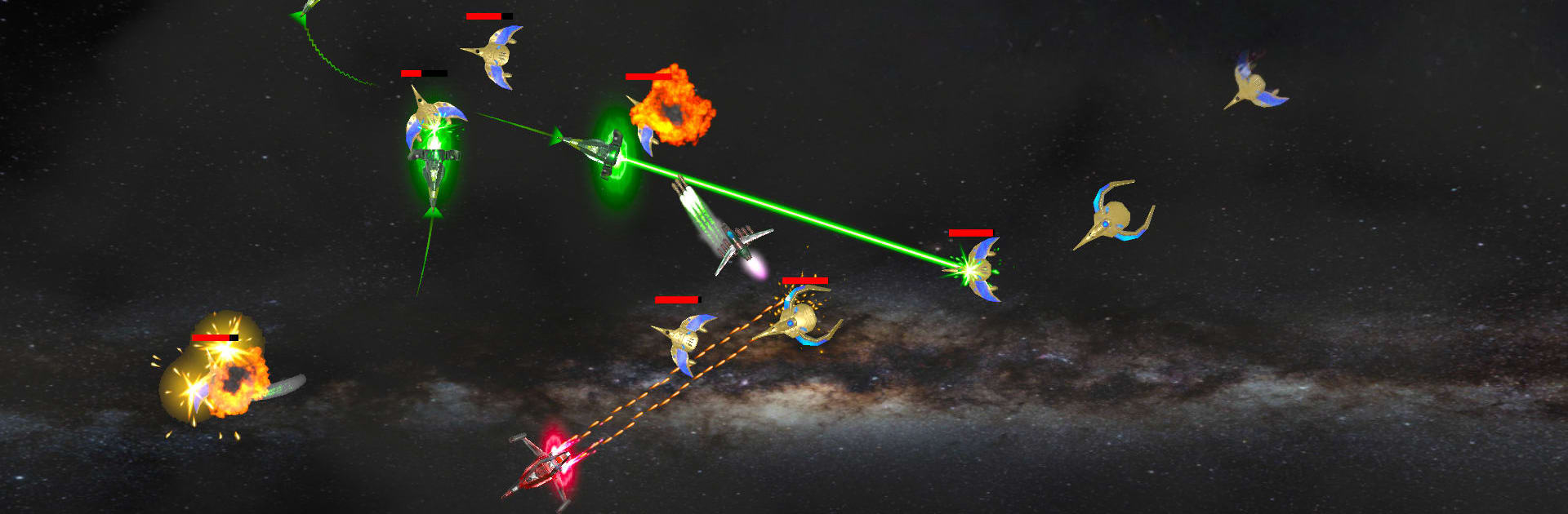
Merge Spaceship: Idle Space is a laid-back Simulation game where you grow a fleet from a tiny shuttle into a hulking star armada. Merge ships to craft stronger models, send them into automated battles, and watch your hangar hum with progress even when you’re offline. It’s part builder, part idle manager, with quick taps, smart upgrades, and plenty of space-faring flair.

Game Features

  • Build and Merge: Combine matching ships to unlock higher tiers, fresh designs, and bigger firepower. It’s quick to learn and satisfyingly clicky.
  • Strategic Battles: Deploy squadrons against alien threats and tune your lineup. Upgrade battle slots to squeeze out more damage and higher earnings.
  • Research Lab: Unlock tech that boosts just about everything—merge efficiency, combat rewards, missile power, and new upgrade angles.
  • Boss Encounters: Face off against armored capital ships with energy shields. Beat them to snag rare data keys that supercharge your growth.
  • Resource Mining: Harvest from asteroids and trade for supplies. A steady stream of materials keeps your shipyard humming.
  • Quests That Matter: Task lists guide your next moves so you’re never wondering what to upgrade or where to spend hard-earned coins.
  • Offline Progress: Your fleet keeps working when you’re away, stacking income so you can jump back in and make big plays fast.
  • Shipyard Upgrades: Expand bays, open new slots, and fine-tune production to scale your fleet without the grind.
  • Easy to Pick Up: Clean menus, simple controls, and a smooth loop that’s great for short sessions or longer stints.
  • Optional PC Play: Prefer a bigger screen and mouse control? BlueStacks makes it easy to play comfortably on your desktop.

BlueStacks gives you more room to focus on the game and less time adjusting around mobile limitations.


Game Features

Enhancements

  • Macros
  • Multi Instance
  • Multi Instance Sync
  • Script
  • Enhancements
Macros

Macros

Automate the predictable in Merge Spaceship: Idle Space and transform your gameplay with Macros. Get access to inventive Macros in the BlueStacks Macro Community
Multi Instance

Multi Instance

Play Merge Spaceship: Idle Space on one window. And chat with your friend on the other. Press CTRL + Shift + 8 to open the Multi-Instance Manager. And start creating fresh instances or clone an existing one.
Multi Instance Sync

Multi Instance Sync

Play Merge Spaceship: Idle Space with the power of Multi-Instance Sync. Replicate what you are doing on the main instance on all other instances. Level up faster, play more.
Script

Script

Script your way to gaming glory in Merge Spaceship: Idle Space with BlueStacks Script. Write and run a set of commands to automate repeated tasks. Trigger the command by assigning it to any key.
Read More

How to Download and Play Merge Spaceship: Idle Space on PC or Mac

  • Download and install BlueStacks on your PC or Mac

  • Complete Google sign-in to access the Play Store, or do it later

  • Look for Merge Spaceship: Idle Space in the search bar at the top right corner

  • Click to install Merge Spaceship: Idle Space from the search results

  • Complete Google sign-in (if you skipped step 2) to install Merge Spaceship: Idle Space

  • Click the Merge Spaceship: Idle Space icon on the home screen to start playing

video
Watch Video

Minimum System Requirements

With BlueStacks 5, you can get started on a PC that fulfills the following requirements.

  • Operating System

    Microsoft Windows 7 or above, macOS 11 (Big Sur) or above

  • Processor

    Intel, AMD or Apple Silicon Processor

  • RAM

    at least 4GB

  • HDD

    10GB Free Disk Space

Note:

* You must be an Administrator on your PC. Up to date graphics drivers from Microsoft or the chipset vendor.

Merge Spaceship: Idle Space - FAQs

  • How to play Merge Spaceship: Idle Space on Windows PC & Mac?

    Play Merge Spaceship: Idle Space on your PC or Mac by following these simple steps.

    • Click on 'Play Merge Spaceship: Idle Space on PC’ to download BlueStacks
    • Install it and log-in to Google Play Store
    • Launch and play the game.
  • Why is BlueStacks the fastest and safest platform to play games on PC?

    BlueStacks respects your privacy and is always safe and secure to use. It does not carry any malware, spyware, or any sort of additional software that could harm your PC.

    It is engineered to optimize speed and performance for a seamless gaming experience.

  • What are Merge Spaceship: Idle Space PC requirements?

    Minimum requirement to run Merge Spaceship: Idle Space on your PC

    • OS: Microsoft Windows 7 or above MacOS 11 (Big Sur) or above
    • Processor: Intel, AMD or Apple Silicon Processor
    • RAM: Your PC must have at least 4GB of RAM. (Note that having 4GB or more disk space is not a substitute for RAM)
    • HDD: 10GB Free Disk Space.
    • You must be an Administrator on your PC.