

From the innovators and creators at Сопротивление Бесполезно, Micro-Tram Simulator (бета) is another fun addition to the World of Simulation games. Go beyond your mobile screen and play it bigger and better on your PC or Mac. An immersive experience awaits you.
About the Game
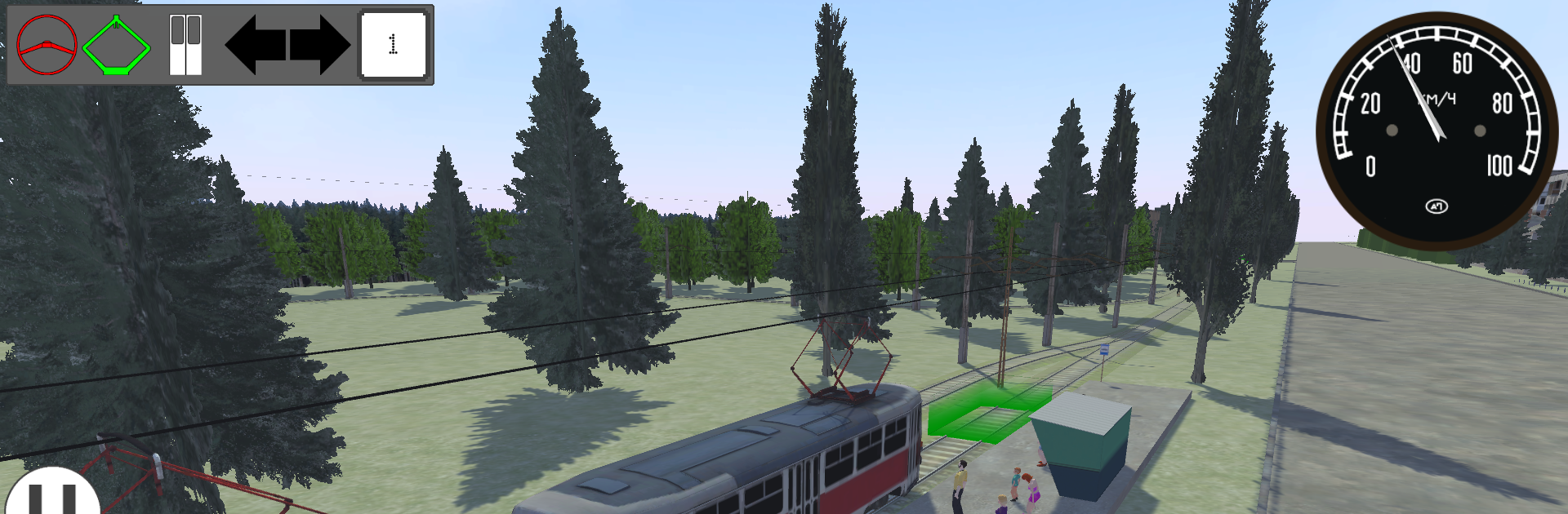
Micro-Tram Simulator (бета) is a laid-back, pared-down take on tram driving from Сопротивление Бесполезно. It keeps things focused: smooth controls, a living map full of AI trams, and the freedom to jump in and take over any car you like. Expect a clean Simulation experience that’s more about flow and timing than micromanaging every tiny detail.
Game Features
-
Pick a Tram, Any Tram: Multiple models roam the city on their own. Spot the one you want, hop in, and you’re in the driver’s seat—no waiting, no fuss.
-
Simple Levers, Real Momentum: Use a reverser for forward, neutral, or reverse (only at a complete stop), then control speed and braking with a single power/brake lever. It’s quick to learn but still rewards smooth handling.
-
Routes That Just Work: On a set route, switches align automatically so you can focus on driving. Want to free-roam? Use the turn indicators to set switch directions yourself—even going straight counts as a choice.
-
Spawn Your Fleet: Press R to open the spawner, choose a model, and it’ll appear at the depot. Build single cars or go X2/X3 for multi-car sets, then swap between cars on the fly.
-
Smart Train Management: Remove a tram or trim a multi-car set with a tap in the spawner. The game handles what stays and what goes, so the map never gets messy.
-
Assign or Release Bots: In the route menu, hand a tram over to AI for auto-running or release it to park with hazards on. You decide who drives and when.
-
Fresh Paint, Instantly: Open the pause menu to apply any installed repaint to your current tram—no long setup, just pick and go.
-
Plays Great with Keyboard: Those quick actions (like R and E) feel especially natural if you’re playing on PC with BlueStacks.
Get ready for a buttery smooth, high-performance gaming action only on BlueStacks.