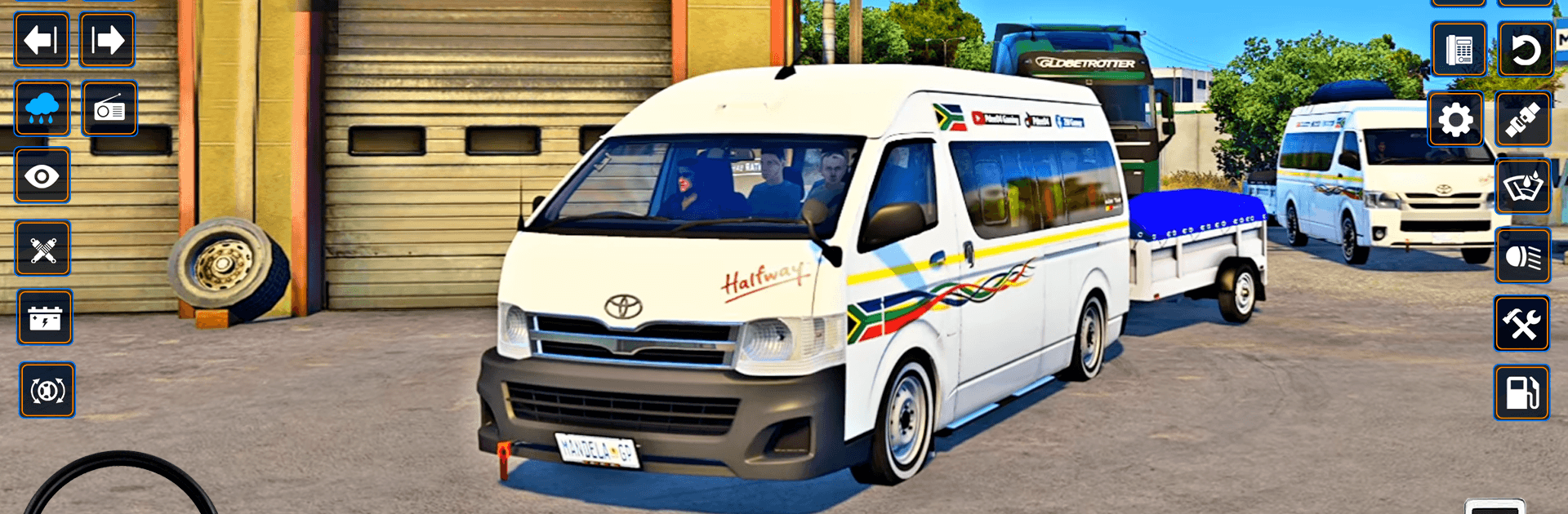
Mini Coach Bus City Bus Game

Mini Coach Bus City Bus Game

Simulation

| Storm Gamers

Play on PC with BlueStacks or from our cloud

  • Overview
  • Game Features
  • How to Play

Page Modified On: September 25, 2026

Play Mini Coach Bus City Bus Game on PC or Mac

Step into the World of Mini Coach Bus City Bus Game, a thrilling Simulation game from the house of Storm Gamers. Play this Android game on BlueStacks App Player and experience immersive gaming on PC or Mac.

About the Game

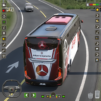
Mini Coach Bus City Bus Game throws you behind the wheel for a mash‑up of tight city stops, rough country trails, and gravity-defying stunt ramps. This Simulation focuses on skillful driving—clean lines, careful braking, and the occasional “did I really just land that?” moment. Each run is short, punchy, and surprisingly tense, whether you’re threading a cliffside turn or loading passengers at a busy stop. Prefer a bigger view and easy key mapping? It plays nicely on PC with BlueStacks too.

Game Features

  • Three Modes, Fifteen Challenges: Conquer Offroad with village traffic and bumpy dirt, Hard with cliff-hugging switchbacks and blind turns, and Ramp with sky-high tracks built for massive jumps.
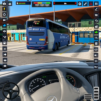
  • Real Passenger Runs: Pull up to marked stops, board riders smoothly, and deliver everyone safely without scuffing that shiny paint.
  • Distinct Environments: Glide through green countryside loops, inch along narrow mountain roads, and take on cloud-level stunt ramps that test nerve and timing.
  • Pick-Your-Controls: Choose a virtual wheel, arrows, or tilt; adjust steering feel, and hit horn, lights, and music from clean, easy buttons.
  • Helpful Map & HUD: Follow the route at a glance, track progress, and anticipate tricky bends before they bite.
  • Physics That Matter: Feel weight, grip, and momentum—manage descents, control slides, and line up clean landings after big airs.
  • Cameras For Every Mood: Swap cockpit, chase, and bumper views on the fly to nail tight parking or scout the next jump.
  • Offline Friendly: Play anytime without a connection—great for quick practice or long sessions.
  • Quick Sessions, Steady Curve: Five bite-size levels per mode steadily raise the stakes without wasting your time.
  • BlueStacks Ready: If you like a larger screen and tidy key mapping, it runs smoothly on BlueStacks while keeping the handling crisp.

BlueStacks gives you more room to focus on the game and less time adjusting around mobile limitations.


Game Features

Enhancements

  • Macros
  • Multi Instance
  • Multi Instance Sync
  • Script
  • Enhancements
Macros

Macros

Automate the predictable in Mini Coach Bus City Bus Game and transform your gameplay with Macros. Get access to inventive Macros in the BlueStacks Macro Community
Multi Instance

Multi Instance

Play Mini Coach Bus City Bus Game on one window. And chat with your friend on the other. Press CTRL + Shift + 8 to open the Multi-Instance Manager. And start creating fresh instances or clone an existing one.
Multi Instance Sync

Multi Instance Sync

Play Mini Coach Bus City Bus Game with the power of Multi-Instance Sync. Replicate what you are doing on the main instance on all other instances. Level up faster, play more.
Script

Script

Script your way to gaming glory in Mini Coach Bus City Bus Game with BlueStacks Script. Write and run a set of commands to automate repeated tasks. Trigger the command by assigning it to any key.
Read More

How to Download and Play Mini Coach Bus City Bus Game on PC or Mac

  • Download and install BlueStacks on your PC or Mac

  • Complete Google sign-in to access the Play Store, or do it later

  • Look for Mini Coach Bus City Bus Game in the search bar at the top right corner

  • Click to install Mini Coach Bus City Bus Game from the search results

  • Complete Google sign-in (if you skipped step 2) to install Mini Coach Bus City Bus Game

  • Click the Mini Coach Bus City Bus Game icon on the home screen to start playing

video
Watch Video

Minimum System Requirements

With BlueStacks 5, you can get started on a PC that fulfills the following requirements.

  • Operating System

    Microsoft Windows 7 or above, macOS 11 (Big Sur) or above

  • Processor

    Intel, AMD or Apple Silicon Processor

  • RAM

    at least 4GB

  • HDD

    10GB Free Disk Space

Note:

* You must be an Administrator on your PC. Up to date graphics drivers from Microsoft or the chipset vendor.

Mini Coach Bus City Bus Game - FAQs

  • How to play Mini Coach Bus City Bus Game on Windows PC & Mac?

    Play Mini Coach Bus City Bus Game on your PC or Mac by following these simple steps.

    • Click on 'Play Mini Coach Bus City Bus Game on PC’ to download BlueStacks
    • Install it and log-in to Google Play Store
    • Launch and play the game.
  • Why is BlueStacks the fastest and safest platform to play games on PC?

    BlueStacks respects your privacy and is always safe and secure to use. It does not carry any malware, spyware, or any sort of additional software that could harm your PC.

    It is engineered to optimize speed and performance for a seamless gaming experience.

  • What are Mini Coach Bus City Bus Game PC requirements?

    Minimum requirement to run Mini Coach Bus City Bus Game on your PC

    • OS: Microsoft Windows 7 or above MacOS 11 (Big Sur) or above
    • Processor: Intel, AMD or Apple Silicon Processor
    • RAM: Your PC must have at least 4GB of RAM. (Note that having 4GB or more disk space is not a substitute for RAM)
    • HDD: 10GB Free Disk Space.
    • You must be an Administrator on your PC.