
Mini Truck: Battle Game

Mini Truck: Battle Game

Simulation

| Hexagon games studio

Play on PC with BlueStacks or from our cloud

  • Overview
  • Game Features
  • How to Play

Page Modified On: April 01, 2025

Play Mini Truck: Battle Game on PC or Mac

Bring your A-game to Mini Truck: Battle Game, the Simulation game sensation from Hexagon games studio. Give your gameplay the much-needed boost with precise game controls, high FPS graphics, and top-tier features on your PC or Mac with BlueStacks.

About the Game

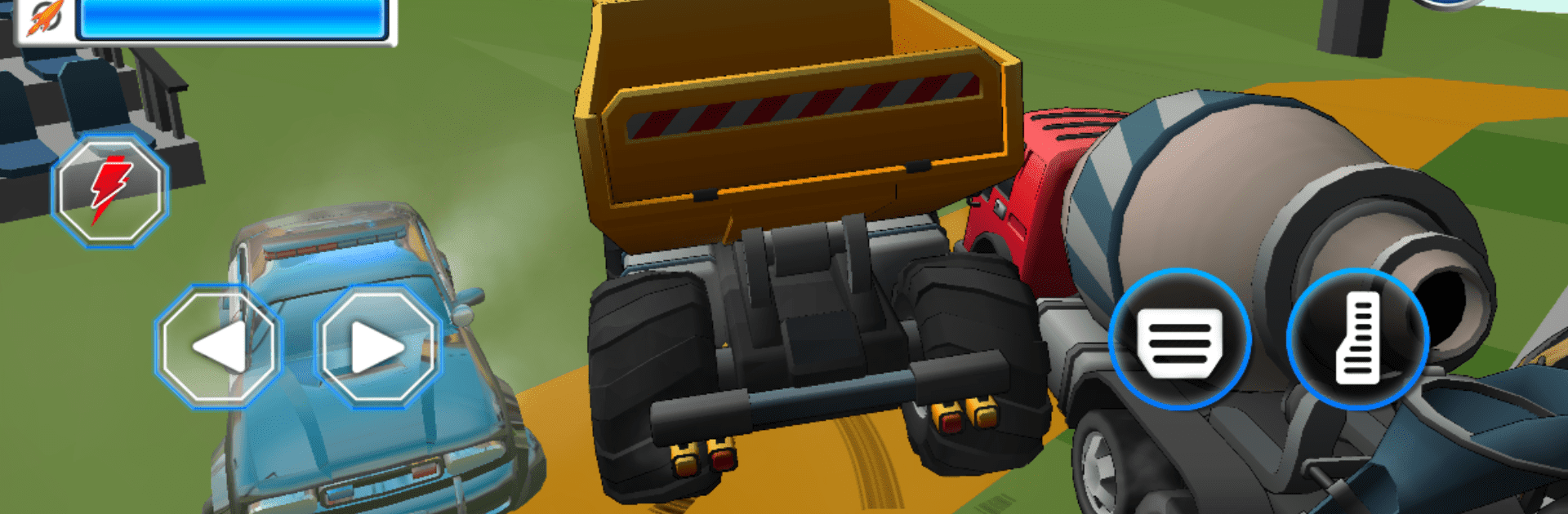
“Mini Truck: Battle Game,” crafted by Hexagon games studio, takes you on a high-octane ride through dynamic landscapes where speed and strategy rule the day. Ever imagined battling it out in mini trucks across distinctive terrains? This simulation lets you do exactly that! Tackle vibrant European cities, the sunlit Middle Eastern deserts, and the bustling streets of India.

Game Features

  • Offline Battles: Engage in action-packed offline skirmishes against 4 AI-controlled trucks. Expect unpredictability with every smash and crash!

  • Customization: Love tweaking your ride? Customize your mini truck’s speed, strength, and agility with countless options to make it your own battlefield beast.

  • Strategic Combat: It’s not all about raw speed. Strategize with power-ups, traps, and clever maneuvers to outsmart opponents.

  • Stunning Graphics: High-definition graphics and realistic physics make every collision an immersive experience.

  • Challenging Levels: Face progressively tough levels, each demanding unique tactics to overcome new obstacles.

  • Frequent Updates: Regular updates bring fresh challenges and seasonal events for ongoing excitement.

Don’t just play; experience it on BlueStacks for a seamless adventure!

Get ready for a buttery smooth, high-performance gaming action only on BlueStacks.

Game Features

Enhancements

  • Macros
  • Multi Instance
  • Multi Instance Sync
  • Script
  • Enhancements
Macros

Macros

Automate the predictable in Mini Truck: Battle Game and transform your gameplay with Macros. Get access to inventive Macros in the BlueStacks Macro Community
Multi Instance

Multi Instance

Play Mini Truck: Battle Game on one window. And chat with your friend on the other. Press CTRL + Shift + 8 to open the Multi-Instance Manager. And start creating fresh instances or clone an existing one.
Multi Instance Sync

Multi Instance Sync

Play Mini Truck: Battle Game with the power of Multi-Instance Sync. Replicate what you are doing on the main instance on all other instances. Level up faster, play more.
Script

Script

Script your way to gaming glory in Mini Truck: Battle Game with BlueStacks Script. Write and run a set of commands to automate repeated tasks. Trigger the command by assigning it to any key.
Read More

How to Download and Play Mini Truck: Battle Game on PC or Mac

  • Download and install BlueStacks on your PC or Mac

  • Complete Google sign-in to access the Play Store, or do it later

  • Look for Mini Truck: Battle Game in the search bar at the top right corner

  • Click to install Mini Truck: Battle Game from the search results

  • Complete Google sign-in (if you skipped step 2) to install Mini Truck: Battle Game

  • Click the Mini Truck: Battle Game icon on the home screen to start playing

video
Watch Video

Minimum System Requirements

With BlueStacks 5, you can get started on a PC that fulfills the following requirements.

  • Operating System

    Microsoft Windows 7 or above, macOS 11 (Big Sur) or above

  • Processor

    Intel, AMD or Apple Silicon Processor

  • RAM

    at least 4GB

  • HDD

    10GB Free Disk Space

Note:

* You must be an Administrator on your PC. Up to date graphics drivers from Microsoft or the chipset vendor.

Mini Truck: Battle Game - FAQs

  • How to play Mini Truck: Battle Game on Windows PC & Mac?

    Play Mini Truck: Battle Game on your PC or Mac by following these simple steps.

    • Click on 'Play Mini Truck: Battle Game on PC’ to download BlueStacks
    • Install it and log-in to Google Play Store
    • Launch and play the game.
  • Why is BlueStacks the fastest and safest platform to play games on PC?

    BlueStacks respects your privacy and is always safe and secure to use. It does not carry any malware, spyware, or any sort of additional software that could harm your PC.

    It is engineered to optimize speed and performance for a seamless gaming experience.

  • What are Mini Truck: Battle Game PC requirements?

    Minimum requirement to run Mini Truck: Battle Game on your PC

    • OS: Microsoft Windows 7 or above MacOS 11 (Big Sur) or above
    • Processor: Intel, AMD or Apple Silicon Processor
    • RAM: Your PC must have at least 4GB of RAM. (Note that having 4GB or more disk space is not a substitute for RAM)
    • HDD: 10GB Free Disk Space.
    • You must be an Administrator on your PC.








