Minibus Van Driver Game

Minibus Van Driver Game

Simulation

| Ultiox Studio Game & App

Play on PC with BlueStacks or from our cloud

  • Overview
  • Game Features
  • How to Play

Page Modified On: September 11, 2026

Play Minibus Van Driver Game on PC or Mac

Minibus Van Driver Game brings the Simulation genre to life, and throws up exciting challenges for gamers. Developed by Ultiox Studio Game & App, this Android game is best experienced on BlueStacks, the World’s #1 app player for PC and Mac users.

About the Game

Minibus Van Driver Game puts you in the driver’s seat of a bustling city route, where timing, awareness, and clean driving matter. This is a Simulation that leans into realistic transport work—pick up passengers, keep your lane tidy, and track the lead minibus so you don’t miss a turn. Prefer a bigger view of the city streets? It also runs smoothly on BlueStacks.

Game Features

  • Vehicle lineup: Choose from Sprinter, Transit, Jest, or H350 and pick the size and feel that match how you like to drive.
  • Custom paint and parts: Recolor the body and outfit your minibus with bumpers, protective bars, and other touches that make it yours.
  • Roof gear and lighting: Add roof-mounted LED lights and set up horn systems for extra personality and presence on the road.
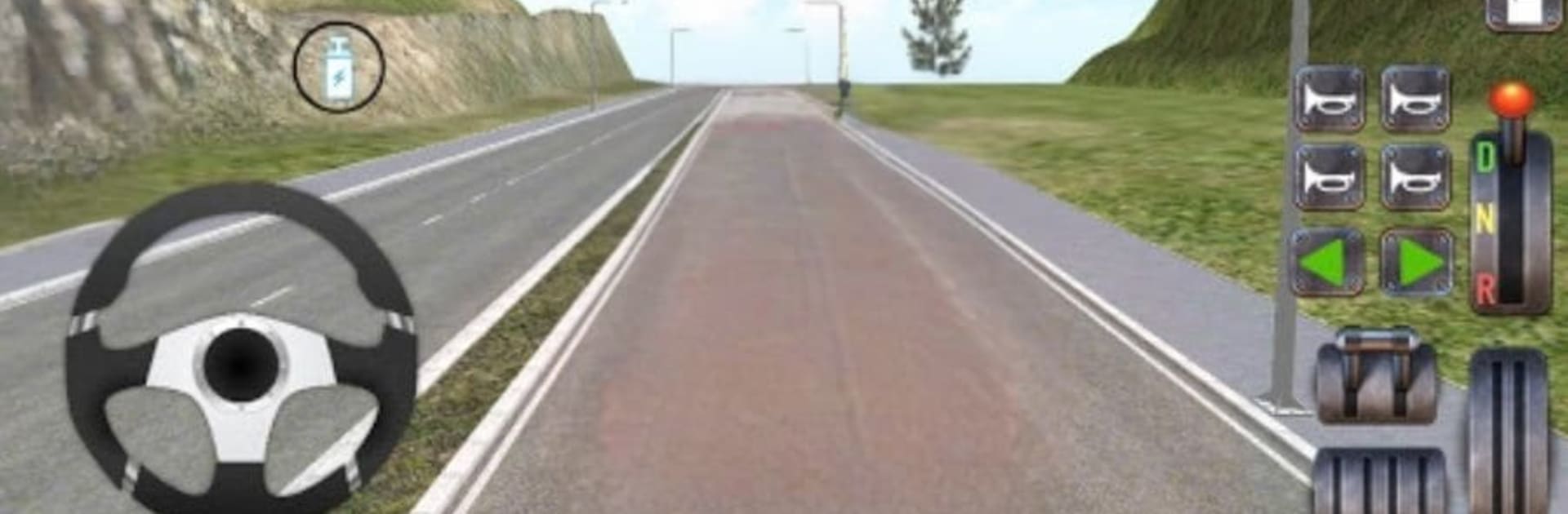
  • Cockpit vibe: Use indicators and headlights, blast one of four melodic air horns, and manage the in-vehicle music while you roll.
  • Camera control: Swap among three camera modes and multiple driving views to handle tight streets or wide avenues with confidence.
  • Passenger routine: Stop for pickups and drop-offs, manage your pace, and keep the route flowing for everyone onboard.
  • Follow-the-leader routing: Stay behind the guide minibus to stick to the correct path—lose sight of it and the trip gets tricky fast.
  • Offline friendly: Play without a connection and keep your city shifts going whenever it fits your day.

Start playing Minibus Van Driver Game on BlueStacks and get a smoother, more comfortable PC or Mac setup.


Game Features

Enhancements

  • Macros
  • Multi Instance
  • Multi Instance Sync
  • Script
  • Enhancements
Macros

Macros

Automate the predictable in Minibus Van Driver Game and transform your gameplay with Macros. Get access to inventive Macros in the BlueStacks Macro Community
Multi Instance

Multi Instance

Play Minibus Van Driver Game on one window. And chat with your friend on the other. Press CTRL + Shift + 8 to open the Multi-Instance Manager. And start creating fresh instances or clone an existing one.
Multi Instance Sync

Multi Instance Sync

Play Minibus Van Driver Game with the power of Multi-Instance Sync. Replicate what you are doing on the main instance on all other instances. Level up faster, play more.
Script

Script

Script your way to gaming glory in Minibus Van Driver Game with BlueStacks Script. Write and run a set of commands to automate repeated tasks. Trigger the command by assigning it to any key.
Read More

How to Download and Play Minibus Van Driver Game on PC or Mac

  • Download and install BlueStacks on your PC or Mac

  • Complete Google sign-in to access the Play Store, or do it later

  • Look for Minibus Van Driver Game in the search bar at the top right corner

  • Click to install Minibus Van Driver Game from the search results

  • Complete Google sign-in (if you skipped step 2) to install Minibus Van Driver Game

  • Click the Minibus Van Driver Game icon on the home screen to start playing

video
Watch Video

Minimum System Requirements

With BlueStacks 5, you can get started on a PC that fulfills the following requirements.

  • Operating System

    Microsoft Windows 7 or above, macOS 11 (Big Sur) or above

  • Processor

    Intel, AMD or Apple Silicon Processor

  • RAM

    at least 4GB

  • HDD

    10GB Free Disk Space

Note:

* You must be an Administrator on your PC. Up to date graphics drivers from Microsoft or the chipset vendor.

Minibus Van Driver Game - FAQs

  • How to play Minibus Van Driver Game on Windows PC & Mac?

    Play Minibus Van Driver Game on your PC or Mac by following these simple steps.

    • Click on 'Play Minibus Van Driver Game on PC’ to download BlueStacks
    • Install it and log-in to Google Play Store
    • Launch and play the game.
  • Why is BlueStacks the fastest and safest platform to play games on PC?

    BlueStacks respects your privacy and is always safe and secure to use. It does not carry any malware, spyware, or any sort of additional software that could harm your PC.

    It is engineered to optimize speed and performance for a seamless gaming experience.

  • What are Minibus Van Driver Game PC requirements?

    Minimum requirement to run Minibus Van Driver Game on your PC

    • OS: Microsoft Windows 7 or above MacOS 11 (Big Sur) or above
    • Processor: Intel, AMD or Apple Silicon Processor
    • RAM: Your PC must have at least 4GB of RAM. (Note that having 4GB or more disk space is not a substitute for RAM)
    • HDD: 10GB Free Disk Space.
    • You must be an Administrator on your PC.