My Little Princess : Stores

My Little Princess : Stores

Simulation

| My Town Games Ltd

Play on PC with BlueStacks or from our cloud

  • Overview
  • Game Features
  • How to Play

Page Modified On: December 09, 2025

Play My Little Princess : Stores on PC or Mac

From the innovators and creators at My Town Games Ltd, My Little Princess : Stores is another fun addition to the World of Educational games. Go beyond your mobile screen and play it bigger and better on your PC or Mac. An immersive experience awaits you.

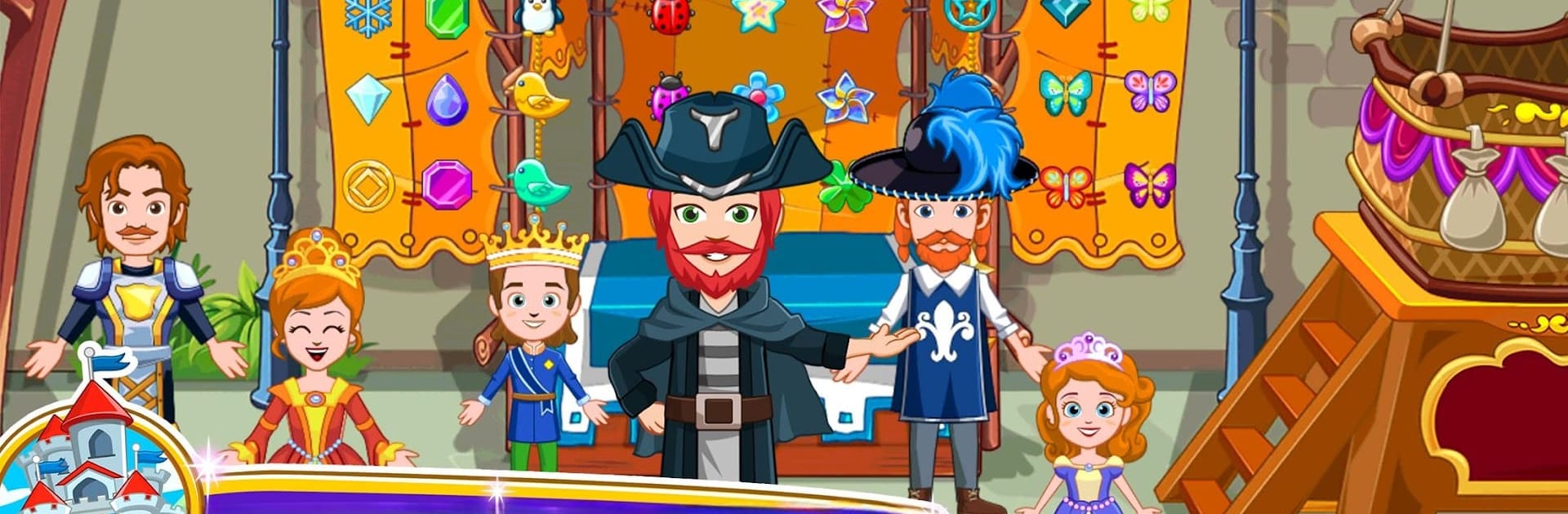
My Little Princess: Stores feels like a big, colorful dollhouse set inside a little princess town. Players wander around a bunch of cute shops and tiny scenes, pull items off shelves, dress characters, and make up whatever story sounds fun that moment. There is a clothing boutique for mix and match outfits, makeup tables and accessories, a pet store where the animals practically beg to be fussed over, and a supermarket loaded with food and party stuff. Nothing is locked behind missions or timers. There are no goals, just pick up things, move them around, try outfits, throw a party, feed the pets, tidy up or do the exact opposite. Nearly everything reacts when tapped or dragged, so it encourages that “what happens if” curiosity kids have.

What stands out is how many places there are to poke around and how easy it is to swap characters and costumes to keep a little story going. The hot air balloon station is a neat touch, since it can whisk characters to other My Little Princess games if those are on the device, which makes the world feel bigger without getting complicated. Multi touch on tablets lets siblings play on the same screen, and on PC with BlueStacks the larger view makes sorting outfits and dragging props feel calm and tidy. The art is bright without being loud, the pace is gentle, and it suits kids who like to pretend and build scenes rather than chase scores. If someone wants structure, it will feel loose, but for open play and creativity it hits nicely.

Slay your opponents with your epic moves. Play it your way on BlueStacks and dominate the battlefield.


Game Features

Enhancements

  • Macros
  • Multi Instance
  • Multi Instance Sync
  • Script
  • Enhancements
Macros

Macros

Automate the predictable in My Little Princess : Stores and transform your gameplay with Macros. Get access to inventive Macros in the BlueStacks Macro Community
Multi Instance

Multi Instance

Play My Little Princess : Stores on one window. And chat with your friend on the other. Press CTRL + Shift + 8 to open the Multi-Instance Manager. And start creating fresh instances or clone an existing one.
Multi Instance Sync

Multi Instance Sync

Play My Little Princess : Stores with the power of Multi-Instance Sync. Replicate what you are doing on the main instance on all other instances. Level up faster, play more.
Script

Script

Script your way to gaming glory in My Little Princess : Stores with BlueStacks Script. Write and run a set of commands to automate repeated tasks. Trigger the command by assigning it to any key.
Read More

How to Download and Play My Little Princess : Stores on PC or Mac

  • Download and install BlueStacks on your PC or Mac

  • Complete Google sign-in to access the Play Store, or do it later

  • Look for My Little Princess : Stores in the search bar at the top right corner

  • Click to install My Little Princess : Stores from the search results

  • Complete Google sign-in (if you skipped step 2) to install My Little Princess : Stores

  • Click the My Little Princess : Stores icon on the home screen to start playing

video
Watch Video

Minimum System Requirements

With BlueStacks 5, you can get started on a PC that fulfills the following requirements.

  • Operating System

    Microsoft Windows 7 or above, macOS 11 (Big Sur) or above

  • Processor

    Intel, AMD or Apple Silicon Processor

  • RAM

    at least 4GB

  • HDD

    10GB Free Disk Space

Note:

* You must be an Administrator on your PC. Up to date graphics drivers from Microsoft or the chipset vendor.

My Little Princess : Stores - FAQs

  • How to play My Little Princess : Stores on Windows PC & Mac?

    Play My Little Princess : Stores on your PC or Mac by following these simple steps.

    • Click on 'Play My Little Princess : Stores on PC’ to download BlueStacks
    • Install it and log-in to Google Play Store
    • Launch and play the game.
  • Why is BlueStacks the fastest and safest platform to play games on PC?

    BlueStacks respects your privacy and is always safe and secure to use. It does not carry any malware, spyware, or any sort of additional software that could harm your PC.

    It is engineered to optimize speed and performance for a seamless gaming experience.

  • What are My Little Princess : Stores PC requirements?

    Minimum requirement to run My Little Princess : Stores on your PC

    • OS: Microsoft Windows 7 or above MacOS 11 (Big Sur) or above
    • Processor: Intel, AMD or Apple Silicon Processor
    • RAM: Your PC must have at least 4GB of RAM. (Note that having 4GB or more disk space is not a substitute for RAM)
    • HDD: 10GB Free Disk Space.
    • You must be an Administrator on your PC.