Noob Sandbox 3D: Action World

Noob Sandbox 3D: Action World

Simulation

| Booma Top

Play on PC with BlueStacks or from our cloud

  • Overview
  • Game Features
  • How to Play

Page Modified On: January 06, 2026

Play Noob Sandbox 3D: Action World on PC or Mac

From the innovators and creators at Booma Top, Noob Sandbox 3D: Action World is another fun addition to the World of Simulation games. Go beyond your mobile screen and play it bigger and better on your PC or Mac. An immersive experience awaits you.

About the Game

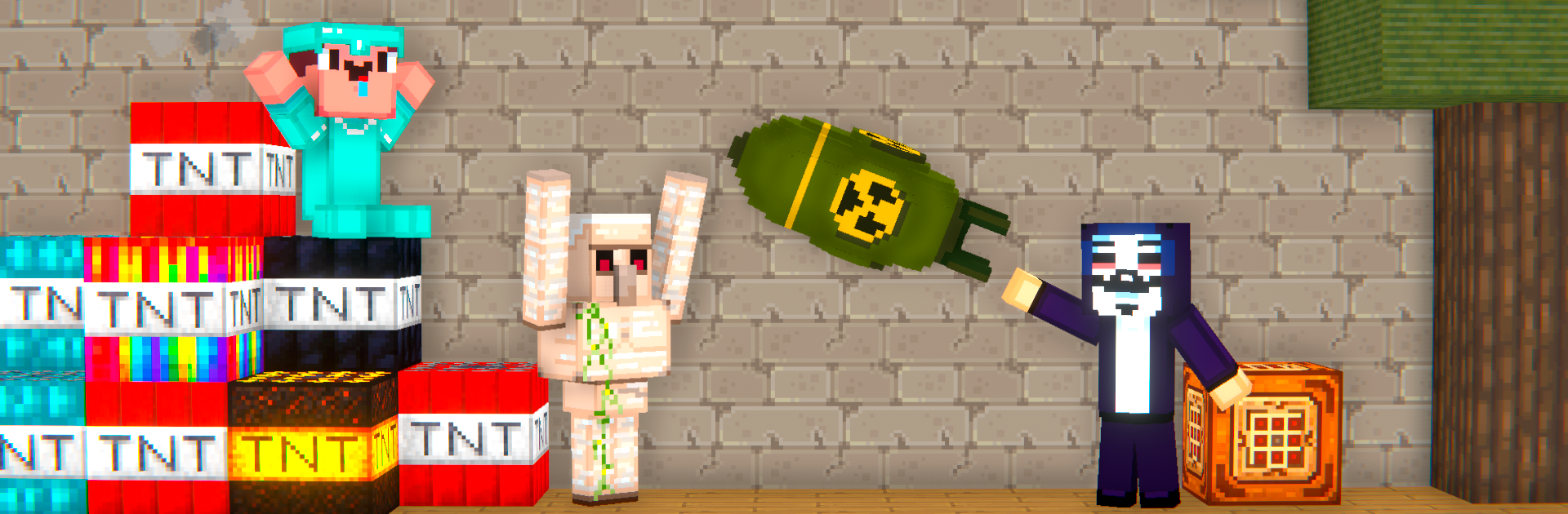
Noob Sandbox 3D: Action World is a big, messy, wonderfully flexible playground where you get to be the director of every scene. It’s a Simulation title from Booma Top that blends building, experiments, slapstick chaos, and a bit of spooky fun. Want quiet tinkering one minute and over-the-top explosions the next? That’s the vibe.

Game Features

  • Massive physics sandbox: Every object reacts—push it, break it, freeze it, or blast it—and watch the world respond with satisfying, believable physics. Slow-mo is there when you want to savor the moment.

  • Build it your way: Snap together blocks, props, cables, wheels, thrusters, and more to craft bases, traps, machines, or full maps. Quick spawn tools make testing ideas painless.

  • Pure mayhem toolkit: Guns, blades, tasers, lasers, bombs—pick your flavor. Link ropes, stack explosives, or set wild chain reactions just to see what happens.

  • Vehicles and contraptions: Drive, crash, and tune cars or assemble moving rigs from engines and metal parts. It’s part garage, part demolition derby.

  • The Noob, your star: Drop the Noob into ridiculous experiments or tough challenges and watch the chaos unfold. Swap skins and styles to make the goofball your own.

  • Action, horror, and survival: Flip the mood whenever you like—bright and breezy or dark and tense. Spawn enemies, tune the soundscape, turn maps into mazes, and try to make it out in one piece.

  • Easy to pick up, fast to create: Simple controls and speedy building mean less menu diving and more “let’s try this” moments. Great for quick experiments or longer projects.

  • Mods and fresh content: Addons keep the toolbox growing with new items, characters, weapons, and maps. Updates bring fresh surprises and more ways to experiment.

  • Play comfortably on PC: Prefer mouse and keyboard? Noob Sandbox 3D: Action World runs nicely with BlueStacks, so tinkering and aiming can feel extra precise.

Start your journey now. Download the game on BlueStacks, invite your friends, and march on a new adventure.


Game Features

Enhancements

  • Macros
  • Multi Instance
  • Multi Instance Sync
  • Script
  • Enhancements
Macros

Macros

Automate the predictable in Noob Sandbox 3D: Action World and transform your gameplay with Macros. Get access to inventive Macros in the BlueStacks Macro Community
Multi Instance

Multi Instance

Play Noob Sandbox 3D: Action World on one window. And chat with your friend on the other. Press CTRL + Shift + 8 to open the Multi-Instance Manager. And start creating fresh instances or clone an existing one.
Multi Instance Sync

Multi Instance Sync

Play Noob Sandbox 3D: Action World with the power of Multi-Instance Sync. Replicate what you are doing on the main instance on all other instances. Level up faster, play more.
Script

Script

Script your way to gaming glory in Noob Sandbox 3D: Action World with BlueStacks Script. Write and run a set of commands to automate repeated tasks. Trigger the command by assigning it to any key.
Read More

How to Download and Play Noob Sandbox 3D: Action World on PC or Mac

  • Download and install BlueStacks on your PC or Mac

  • Complete Google sign-in to access the Play Store, or do it later

  • Look for Noob Sandbox 3D: Action World in the search bar at the top right corner

  • Click to install Noob Sandbox 3D: Action World from the search results

  • Complete Google sign-in (if you skipped step 2) to install Noob Sandbox 3D: Action World

  • Click the Noob Sandbox 3D: Action World icon on the home screen to start playing

video
Watch Video

Minimum System Requirements

With BlueStacks 5, you can get started on a PC that fulfills the following requirements.

  • Operating System

    Microsoft Windows 7 or above, macOS 11 (Big Sur) or above

  • Processor

    Intel, AMD or Apple Silicon Processor

  • RAM

    at least 4GB

  • HDD

    10GB Free Disk Space

Note:

* You must be an Administrator on your PC. Up to date graphics drivers from Microsoft or the chipset vendor.

Noob Sandbox 3D: Action World - FAQs

  • How to play Noob Sandbox 3D: Action World on Windows PC & Mac?

    Play Noob Sandbox 3D: Action World on your PC or Mac by following these simple steps.

    • Click on 'Play Noob Sandbox 3D: Action World on PC’ to download BlueStacks
    • Install it and log-in to Google Play Store
    • Launch and play the game.
  • Why is BlueStacks the fastest and safest platform to play games on PC?

    BlueStacks respects your privacy and is always safe and secure to use. It does not carry any malware, spyware, or any sort of additional software that could harm your PC.

    It is engineered to optimize speed and performance for a seamless gaming experience.

  • What are Noob Sandbox 3D: Action World PC requirements?

    Minimum requirement to run Noob Sandbox 3D: Action World on your PC

    • OS: Microsoft Windows 7 or above MacOS 11 (Big Sur) or above
    • Processor: Intel, AMD or Apple Silicon Processor
    • RAM: Your PC must have at least 4GB of RAM. (Note that having 4GB or more disk space is not a substitute for RAM)
    • HDD: 10GB Free Disk Space.
    • You must be an Administrator on your PC.