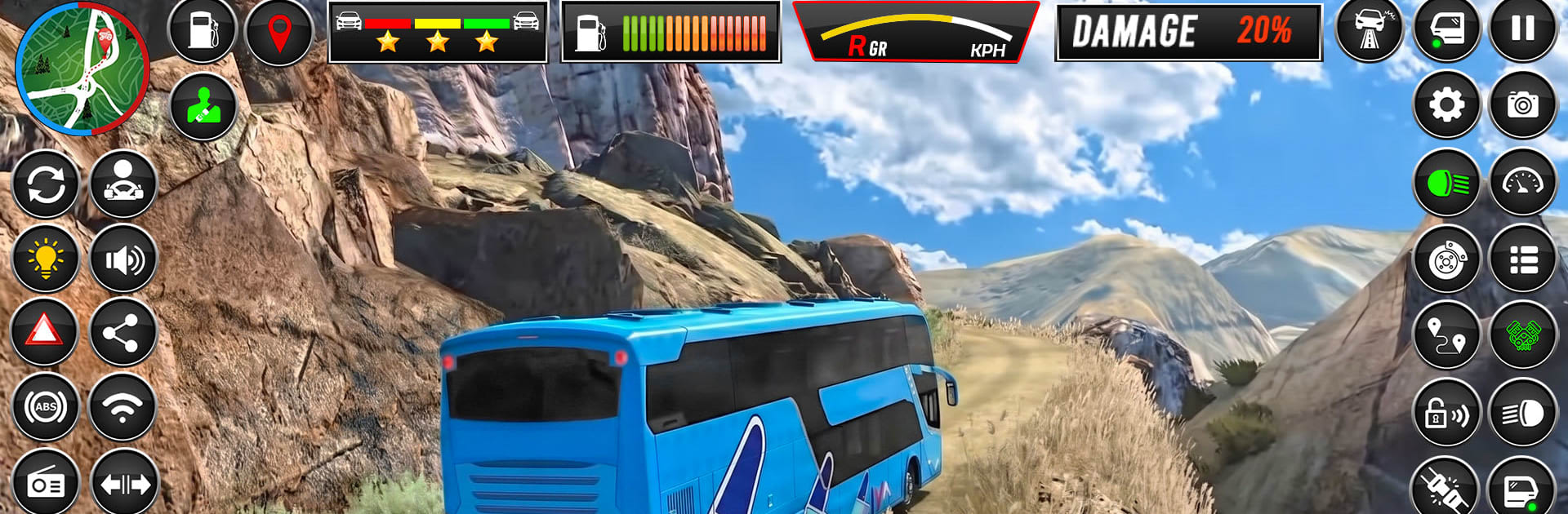
Offroad Bus: Hill Drive Sim

Offroad Bus: Hill Drive Sim

Simulation

| FR Developerz Studio

Play on PC with BlueStacks or from our cloud

  • Overview
  • Game Features
  • How to Play

Page Modified On: September 25, 2026

Play Offroad Bus: Hill Drive Sim on PC or Mac

Step into the World of Offroad Bus: Hill Drive Sim, a thrilling Simulation game from the house of FR Developerz Studio. Play this Android game on BlueStacks App Player and experience immersive gaming on PC or Mac.

About the Game

Offroad Bus: Hill Drive Sim is a Simulation game that puts you in charge of a heavy passenger coach far from smooth city streets. Guide riders across steep mountain tracks, knife-edge ridges, and rough dirt roads with patience and precision—whether you’re playing on the go or on BlueStacks.

Game Features

  • Mountain Trails Mastery: Climb brutal grades and tackle tight hairpins where throttle control, timing, and a steady hand make all the difference.
  • Realistic Bus Weight: Feel the heft of a full-size coach as momentum, braking distance, and body roll challenge every turn and stop.
  • Passenger-First Driving: Keep your riders safe and comfortable by anticipating corners, braking early, and avoiding risky moves on exposed sections.
  • Unpaved Road Tactics: Manage traction on loose dirt and rutted paths with smooth inputs and smart line choices to keep the bus composed.
  • Narrow Ridge Navigation: Thread a long chassis through slim passages where inches matter, balancing speed and stability on sheer drops.
  • Unpredictable Routes: Face changing road layouts and tricky surprises that keep each trip fresh, forcing you to read the terrain and react fast.

BlueStacks gives you more room to focus on the game and less time adjusting around mobile limitations.


Game Features

Enhancements

  • Macros
  • Multi Instance
  • Multi Instance Sync
  • Script
  • Enhancements
Macros

Macros

Automate the predictable in Offroad Bus: Hill Drive Sim and transform your gameplay with Macros. Get access to inventive Macros in the BlueStacks Macro Community
Multi Instance

Multi Instance

Play Offroad Bus: Hill Drive Sim on one window. And chat with your friend on the other. Press CTRL + Shift + 8 to open the Multi-Instance Manager. And start creating fresh instances or clone an existing one.
Multi Instance Sync

Multi Instance Sync

Play Offroad Bus: Hill Drive Sim with the power of Multi-Instance Sync. Replicate what you are doing on the main instance on all other instances. Level up faster, play more.
Script

Script

Script your way to gaming glory in Offroad Bus: Hill Drive Sim with BlueStacks Script. Write and run a set of commands to automate repeated tasks. Trigger the command by assigning it to any key.
Read More

How to Download and Play Offroad Bus: Hill Drive Sim on PC or Mac

  • Download and install BlueStacks on your PC or Mac

  • Complete Google sign-in to access the Play Store, or do it later

  • Look for Offroad Bus: Hill Drive Sim in the search bar at the top right corner

  • Click to install Offroad Bus: Hill Drive Sim from the search results

  • Complete Google sign-in (if you skipped step 2) to install Offroad Bus: Hill Drive Sim

  • Click the Offroad Bus: Hill Drive Sim icon on the home screen to start playing

video
Watch Video

Minimum System Requirements

With BlueStacks 5, you can get started on a PC that fulfills the following requirements.

  • Operating System

    Microsoft Windows 7 or above, macOS 11 (Big Sur) or above

  • Processor

    Intel, AMD or Apple Silicon Processor

  • RAM

    at least 4GB

  • HDD

    10GB Free Disk Space

Note:

* You must be an Administrator on your PC. Up to date graphics drivers from Microsoft or the chipset vendor.

Offroad Bus: Hill Drive Sim - FAQs

  • How to play Offroad Bus: Hill Drive Sim on Windows PC & Mac?

    Play Offroad Bus: Hill Drive Sim on your PC or Mac by following these simple steps.

    • Click on 'Play Offroad Bus: Hill Drive Sim on PC’ to download BlueStacks
    • Install it and log-in to Google Play Store
    • Launch and play the game.
  • Why is BlueStacks the fastest and safest platform to play games on PC?

    BlueStacks respects your privacy and is always safe and secure to use. It does not carry any malware, spyware, or any sort of additional software that could harm your PC.

    It is engineered to optimize speed and performance for a seamless gaming experience.

  • What are Offroad Bus: Hill Drive Sim PC requirements?

    Minimum requirement to run Offroad Bus: Hill Drive Sim on your PC

    • OS: Microsoft Windows 7 or above MacOS 11 (Big Sur) or above
    • Processor: Intel, AMD or Apple Silicon Processor
    • RAM: Your PC must have at least 4GB of RAM. (Note that having 4GB or more disk space is not a substitute for RAM)
    • HDD: 10GB Free Disk Space.
    • You must be an Administrator on your PC.