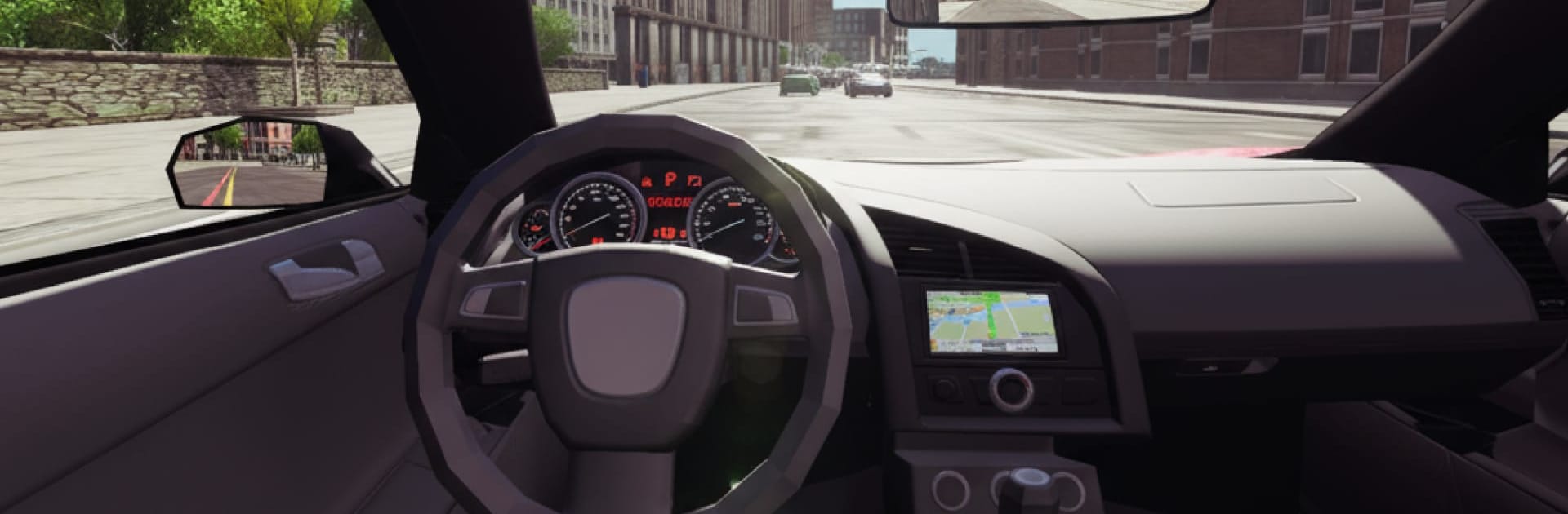
OpenWorld Real Car Simulator

OpenWorld Real Car Simulator

Simulation

| Cloud Data LLC

Play on PC with BlueStacks or from our cloud

  • Overview
  • Game Features
  • How to Play

Page Modified On: November 28, 2025

Play OpenWorld Real Car Simulator on PC or Mac

From the innovators and creators at Cloud Data LLC, OpenWorld Real Car Simulator is another fun addition to the World of Simulation games. Go beyond your mobile screen and play it bigger and better on your PC or Mac. An immersive experience awaits you.

OpenWorld Real Car Simulator is a straight-up racer that is all about clean laps, late braking, and getting past rivals without spinning out. Despite the name, it is not a giant map to cruise around. It is set up as track racing across a handful of locations, eight of them, with quick races when someone wants a fast run and tournament brackets when they want a longer session. There are twelve cars to unlock and upgrade, and a simple paint system to make each ride look the way the player likes. Handling leans arcade, but there is enough weight to the cars that timing matters. Miss a corner and it costs real seconds, nail it and the game rewards that clean line.

On PC through BlueStacks, steering with keys feels steady, the frame rate is smooth, and it is easy to restart and chase a better lap without hassle. The presentation is clean HD, with bright skies, wet roads, city stretches, and some wider countryside routes, so it never feels like the same loop on repeat. What stands out is the rhythm. Race, check the time, tweak the car, try again. Rivals push hard but do not feel cheap, and upgrades actually move the needle, so a slower starter can turn into a rocket with some work. Good pick for anyone who enjoys shaving seconds off a ghost time more than dealing with story or open-world chores.

Slay your opponents with your epic moves. Play it your way on BlueStacks and dominate the battlefield.


Game Features

Enhancements

  • Macros
  • Multi Instance
  • Multi Instance Sync
  • Script
  • Enhancements
Macros

Macros

Automate the predictable in OpenWorld Real Car Simulator and transform your gameplay with Macros. Get access to inventive Macros in the BlueStacks Macro Community
Multi Instance

Multi Instance

Play OpenWorld Real Car Simulator on one window. And chat with your friend on the other. Press CTRL + Shift + 8 to open the Multi-Instance Manager. And start creating fresh instances or clone an existing one.
Multi Instance Sync

Multi Instance Sync

Play OpenWorld Real Car Simulator with the power of Multi-Instance Sync. Replicate what you are doing on the main instance on all other instances. Level up faster, play more.
Script

Script

Script your way to gaming glory in OpenWorld Real Car Simulator with BlueStacks Script. Write and run a set of commands to automate repeated tasks. Trigger the command by assigning it to any key.
Read More

How to Download and Play OpenWorld Real Car Simulator on PC or Mac

  • Download and install BlueStacks on your PC or Mac

  • Complete Google sign-in to access the Play Store, or do it later

  • Look for OpenWorld Real Car Simulator in the search bar at the top right corner

  • Click to install OpenWorld Real Car Simulator from the search results

  • Complete Google sign-in (if you skipped step 2) to install OpenWorld Real Car Simulator

  • Click the OpenWorld Real Car Simulator icon on the home screen to start playing

video
Watch Video

Minimum System Requirements

With BlueStacks 5, you can get started on a PC that fulfills the following requirements.

  • Operating System

    Microsoft Windows 7 or above, macOS 11 (Big Sur) or above

  • Processor

    Intel, AMD or Apple Silicon Processor

  • RAM

    at least 4GB

  • HDD

    10GB Free Disk Space

Note:

* You must be an Administrator on your PC. Up to date graphics drivers from Microsoft or the chipset vendor.

OpenWorld Real Car Simulator - FAQs

  • How to play OpenWorld Real Car Simulator on Windows PC & Mac?

    Play OpenWorld Real Car Simulator on your PC or Mac by following these simple steps.

    • Click on 'Play OpenWorld Real Car Simulator on PC’ to download BlueStacks
    • Install it and log-in to Google Play Store
    • Launch and play the game.
  • Why is BlueStacks the fastest and safest platform to play games on PC?

    BlueStacks respects your privacy and is always safe and secure to use. It does not carry any malware, spyware, or any sort of additional software that could harm your PC.

    It is engineered to optimize speed and performance for a seamless gaming experience.

  • What are OpenWorld Real Car Simulator PC requirements?

    Minimum requirement to run OpenWorld Real Car Simulator on your PC

    • OS: Microsoft Windows 7 or above MacOS 11 (Big Sur) or above
    • Processor: Intel, AMD or Apple Silicon Processor
    • RAM: Your PC must have at least 4GB of RAM. (Note that having 4GB or more disk space is not a substitute for RAM)
    • HDD: 10GB Free Disk Space.
    • You must be an Administrator on your PC.