Physics Stick Simulator

Physics Stick Simulator

Simulation

| Green Bean Studio

Play on PC with BlueStacks or from our cloud

  • Overview
  • Game Features
  • How to Play

Page Modified On: September 05, 2025

Play Physics Stick Simulator on PC or Mac

Explore a whole new adventure with Physics Stick Simulator, a Simulation game created by Green Bean Studio. Experience great gameplay with BlueStacks, the most popular gaming platform to play Android games on your PC or Mac.

About the Game

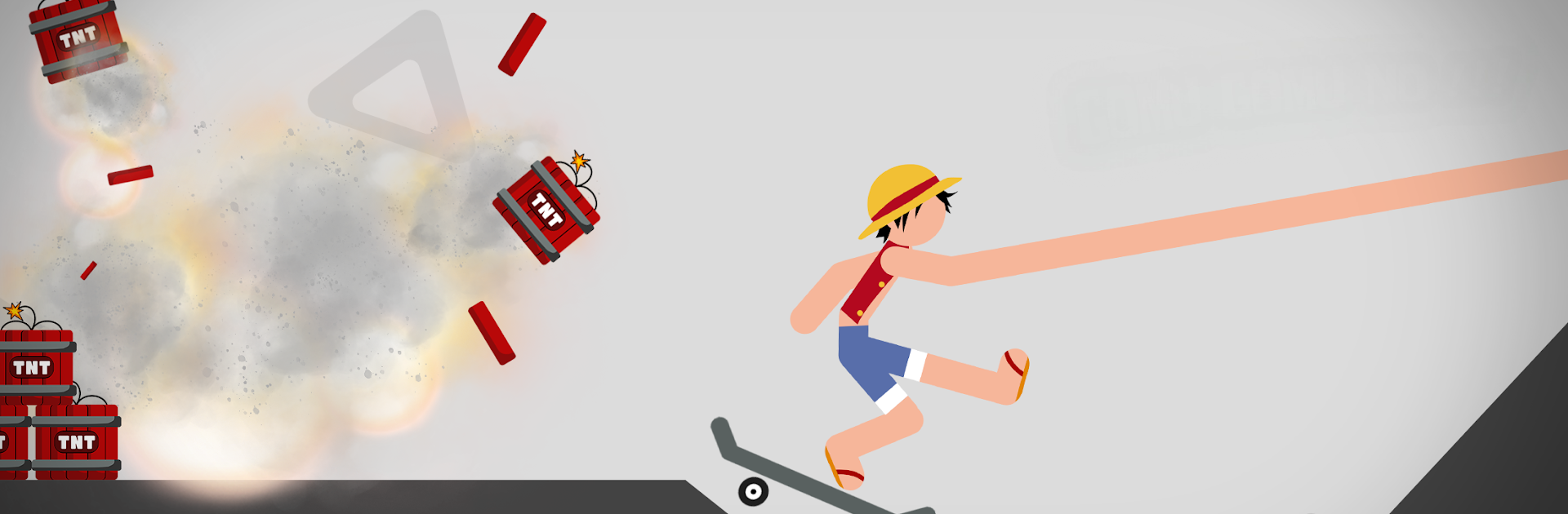
Physics Stick Simulator is that strangely satisfying ragdoll playground where crashing is the plan, not a mistake. From Green Bean Studio, this Simulation game lets you set up outrageous stunts, send a stick figure soaring through wild courses, and watch the physics engine turn momentum into spectacular wipeouts. Pick a hero look, hop in a ridiculous ride, and see how much chaos you can control.

Game Features

  • Superhero Skins — Swap between bold, comic-style avatars to match your mood and stunt style.
  • Wild Courses — Roll through everything from straight-shot ramps to jaw-like traps and absurd obstacle layouts.
  • Over-the-Top Rides — Fire up slick supercars that bring speed, weight, and attitude to every crash.
  • Clean Visual Style — Simple, punchy colors keep the action readable while the wrecks get messy.
  • Big Sound, Bigger Hits — Dramatic tracks crank up the tension as you push for riskier landings.
  • Smooth Physics — Fast runs and responsive collisions make every launch, bounce, and break feel snappy.
  • PvP Face-Offs — Challenge other players and see whose stunt ends with the most jaw-dropping results.
  • Color Tweaks — Customize map tones and elements to make each course feel uniquely yours.
  • Progressive Challenges — Tackle dozens of stages that ramp up the difficulty and creativity.
  • Optional Ad Rewards — Watch short clips to grab extra coins when you need a boost.
  • PC-Friendly — Prefer a bigger screen and keyboard? Play comfortably on BlueStacks without changing the vibe.

Slay your opponents with your epic moves. Play it your way on BlueStacks and dominate the battlefield.


Game Features

Enhancements

  • Macros
  • Multi Instance
  • Multi Instance Sync
  • Script
  • Enhancements
Macros

Macros

Automate the predictable in Physics Stick Simulator and transform your gameplay with Macros. Get access to inventive Macros in the BlueStacks Macro Community
Multi Instance

Multi Instance

Play Physics Stick Simulator on one window. And chat with your friend on the other. Press CTRL + Shift + 8 to open the Multi-Instance Manager. And start creating fresh instances or clone an existing one.
Multi Instance Sync

Multi Instance Sync

Play Physics Stick Simulator with the power of Multi-Instance Sync. Replicate what you are doing on the main instance on all other instances. Level up faster, play more.
Script

Script

Script your way to gaming glory in Physics Stick Simulator with BlueStacks Script. Write and run a set of commands to automate repeated tasks. Trigger the command by assigning it to any key.
Read More

How to Download and Play Physics Stick Simulator on PC or Mac

  • Download and install BlueStacks on your PC or Mac

  • Complete Google sign-in to access the Play Store, or do it later

  • Look for Physics Stick Simulator in the search bar at the top right corner

  • Click to install Physics Stick Simulator from the search results

  • Complete Google sign-in (if you skipped step 2) to install Physics Stick Simulator

  • Click the Physics Stick Simulator icon on the home screen to start playing

video
Watch Video

Minimum System Requirements

With BlueStacks 5, you can get started on a PC that fulfills the following requirements.

  • Operating System

    Microsoft Windows 7 or above, macOS 11 (Big Sur) or above

  • Processor

    Intel, AMD or Apple Silicon Processor

  • RAM

    at least 4GB

  • HDD

    10GB Free Disk Space

Note:

* You must be an Administrator on your PC. Up to date graphics drivers from Microsoft or the chipset vendor.

Physics Stick Simulator - FAQs

  • How to play Physics Stick Simulator on Windows PC & Mac?

    Play Physics Stick Simulator on your PC or Mac by following these simple steps.

    • Click on 'Play Physics Stick Simulator on PC’ to download BlueStacks
    • Install it and log-in to Google Play Store
    • Launch and play the game.
  • Why is BlueStacks the fastest and safest platform to play games on PC?

    BlueStacks respects your privacy and is always safe and secure to use. It does not carry any malware, spyware, or any sort of additional software that could harm your PC.

    It is engineered to optimize speed and performance for a seamless gaming experience.

  • What are Physics Stick Simulator PC requirements?

    Minimum requirement to run Physics Stick Simulator on your PC

    • OS: Microsoft Windows 7 or above MacOS 11 (Big Sur) or above
    • Processor: Intel, AMD or Apple Silicon Processor
    • RAM: Your PC must have at least 4GB of RAM. (Note that having 4GB or more disk space is not a substitute for RAM)
    • HDD: 10GB Free Disk Space.
    • You must be an Administrator on your PC.