Polis Özel Harekat Oyunu

Polis Özel Harekat Oyunu

Simulation

| Clap Games

Play on PC with BlueStacks or from our cloud

  • Overview
  • Game Features
  • How to Play

Page Modified On: September 01, 2026

Play Polis Özel Harekat Oyunu on PC or Mac

Bring your A-game to Polis Özel Harekat Oyunu, the Simulation game sensation from Clap Games. Give your gameplay the much-needed boost with precise game controls, high FPS graphics, and top-tier features on your PC or Mac with BlueStacks.

About the Game

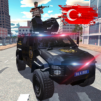
Polis Özel Harekat Oyunu puts you in the boots of an elite unit responding to high-stakes incidents across a bustling Turkish city. This Simulation focuses on fast decisions, smart tactics, and the thrill of racing to 112 calls before things spiral. Prefer playing on PC? BlueStacks handles it smoothly without getting in the way.

Game Features

  • Special Ops Roleplay: Join Türkiye’s elite, take command of tense situations, and restore order across crowded streets and quiet alleys alike.
  • 112 Dispatch System: Accept urgent radio calls, set your route, and arrive fast before suspects vanish or scenes escalate.
  • Tactical Missions: Clear buildings, secure hostages, and handle armed threats using cover, timing, and teamwork-inspired maneuvers.
  • Pursuits and Arrests: Chase fleeing criminals, block escape paths, and bring suspects in cleanly once you’ve got the advantage.
  • Armored Response Vehicles: Roll out in rugged, protective rides built for hostile zones and risky extractions.
  • Free Patrol Between Calls: Cruise the city, run traffic stops, check suspicious vehicles, and keep the streets calm while waiting for the next alert.
  • Authentic Gear and Tools: Suit up with realistic equipment that supports breach, defense, and accurate engagement when it counts.
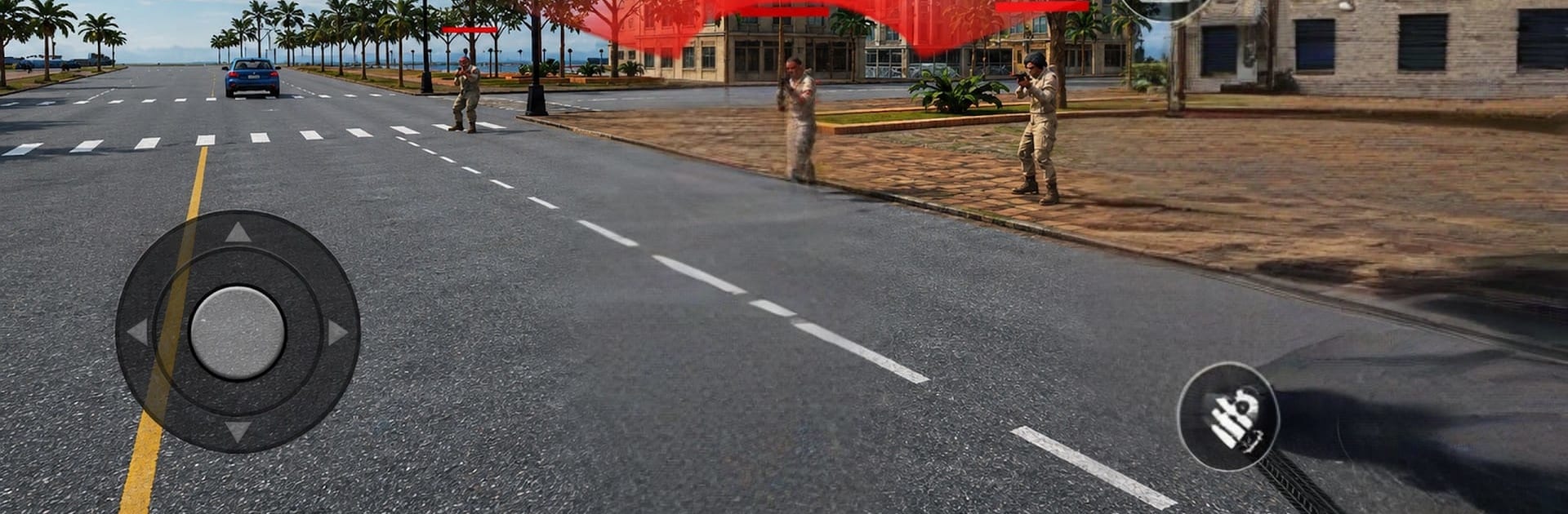
  • Smooth, Flexible Controls: Easy-to-learn handling with responsive aiming and driving that feels good right away.
  • Sights and Sounds That Hit: Crisp visuals, atmospheric lighting, and punchy audio make every operation feel grounded and intense.
  • Made for Turkish Players: A native Turkish interface and locally flavored details capture the look and rhythm of real city policing.
  • Progression With Purpose: Complete missions, face tougher operations, and sharpen your decision-making as new scenarios open up.

Ready to top the leaderboard? We bet you do. Let precise controls and sharp visuals optimized on BlueStacks lead you to victory.


Game Features

Enhancements

  • Macros
  • Multi Instance
  • Multi Instance Sync
  • Script
  • Enhancements
Macros

Macros

Automate the predictable in Polis Özel Harekat Oyunu and transform your gameplay with Macros. Get access to inventive Macros in the BlueStacks Macro Community
Multi Instance

Multi Instance

Play Polis Özel Harekat Oyunu on one window. And chat with your friend on the other. Press CTRL + Shift + 8 to open the Multi-Instance Manager. And start creating fresh instances or clone an existing one.
Multi Instance Sync

Multi Instance Sync

Play Polis Özel Harekat Oyunu with the power of Multi-Instance Sync. Replicate what you are doing on the main instance on all other instances. Level up faster, play more.
Script

Script

Script your way to gaming glory in Polis Özel Harekat Oyunu with BlueStacks Script. Write and run a set of commands to automate repeated tasks. Trigger the command by assigning it to any key.
Read More

How to Download and Play Polis Özel Harekat Oyunu on PC or Mac

  • Download and install BlueStacks on your PC or Mac

  • Complete Google sign-in to access the Play Store, or do it later

  • Look for Polis Özel Harekat Oyunu in the search bar at the top right corner

  • Click to install Polis Özel Harekat Oyunu from the search results

  • Complete Google sign-in (if you skipped step 2) to install Polis Özel Harekat Oyunu

  • Click the Polis Özel Harekat Oyunu icon on the home screen to start playing

video
Watch Video

Minimum System Requirements

With BlueStacks 5, you can get started on a PC that fulfills the following requirements.

  • Operating System

    Microsoft Windows 7 or above, macOS 11 (Big Sur) or above

  • Processor

    Intel, AMD or Apple Silicon Processor

  • RAM

    at least 4GB

  • HDD

    10GB Free Disk Space

Note:

* You must be an Administrator on your PC. Up to date graphics drivers from Microsoft or the chipset vendor.

Polis Özel Harekat Oyunu - FAQs

  • How to play Polis Özel Harekat Oyunu on Windows PC & Mac?

    Play Polis Özel Harekat Oyunu on your PC or Mac by following these simple steps.

    • Click on 'Play Polis Özel Harekat Oyunu on PC’ to download BlueStacks
    • Install it and log-in to Google Play Store
    • Launch and play the game.
  • Why is BlueStacks the fastest and safest platform to play games on PC?

    BlueStacks respects your privacy and is always safe and secure to use. It does not carry any malware, spyware, or any sort of additional software that could harm your PC.

    It is engineered to optimize speed and performance for a seamless gaming experience.

  • What are Polis Özel Harekat Oyunu PC requirements?

    Minimum requirement to run Polis Özel Harekat Oyunu on your PC

    • OS: Microsoft Windows 7 or above MacOS 11 (Big Sur) or above
    • Processor: Intel, AMD or Apple Silicon Processor
    • RAM: Your PC must have at least 4GB of RAM. (Note that having 4GB or more disk space is not a substitute for RAM)
    • HDD: 10GB Free Disk Space.
    • You must be an Administrator on your PC.