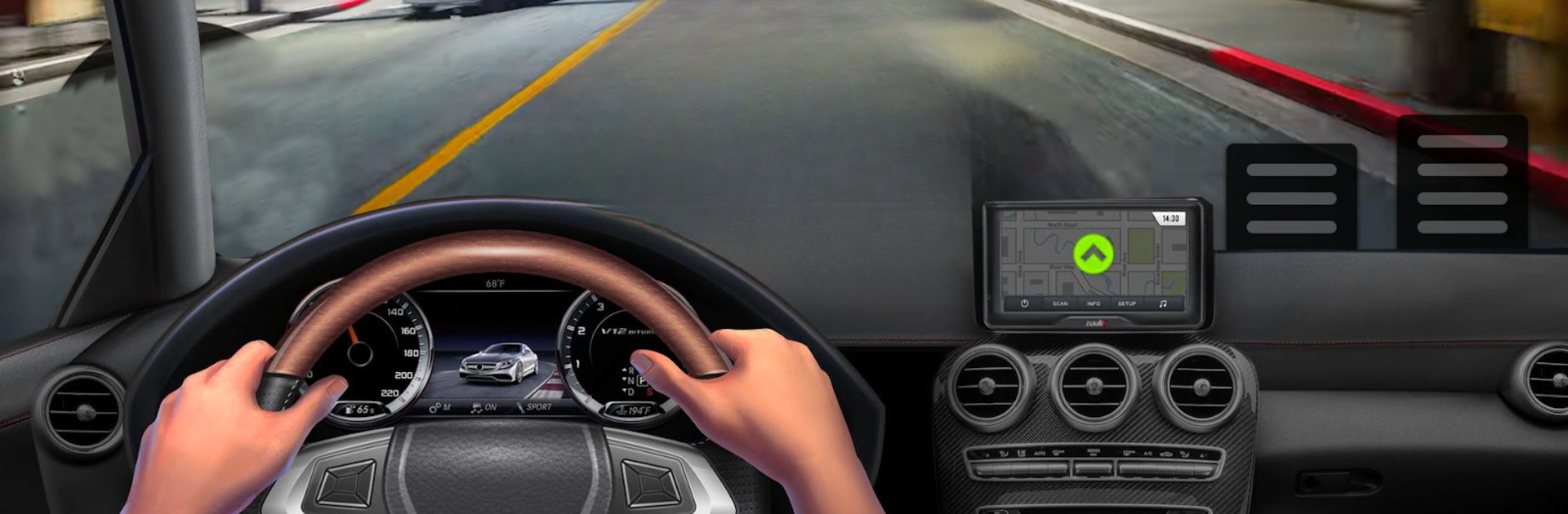
Racing Car: Highway Traffic

Racing Car: Highway Traffic

Simulation

| BsbH Studio

Play on PC with BlueStacks or from our cloud

  • Overview
  • Game Features
  • How to Play

Page Modified On: August 18, 2025

Play Racing Car: Highway Traffic on PC or Mac

Bring your A-game to Racing Car: Highway Traffic, the Simulation game sensation from BsbH Studio. Give your gameplay the much-needed boost with precise game controls, high FPS graphics, and top-tier features on your PC or Mac with BlueStacks.

About the Game

Racing Car: Highway Traffic lets you slip behind the wheel and take on non-stop highway mayhem. If you’ve ever wanted to speed through packed city streets, weaving between real-time traffic while upgrading a solid lineup of sports cars, this game’s pretty much made for you. Developed by BsbH Studio, this Simulation game drops you right into the heart of the action—grab coins, dodge collisions, and truly test your reflexes. Whether you’re looking to kill a few minutes or spend all afternoon perfecting your driving, you’ll find a quick dash as satisfying as a longer cruise. You can even enjoy the fast-paced fun on PC with BlueStacks if you’re looking for a bigger screen.

Game Features

  • Simple, Satisfying Controls
    Getting the hang of the wheel is a breeze, thanks to intuitive controls that let you focus on the thrill. No endless tutorials—just hit the gas and go.

  • 3D Cockpit View
    Feel like you’re in the driver’s seat, with a cockpit camera that places you right inside your chosen car.

  • Plenty of Cars and Terrains
    Unlock and choose from a variety of sleek sports cars, then tear up different city highways and scenic tracks. Each location has its own look and challenges.

  • Realistic Simulation Vibe
    The game’s driving physics and suspension details make each ride feel legit. Stay alert as the city traffic keeps you on your toes.

  • Virtual Reality Option
    Take immersion to the next level if you’re into that sort of thing—get as close as possible to actually being out on the open road.

  • Visuals and Audio That Pop
    Sharp graphics, well-designed highways, and energetic music keep things lively (and might even get your heart racing during tight overtakes).

  • Customizable Rides
    Collect coins and cash as you drive, then use those to upgrade your vehicles for even better performance or add some new toys to your garage.

  • Runs Smoothly
    No frustrating lag or weird glitches—the game keeps it all running seamless, so your only worry is the next close call in traffic.

Get ready for a buttery smooth, high-performance gaming action only on BlueStacks.

Game Features

Enhancements

  • Macros
  • Multi Instance
  • Multi Instance Sync
  • Script
  • Enhancements
Macros

Macros

Automate the predictable in Racing Car: Highway Traffic and transform your gameplay with Macros. Get access to inventive Macros in the BlueStacks Macro Community
Multi Instance

Multi Instance

Play Racing Car: Highway Traffic on one window. And chat with your friend on the other. Press CTRL + Shift + 8 to open the Multi-Instance Manager. And start creating fresh instances or clone an existing one.
Multi Instance Sync

Multi Instance Sync

Play Racing Car: Highway Traffic with the power of Multi-Instance Sync. Replicate what you are doing on the main instance on all other instances. Level up faster, play more.
Script

Script

Script your way to gaming glory in Racing Car: Highway Traffic with BlueStacks Script. Write and run a set of commands to automate repeated tasks. Trigger the command by assigning it to any key.
Read More

How to Download and Play Racing Car: Highway Traffic on PC or Mac

  • Download and install BlueStacks on your PC or Mac

  • Complete Google sign-in to access the Play Store, or do it later

  • Look for Racing Car: Highway Traffic in the search bar at the top right corner

  • Click to install Racing Car: Highway Traffic from the search results

  • Complete Google sign-in (if you skipped step 2) to install Racing Car: Highway Traffic

  • Click the Racing Car: Highway Traffic icon on the home screen to start playing

video
Watch Video

Minimum System Requirements

With BlueStacks 5, you can get started on a PC that fulfills the following requirements.

  • Operating System

    Microsoft Windows 7 or above, macOS 11 (Big Sur) or above

  • Processor

    Intel, AMD or Apple Silicon Processor

  • RAM

    at least 4GB

  • HDD

    10GB Free Disk Space

Note:

* You must be an Administrator on your PC. Up to date graphics drivers from Microsoft or the chipset vendor.

Racing Car: Highway Traffic - FAQs

  • How to play Racing Car: Highway Traffic on Windows PC & Mac?

    Play Racing Car: Highway Traffic on your PC or Mac by following these simple steps.

    • Click on 'Play Racing Car: Highway Traffic on PC’ to download BlueStacks
    • Install it and log-in to Google Play Store
    • Launch and play the game.
  • Why is BlueStacks the fastest and safest platform to play games on PC?

    BlueStacks respects your privacy and is always safe and secure to use. It does not carry any malware, spyware, or any sort of additional software that could harm your PC.

    It is engineered to optimize speed and performance for a seamless gaming experience.

  • What are Racing Car: Highway Traffic PC requirements?

    Minimum requirement to run Racing Car: Highway Traffic on your PC

    • OS: Microsoft Windows 7 or above MacOS 11 (Big Sur) or above
    • Processor: Intel, AMD or Apple Silicon Processor
    • RAM: Your PC must have at least 4GB of RAM. (Note that having 4GB or more disk space is not a substitute for RAM)
    • HDD: 10GB Free Disk Space.
    • You must be an Administrator on your PC.