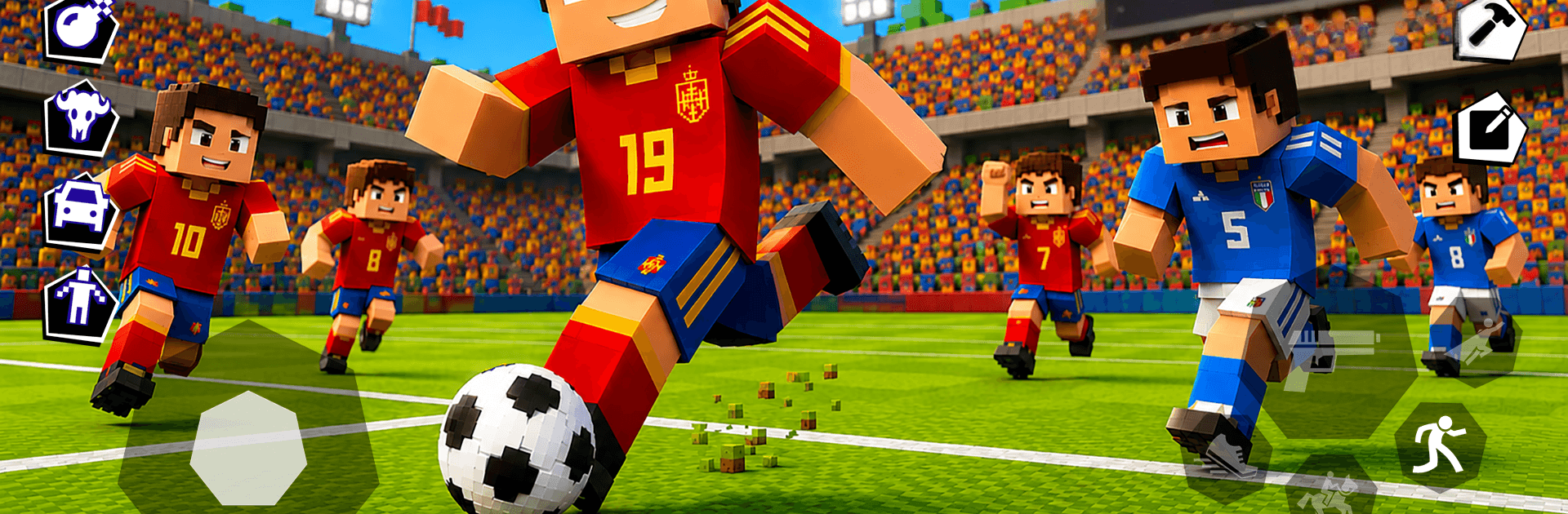
Ragdoll Survival Playground

Ragdoll Survival Playground

Simulation

| oZ Studio

Play on PC with BlueStacks or from our cloud

  • Overview
  • Game Features
  • How to Play

Page Modified On: July 27, 2026

Play Ragdoll Survival Playground on PC or Mac

Play Ragdoll Survival Playground by oZ Studio on PC or Mac with BlueStacks. Use a bigger screen, mouse and keyboard controls, and smoother performance while you play.

About the Game

Ragdoll Survival Playground is a chaotic Simulation sandbox that lets you mess with physics in the most satisfying ways. Build wild contraptions, stage bizarre experiments, and watch bendy characters flop, fly, and absolutely launch themselves across the map. Prefer a bigger workspace? You can spin it up on PC with BlueStacks for more room to tinker.

Game Features

  • Build Your Own Toys: Snap together blocks, hinges, wheels, and more to craft forts, traps, vehicles, and whatever else your brain cooks up.
  • Physics That Punch Back: Every hit, blast, and crash feels alive—expect tumbles, ricochets, and hilarious chain reactions that never play out the same way twice.
  • Combat Your Way: Arm your characters with melee gear, firearms, and explosives, then test your setups in skirmishes or survival-style scenarios.
  • Pure Sandbox Freedom: No missions breathing down your neck. Spawn items and enemies, mix elements, and try bold ideas just to see what happens.
  • Reactive Environments: Fire, electricity, and gravity aren’t just effects—they interact with your builds and characters to spark glorious mayhem.
  • Tools for Every Idea: A hefty library of gadgets, weapons, and interactive parts gives you tons of options without feeling overwhelming.
  • Clean 3D, Blocky Charm: Bright, readable visuals and smooth animations keep the chaos easy on the eyes.
  • Made for Touch: Drag, rotate, and snap pieces with controls that feel natural on mobile, so building is quick and fuss-free.
  • New Toys Over Time: Regular updates drop fresh parts and features, keeping your experiments from ever hitting a wall.

Get ready for a buttery smooth, high-performance gaming action only on BlueStacks.

Game Features

Enhancements

  • Macros
  • Multi Instance
  • Multi Instance Sync
  • Script
  • Enhancements
Macros

Macros

Automate the predictable in Ragdoll Survival Playground and transform your gameplay with Macros. Get access to inventive Macros in the BlueStacks Macro Community
Multi Instance

Multi Instance

Play Ragdoll Survival Playground on one window. And chat with your friend on the other. Press CTRL + Shift + 8 to open the Multi-Instance Manager. And start creating fresh instances or clone an existing one.
Multi Instance Sync

Multi Instance Sync

Play Ragdoll Survival Playground with the power of Multi-Instance Sync. Replicate what you are doing on the main instance on all other instances. Level up faster, play more.
Script

Script

Script your way to gaming glory in Ragdoll Survival Playground with BlueStacks Script. Write and run a set of commands to automate repeated tasks. Trigger the command by assigning it to any key.
Read More

How to Download and Play Ragdoll Survival Playground on PC or Mac

  • Download and install BlueStacks on your PC or Mac

  • Complete Google sign-in to access the Play Store, or do it later

  • Look for Ragdoll Survival Playground in the search bar at the top right corner

  • Click to install Ragdoll Survival Playground from the search results

  • Complete Google sign-in (if you skipped step 2) to install Ragdoll Survival Playground

  • Click the Ragdoll Survival Playground icon on the home screen to start playing

video
Watch Video

Minimum System Requirements

With BlueStacks 5, you can get started on a PC that fulfills the following requirements.

  • Operating System

    Microsoft Windows 7 or above, macOS 11 (Big Sur) or above

  • Processor

    Intel, AMD or Apple Silicon Processor

  • RAM

    at least 4GB

  • HDD

    10GB Free Disk Space

Note:

* You must be an Administrator on your PC. Up to date graphics drivers from Microsoft or the chipset vendor.

Ragdoll Survival Playground - FAQs

  • How to play Ragdoll Survival Playground on Windows PC & Mac?

    Play Ragdoll Survival Playground on your PC or Mac by following these simple steps.

    • Click on 'Play Ragdoll Survival Playground on PC’ to download BlueStacks
    • Install it and log-in to Google Play Store
    • Launch and play the game.
  • Why is BlueStacks the fastest and safest platform to play games on PC?

    BlueStacks respects your privacy and is always safe and secure to use. It does not carry any malware, spyware, or any sort of additional software that could harm your PC.

    It is engineered to optimize speed and performance for a seamless gaming experience.

  • What are Ragdoll Survival Playground PC requirements?

    Minimum requirement to run Ragdoll Survival Playground on your PC

    • OS: Microsoft Windows 7 or above MacOS 11 (Big Sur) or above
    • Processor: Intel, AMD or Apple Silicon Processor
    • RAM: Your PC must have at least 4GB of RAM. (Note that having 4GB or more disk space is not a substitute for RAM)
    • HDD: 10GB Free Disk Space.
    • You must be an Administrator on your PC.