Retro Style Dash: Fashion Shop

Retro Style Dash: Fashion Shop

Simulation

| Tapps Games

Play on PC with BlueStacks or from our cloud

  • Overview
  • Game Features
  • How to Play

Page Modified On: July 20, 2026

Play Retro Style Dash: Fashion Shop on PC or Mac

Explore a whole new adventure with Retro Style Dash: Fashion Shop, a Simulation game created by Tapps Games. Experience great gameplay with BlueStacks, the most popular gaming platform to play Android games on your PC or Mac.

About the Game

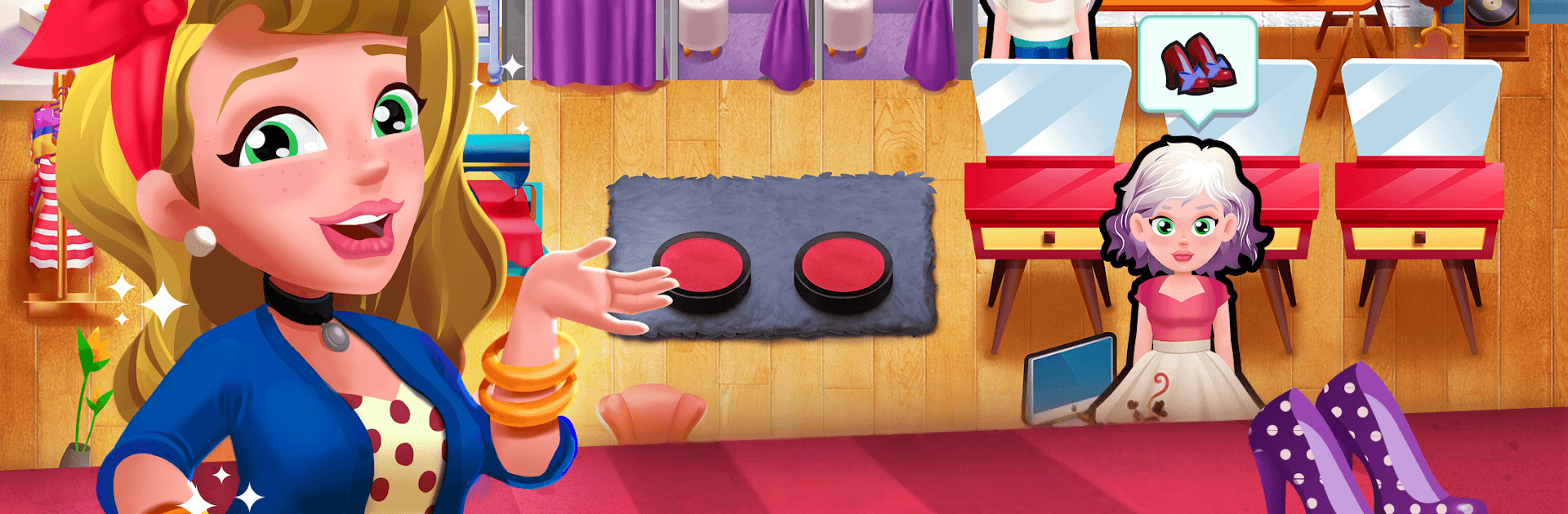
Retro Style Dash: Fashion Shop is a fast-paced Simulation all about running a chic vintage boutique with style and hustle. You’re matching outfits, juggling requests, and keeping customers happy while chasing that glamorous retro vibe—from classic pin-up looks to 90s cool. Prefer playing on a bigger screen? It feels great on PC with BlueStacks, too.

Game Features

  • Time-Management Rush: Serve, style, and check out customers quickly as the line grows. Keep a rhythm going to rack up satisfying streaks.
  • Decades of Style: Build outfits inspired by the 50s, 60s, 70s, 80s, and 90s. One client wants rockabilly flair; the next is all about neon and shoulder pads.
  • Read the Room: Watch each shopper’s expressions and patience. Keep them smiling with quick service and the right picks.
  • Upgrades That Matter: Improve your boutique with better displays, faster tools, and more stock so you can handle busier crowds without breaking a sweat.
  • Creative Mini-Games: Jump into short, hands-on challenges that let you mix pieces and feel like a real retro stylist.
  • Makeup Finishing Touches: Complete the look with bold makeup options that pull the whole outfit together.
  • Growing Buzz: As your brand catches on, expect more visitors, trickier requests, and that satisfying “we’re trending” energy.
  • Play Your Way: Touch-friendly on mobile and comfortably playable on PC with BlueStacks for those long styling sessions.

Start your journey now. Download the game on BlueStacks, invite your friends, and march on a new adventure.


Game Features

Enhancements

  • Macros
  • Multi Instance
  • Multi Instance Sync
  • Script
  • Enhancements
Macros

Macros

Automate the predictable in Retro Style Dash: Fashion Shop and transform your gameplay with Macros. Get access to inventive Macros in the BlueStacks Macro Community
Multi Instance

Multi Instance

Play Retro Style Dash: Fashion Shop on one window. And chat with your friend on the other. Press CTRL + Shift + 8 to open the Multi-Instance Manager. And start creating fresh instances or clone an existing one.
Multi Instance Sync

Multi Instance Sync

Play Retro Style Dash: Fashion Shop with the power of Multi-Instance Sync. Replicate what you are doing on the main instance on all other instances. Level up faster, play more.
Script

Script

Script your way to gaming glory in Retro Style Dash: Fashion Shop with BlueStacks Script. Write and run a set of commands to automate repeated tasks. Trigger the command by assigning it to any key.
Read More

How to Download and Play Retro Style Dash: Fashion Shop on PC or Mac

  • Download and install BlueStacks on your PC or Mac

  • Complete Google sign-in to access the Play Store, or do it later

  • Look for Retro Style Dash: Fashion Shop in the search bar at the top right corner

  • Click to install Retro Style Dash: Fashion Shop from the search results

  • Complete Google sign-in (if you skipped step 2) to install Retro Style Dash: Fashion Shop

  • Click the Retro Style Dash: Fashion Shop icon on the home screen to start playing

video
Watch Video

Minimum System Requirements

With BlueStacks 5, you can get started on a PC that fulfills the following requirements.

  • Operating System

    Microsoft Windows 7 or above, macOS 11 (Big Sur) or above

  • Processor

    Intel, AMD or Apple Silicon Processor

  • RAM

    at least 4GB

  • HDD

    10GB Free Disk Space

Note:

* You must be an Administrator on your PC. Up to date graphics drivers from Microsoft or the chipset vendor.

Retro Style Dash: Fashion Shop - FAQs

  • How to play Retro Style Dash: Fashion Shop on Windows PC & Mac?

    Play Retro Style Dash: Fashion Shop on your PC or Mac by following these simple steps.

    • Click on 'Play Retro Style Dash: Fashion Shop on PC’ to download BlueStacks
    • Install it and log-in to Google Play Store
    • Launch and play the game.
  • Why is BlueStacks the fastest and safest platform to play games on PC?

    BlueStacks respects your privacy and is always safe and secure to use. It does not carry any malware, spyware, or any sort of additional software that could harm your PC.

    It is engineered to optimize speed and performance for a seamless gaming experience.

  • What are Retro Style Dash: Fashion Shop PC requirements?

    Minimum requirement to run Retro Style Dash: Fashion Shop on your PC

    • OS: Microsoft Windows 7 or above MacOS 11 (Big Sur) or above
    • Processor: Intel, AMD or Apple Silicon Processor
    • RAM: Your PC must have at least 4GB of RAM. (Note that having 4GB or more disk space is not a substitute for RAM)
    • HDD: 10GB Free Disk Space.
    • You must be an Administrator on your PC.