
Rotas do Brasil Online (BETA)

Rotas do Brasil Online (BETA)

Simulation

| Mobile Games Brasil

Play on PC with BlueStacks or from our cloud

  • Overview
  • Game Features
  • How to Play

Page Modified On: August 10, 2026

Play Rotas do Brasil Online (BETA) on PC or Mac

Rotas do Brasil Online (BETA) by Mobile Games Brasil has plenty to keep you busy. BlueStacks lets you play it on PC or Mac with more screen space, better control, and fewer mobile limits.

About the Game

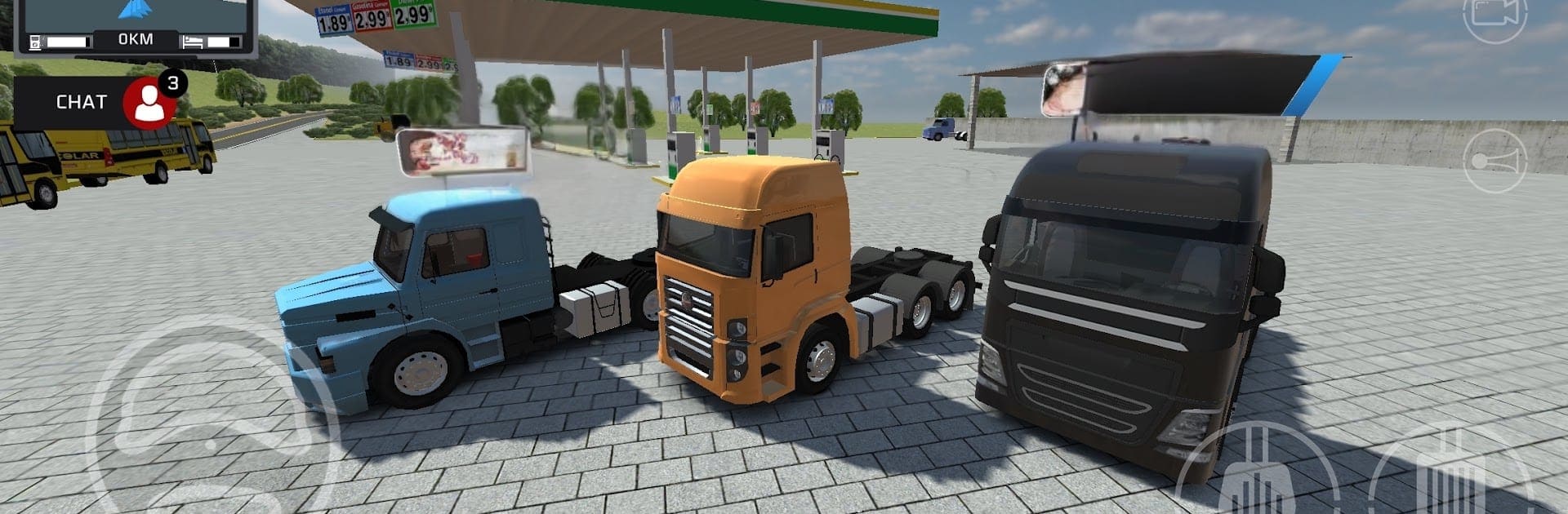
Rotas do Brasil Online (BETA) is a multiplayer truck Simulation that puts you behind the wheel on rugged Brazilian roads. Team up with friends or cross paths with other drivers as you haul cargo through busy cities, remote farms, and those sketchy stretches everyone warns you about. It’s all about managing your rig, planning the route, and keeping things moving without burning through your fuel.

Game Features

  • Multiplayer convoys: Drive with friends from around the world, meet other players on shared routes, and make those long hauls a little less lonely.
  • Authentic Brazilian routes: Navigate risky dirt tracks, highways, city streets, and farm roads inspired by real Brazilian settings.
  • Freight system: Pick up delivery contracts, choose your loads, and chart the best path to get the job done.
  • Truck showroom: Browse and buy new rigs to match your driving style, from workhorse haulers to heavy-duty machines.
  • Garage and repairs: Use the workshop system to keep your truck in shape with maintenance and fixes so it’s always road-ready.
  • Speed limiter: Keep your speed in check on dangerous stretches and hold a steady pace when conditions get rough.
  • Fuel management: Watch your gauge, plan refueling stops, and balance distance with consumption across long routes.
  • Evolving world: It’s a BETA that’s actively growing, with systems and improvements rolling out as development continues.
  • Optional PC play with BlueStacks: Prefer a bigger screen and keyboard controls? You can run the game through BlueStacks while keeping your progress.

Get ready for a buttery smooth, high-performance gaming action only on BlueStacks.

Game Features

Enhancements

  • Macros
  • Multi Instance
  • Multi Instance Sync
  • Script
  • Enhancements
Macros

Macros

Automate the predictable in Rotas do Brasil Online (BETA) and transform your gameplay with Macros. Get access to inventive Macros in the BlueStacks Macro Community
Multi Instance

Multi Instance

Play Rotas do Brasil Online (BETA) on one window. And chat with your friend on the other. Press CTRL + Shift + 8 to open the Multi-Instance Manager. And start creating fresh instances or clone an existing one.
Multi Instance Sync

Multi Instance Sync

Play Rotas do Brasil Online (BETA) with the power of Multi-Instance Sync. Replicate what you are doing on the main instance on all other instances. Level up faster, play more.
Script

Script

Script your way to gaming glory in Rotas do Brasil Online (BETA) with BlueStacks Script. Write and run a set of commands to automate repeated tasks. Trigger the command by assigning it to any key.
Read More

How to Download and Play Rotas do Brasil Online (BETA) on PC or Mac

  • Download and install BlueStacks on your PC or Mac

  • Complete Google sign-in to access the Play Store, or do it later

  • Look for Rotas do Brasil Online (BETA) in the search bar at the top right corner

  • Click to install Rotas do Brasil Online (BETA) from the search results

  • Complete Google sign-in (if you skipped step 2) to install Rotas do Brasil Online (BETA)

  • Click the Rotas do Brasil Online (BETA) icon on the home screen to start playing

video
Watch Video

Minimum System Requirements

With BlueStacks 5, you can get started on a PC that fulfills the following requirements.

  • Operating System

    Microsoft Windows 7 or above, macOS 11 (Big Sur) or above

  • Processor

    Intel, AMD or Apple Silicon Processor

  • RAM

    at least 4GB

  • HDD

    10GB Free Disk Space

Note:

* You must be an Administrator on your PC. Up to date graphics drivers from Microsoft or the chipset vendor.

Rotas do Brasil Online (BETA) - FAQs

  • How to play Rotas do Brasil Online (BETA) on Windows PC & Mac?

    Play Rotas do Brasil Online (BETA) on your PC or Mac by following these simple steps.

    • Click on 'Play Rotas do Brasil Online (BETA) on PC’ to download BlueStacks
    • Install it and log-in to Google Play Store
    • Launch and play the game.
  • Why is BlueStacks the fastest and safest platform to play games on PC?

    BlueStacks respects your privacy and is always safe and secure to use. It does not carry any malware, spyware, or any sort of additional software that could harm your PC.

    It is engineered to optimize speed and performance for a seamless gaming experience.

  • What are Rotas do Brasil Online (BETA) PC requirements?

    Minimum requirement to run Rotas do Brasil Online (BETA) on your PC

    • OS: Microsoft Windows 7 or above MacOS 11 (Big Sur) or above
    • Processor: Intel, AMD or Apple Silicon Processor
    • RAM: Your PC must have at least 4GB of RAM. (Note that having 4GB or more disk space is not a substitute for RAM)
    • HDD: 10GB Free Disk Space.
    • You must be an Administrator on your PC.








