Sandbox Craft Playground 3D

Sandbox Craft Playground 3D

Simulation

| Elyplay

Play on PC with BlueStacks or from our cloud

  • Overview
  • Game Features
  • How to Play

Page Modified On: April 21, 2026

Play Sandbox Craft Playground 3D on PC or Mac

Join millions to experience Sandbox Craft Playground 3D, an exciting Simulation game from Elyplay. With BlueStacks App Player, you are always a step ahead of your opponent, ready to outplay them with faster gameplay and better control with the mouse and keyboard on your PC or Mac.

About the Game

Sandbox Craft Playground 3D is a freeform Simulation sandbox from Elyplay where creativity and chaos happily coexist. Build wild contraptions, mess with ragdoll physics, and switch the vibe from calm tinkering to explosive experiments whenever you feel like it. Prefer a keyboard and mouse? It also runs comfortably on BlueStacks.

Game Features

  • Build, Break, Rebuild: Snap together block-based structures, obstacle courses, and secret bases—then stress-test them with traps, crashes, and, yes, the occasional big boom.
  • Your Rules, Your Lab: Set the conditions for your experiments. Change how things behave, decide what’s allowed, and make each session feel uniquely yours.
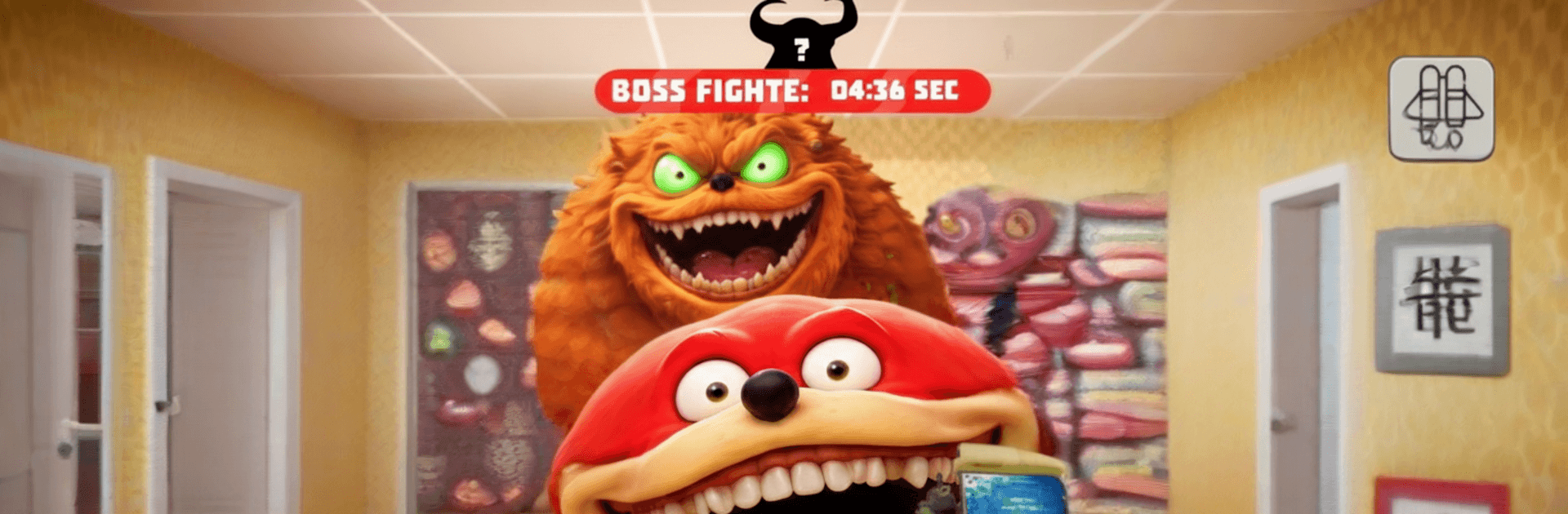
  • Monsters You Can Command: Spawn creatures from adorable to absolutely feral. Take direct control or let their ragdoll antics unfold and see what chaos breaks loose.
  • Vehicles and Gadgets: Fly a helicopter, drift in a hot air balloon, or blast off a ramp you built five minutes ago. Use tools and contraptions to stage ridiculous stunts and trials.
  • Make Your Own Challenges: Design sky-island races, dungeon escapes, or boss arenas. Turn your ideas into playable experiments in minutes.
  • Explore Distinct Biomes: Wander through peaceful meadows, frozen zones, shadowy caves, and scorched badlands. Hunt for hidden rooms, ruins, and odd little treasures tucked away off the main path.
  • Quests, Bosses, and Ragdoll Brawls: Pick up quests for rewards, pit monster squads against big bads, or skip objectives and stir up freeform battles for the fun of it.
  • Team Up With Your Creations: Field-test groups of monsters, build a shared city with your AI buddies, or run coordinated scenarios and see how your designs hold up.
  • Progress and Unlocks: Earn XP to open up new monsters, abilities, tools, and gear. Expand your building set and push your experiments further each run.

Start your journey now. Download the game on BlueStacks, invite your friends, and march on a new adventure.


Game Features

Enhancements

  • Macros
  • Multi Instance
  • Multi Instance Sync
  • Script
  • Enhancements
Macros

Macros

Automate the predictable in Sandbox Craft Playground 3D and transform your gameplay with Macros. Get access to inventive Macros in the BlueStacks Macro Community
Multi Instance

Multi Instance

Play Sandbox Craft Playground 3D on one window. And chat with your friend on the other. Press CTRL + Shift + 8 to open the Multi-Instance Manager. And start creating fresh instances or clone an existing one.
Multi Instance Sync

Multi Instance Sync

Play Sandbox Craft Playground 3D with the power of Multi-Instance Sync. Replicate what you are doing on the main instance on all other instances. Level up faster, play more.
Script

Script

Script your way to gaming glory in Sandbox Craft Playground 3D with BlueStacks Script. Write and run a set of commands to automate repeated tasks. Trigger the command by assigning it to any key.
Read More

How to Download and Play Sandbox Craft Playground 3D on PC or Mac

  • Download and install BlueStacks on your PC or Mac

  • Complete Google sign-in to access the Play Store, or do it later

  • Look for Sandbox Craft Playground 3D in the search bar at the top right corner

  • Click to install Sandbox Craft Playground 3D from the search results

  • Complete Google sign-in (if you skipped step 2) to install Sandbox Craft Playground 3D

  • Click the Sandbox Craft Playground 3D icon on the home screen to start playing

video
Watch Video

Minimum System Requirements

With BlueStacks 5, you can get started on a PC that fulfills the following requirements.

  • Operating System

    Microsoft Windows 7 or above, macOS 11 (Big Sur) or above

  • Processor

    Intel, AMD or Apple Silicon Processor

  • RAM

    at least 4GB

  • HDD

    10GB Free Disk Space

Note:

* You must be an Administrator on your PC. Up to date graphics drivers from Microsoft or the chipset vendor.

Sandbox Craft Playground 3D - FAQs

  • How to play Sandbox Craft Playground 3D on Windows PC & Mac?

    Play Sandbox Craft Playground 3D on your PC or Mac by following these simple steps.

    • Click on 'Play Sandbox Craft Playground 3D on PC’ to download BlueStacks
    • Install it and log-in to Google Play Store
    • Launch and play the game.
  • Why is BlueStacks the fastest and safest platform to play games on PC?

    BlueStacks respects your privacy and is always safe and secure to use. It does not carry any malware, spyware, or any sort of additional software that could harm your PC.

    It is engineered to optimize speed and performance for a seamless gaming experience.

  • What are Sandbox Craft Playground 3D PC requirements?

    Minimum requirement to run Sandbox Craft Playground 3D on your PC

    • OS: Microsoft Windows 7 or above MacOS 11 (Big Sur) or above
    • Processor: Intel, AMD or Apple Silicon Processor
    • RAM: Your PC must have at least 4GB of RAM. (Note that having 4GB or more disk space is not a substitute for RAM)
    • HDD: 10GB Free Disk Space.
    • You must be an Administrator on your PC.