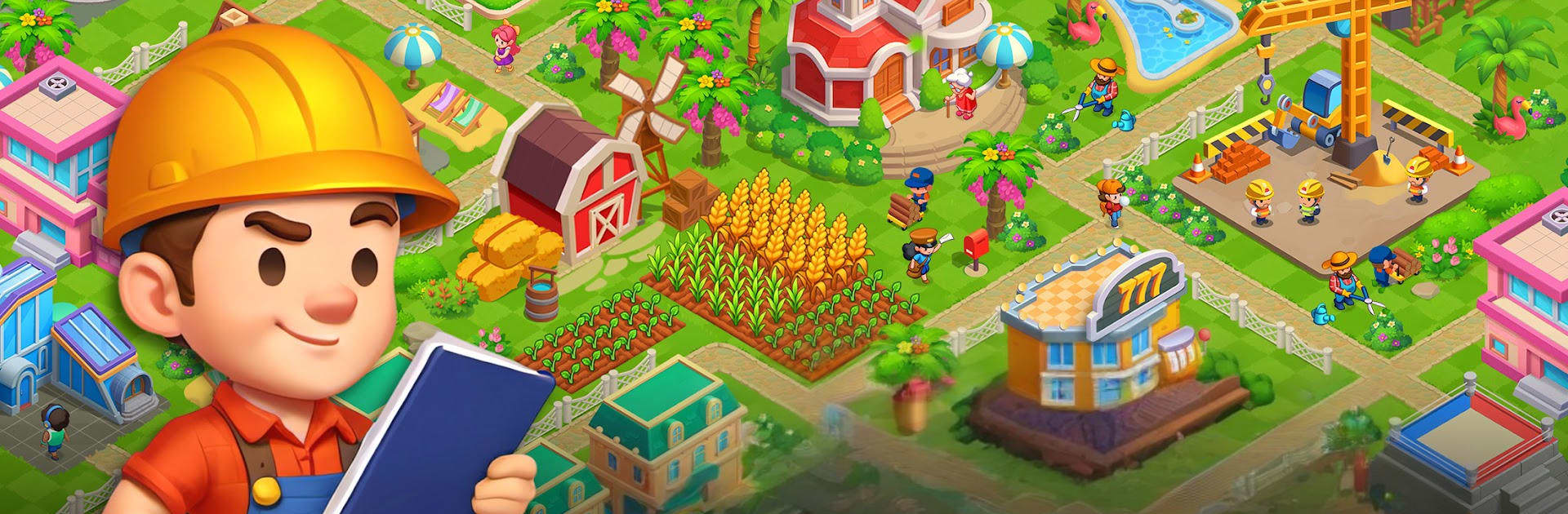
Survival Island Sim - Richdom

Survival Island Sim - Richdom

Simulation

| AE Mobile Inc

Play on PC with BlueStacks or from our cloud

  • Overview
  • Game Features
  • How to Play

Page Modified On: August 11, 2026

Play Survival Island Sim - Richdom on PC or Mac

Step into the World of Survival Island Sim – Richdom, a thrilling Simulation game from the house of AE Mobile Inc. Play this Android game on BlueStacks App Player and experience immersive gaming on PC or Mac.

About the Game

Stranded on a wild island with nothing but grit and a few tools? Survival Island Sim – Richdom is a chill-yet-deep Simulation where you shape the land, build a town, and turn scrappy beginnings into something spectacular. Farm, craft, collect, and explore at your own pace—then watch it all click as your little outpost becomes a thriving home.

Game Features

  • Build from the Ground Up
    Start with a humble shack and grow into a full-on settlement. Gather wood and stone, weather snowy squalls, plan upgrades, and enjoy that satisfying, steady sense of progress.

  • Smart Farming, Not Just Planting
    Plant staple crops, then get creative. Crossbreed and experiment to discover fresh varieties and stack your fields with high-yield favorites.

  • Raise Legendary Companions
    Hatch mysterious eggs, befriend magical creatures, and set up comfy habitats. Each new buddy brings personality—and a few handy perks.

  • Design a Place That Feels Like You
    Rearrange rooms, pick your layouts, and hunt down standout decor. Go cozy, go grand, or swap styles whenever the mood strikes.

  • Explore and Forage in the Wilds
    Trek into frosty zones, mine glittering veins, track wildlife, and chop lumber. You’ll bump into quirky spirits, helpful slimes, and the occasional troublemaker.

  • Quick Brain Breaks
    Take a breather with side puzzles like 2048, color-sorting challenges, and cooking-themed mini-games. Perfect when you want a change of pace without leaving the world you’re building.

  • Grow Past the Shoreline
    Rebuild streets, hire sharp Managers, unlock tech research, and manage a growing dream town that stretches well beyond your first beach.

  • Play on PC with BlueStacks
    Prefer a bigger view and click-friendly controls? The game plays smoothly on BlueStacks while keeping that laid-back, build-at-your-speed vibe.

Start playing Survival Island Sim – Richdom on BlueStacks and get a smoother, more comfortable PC or Mac setup.


Game Features

Enhancements

  • Macros
  • Multi Instance
  • Multi Instance Sync
  • Script
  • Enhancements
Macros

Macros

Automate the predictable in Survival Island Sim - Richdom and transform your gameplay with Macros. Get access to inventive Macros in the BlueStacks Macro Community
Multi Instance

Multi Instance

Play Survival Island Sim - Richdom on one window. And chat with your friend on the other. Press CTRL + Shift + 8 to open the Multi-Instance Manager. And start creating fresh instances or clone an existing one.
Multi Instance Sync

Multi Instance Sync

Play Survival Island Sim - Richdom with the power of Multi-Instance Sync. Replicate what you are doing on the main instance on all other instances. Level up faster, play more.
Script

Script

Script your way to gaming glory in Survival Island Sim - Richdom with BlueStacks Script. Write and run a set of commands to automate repeated tasks. Trigger the command by assigning it to any key.
Read More

How to Download and Play Survival Island Sim - Richdom on PC or Mac

  • Download and install BlueStacks on your PC or Mac

  • Complete Google sign-in to access the Play Store, or do it later

  • Look for Survival Island Sim - Richdom in the search bar at the top right corner

  • Click to install Survival Island Sim - Richdom from the search results

  • Complete Google sign-in (if you skipped step 2) to install Survival Island Sim - Richdom

  • Click the Survival Island Sim - Richdom icon on the home screen to start playing

video
Watch Video

Minimum System Requirements

With BlueStacks 5, you can get started on a PC that fulfills the following requirements.

  • Operating System

    Microsoft Windows 7 or above, macOS 11 (Big Sur) or above

  • Processor

    Intel, AMD or Apple Silicon Processor

  • RAM

    at least 4GB

  • HDD

    10GB Free Disk Space

Note:

* You must be an Administrator on your PC. Up to date graphics drivers from Microsoft or the chipset vendor.

Survival Island Sim - Richdom - FAQs

  • How to play Survival Island Sim - Richdom on Windows PC & Mac?

    Play Survival Island Sim - Richdom on your PC or Mac by following these simple steps.

    • Click on 'Play Survival Island Sim - Richdom on PC’ to download BlueStacks
    • Install it and log-in to Google Play Store
    • Launch and play the game.
  • Why is BlueStacks the fastest and safest platform to play games on PC?

    BlueStacks respects your privacy and is always safe and secure to use. It does not carry any malware, spyware, or any sort of additional software that could harm your PC.

    It is engineered to optimize speed and performance for a seamless gaming experience.

  • What are Survival Island Sim - Richdom PC requirements?

    Minimum requirement to run Survival Island Sim - Richdom on your PC

    • OS: Microsoft Windows 7 or above MacOS 11 (Big Sur) or above
    • Processor: Intel, AMD or Apple Silicon Processor
    • RAM: Your PC must have at least 4GB of RAM. (Note that having 4GB or more disk space is not a substitute for RAM)
    • HDD: 10GB Free Disk Space.
    • You must be an Administrator on your PC.