The Airline Simulator

The Airline Simulator

Simulation

| XLR Games

Play on PC with BlueStacks or from our cloud

  • Overview
  • Game Features
  • How to Play

Page Modified On: April 13, 2026

Play The Airline Simulator on PC or Mac

Step into the World of The Airline Simulator, a thrilling Simulation game from the house of XLR Games. Play this Android game on BlueStacks App Player and experience immersive gaming on PC or Mac.

About the Game

The Airline Simulator from XLR Games hands you the keys to your own carrier and lets you shape every detail, from branding to seat maps to where you fly. Build a modern fleet, plan routes across the globe, and watch your operation move in real time. It’s a Simulation experience grounded in real-world data, so the choices you make actually matter. Prefer managing on a bigger screen? It runs smoothly on BlueStacks, too.

Game Features

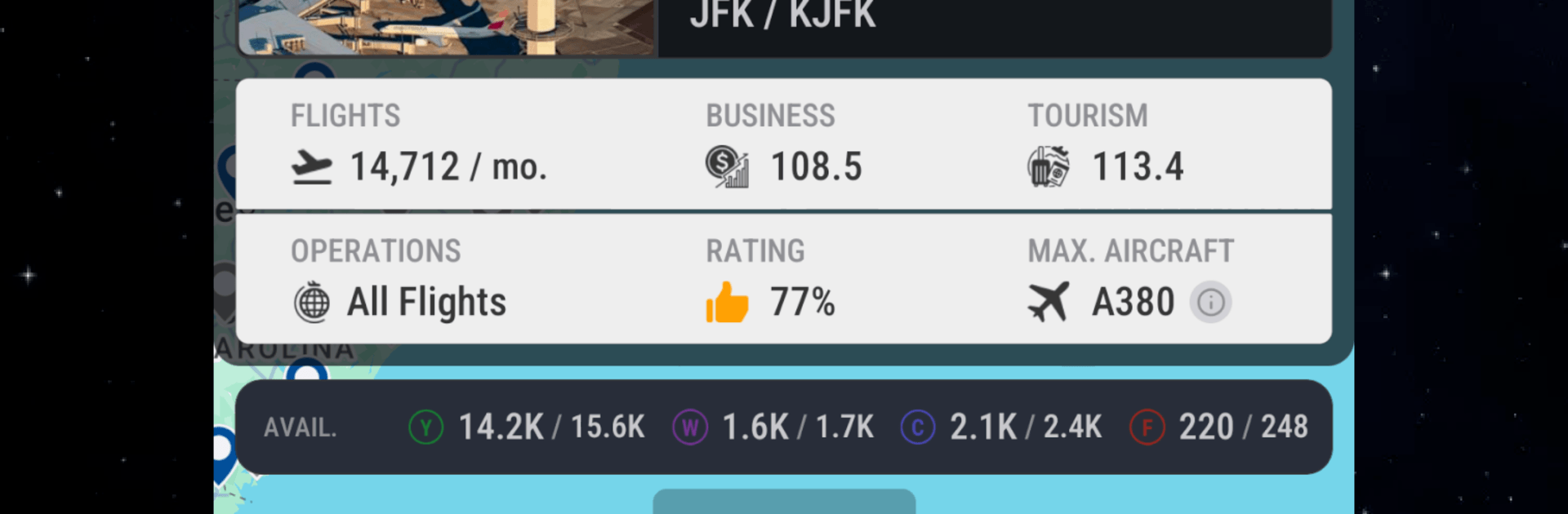
  • Global network: Fly from 2,230+ airports around the world, each with realistic operations and aircraft restrictions based on the real thing. Big-name hubs even feature distinctive artwork.
  • Your brand, your look: Create a custom logo and livery that auto-applies to your whole fleet. Pick from 20+ paint styles and 40+ logo options to make your airline instantly recognizable.
  • Modern fleet options: Choose from 70+ airliners by Airbus, Boeing, Bombardier, and Embraer—complete with up-to-date variants like the Airbus A321LR/XLR, Boeing 737 MAX 10, and the long-range A350-900ULR.
  • Cabin builder: Tailor each aircraft’s interior by class. Select seat products, layouts, and pitch, whether you’re squeezing in a dense 3-4-3 A350 or going all-business on a 787.
  • Live operations map: Don’t just stare at lists—track your flights (and others’) on an interactive map that updates as they move.
  • Data-driven demand: Route popularity mirrors real traffic patterns, so you can stack multiple dailies on hotspots like JFK–LAX or HND–CTS with confidence.

Ready to top the leaderboard? We bet you do. Let precise controls and sharp visuals optimized on BlueStacks lead you to victory.


Game Features

Enhancements

  • Macros
  • Multi Instance
  • Multi Instance Sync
  • Script
  • Enhancements
Macros

Macros

Automate the predictable in The Airline Simulator and transform your gameplay with Macros. Get access to inventive Macros in the BlueStacks Macro Community
Multi Instance

Multi Instance

Play The Airline Simulator on one window. And chat with your friend on the other. Press CTRL + Shift + 8 to open the Multi-Instance Manager. And start creating fresh instances or clone an existing one.
Multi Instance Sync

Multi Instance Sync

Play The Airline Simulator with the power of Multi-Instance Sync. Replicate what you are doing on the main instance on all other instances. Level up faster, play more.
Script

Script

Script your way to gaming glory in The Airline Simulator with BlueStacks Script. Write and run a set of commands to automate repeated tasks. Trigger the command by assigning it to any key.
Read More

How to Download and Play The Airline Simulator on PC or Mac

  • Download and install BlueStacks on your PC or Mac

  • Complete Google sign-in to access the Play Store, or do it later

  • Look for The Airline Simulator in the search bar at the top right corner

  • Click to install The Airline Simulator from the search results

  • Complete Google sign-in (if you skipped step 2) to install The Airline Simulator

  • Click the The Airline Simulator icon on the home screen to start playing

video
Watch Video

Minimum System Requirements

With BlueStacks 5, you can get started on a PC that fulfills the following requirements.

  • Operating System

    Microsoft Windows 7 or above, macOS 11 (Big Sur) or above

  • Processor

    Intel, AMD or Apple Silicon Processor

  • RAM

    at least 4GB

  • HDD

    10GB Free Disk Space

Note:

* You must be an Administrator on your PC. Up to date graphics drivers from Microsoft or the chipset vendor.

The Airline Simulator - FAQs

  • How to play The Airline Simulator on Windows PC & Mac?

    Play The Airline Simulator on your PC or Mac by following these simple steps.

    • Click on 'Play The Airline Simulator on PC’ to download BlueStacks
    • Install it and log-in to Google Play Store
    • Launch and play the game.
  • Why is BlueStacks the fastest and safest platform to play games on PC?

    BlueStacks respects your privacy and is always safe and secure to use. It does not carry any malware, spyware, or any sort of additional software that could harm your PC.

    It is engineered to optimize speed and performance for a seamless gaming experience.

  • What are The Airline Simulator PC requirements?

    Minimum requirement to run The Airline Simulator on your PC

    • OS: Microsoft Windows 7 or above MacOS 11 (Big Sur) or above
    • Processor: Intel, AMD or Apple Silicon Processor
    • RAM: Your PC must have at least 4GB of RAM. (Note that having 4GB or more disk space is not a substitute for RAM)
    • HDD: 10GB Free Disk Space.
    • You must be an Administrator on your PC.