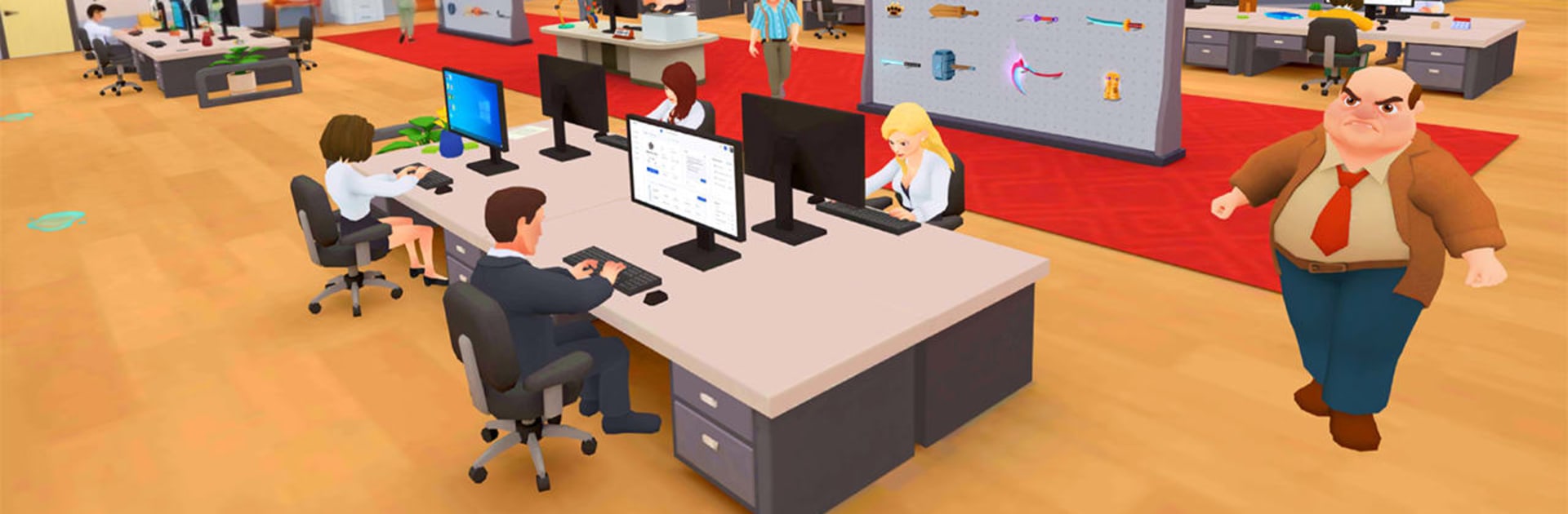
The Office: Prankster

The Office: Prankster

Simulation

| Unicorn Studio Official

Play on PC with BlueStacks or from our cloud

  • Overview
  • Game Features
  • How to Play

Page Modified On: August 11, 2026

Play The Office: Prankster on PC or Mac

The Office: Prankster by Unicorn Studio Official has plenty to keep you busy. BlueStacks lets you play it on PC or Mac with more screen space, better control, and fewer mobile limits.

About the Game

The Office: Prankster is a cheeky Simulation that turns everyday office life into a playground of quick decisions, sly jokes, and career moves. You’ll start as the new hire, juggle real tasks with ridiculous curveballs, and figure out how to charm, outsmart, or gently troll your way up the org chart. It blends life simulation, casual management, and plenty of workplace humor—and if you like a bigger screen, it runs smoothly on BlueStacks.

Game Features

  • Start Small, Think Big: Begin as the rookie, take on bite-sized tasks, and turn solid performance (plus a little mischief) into promotions.
  • Real Tasks, Ridiculous Situations: File reports, handle meetings, and then deal with printer meltdowns, awkward hallway run-ins, and sudden office drama.
  • Skill Checks That Matter: Nail timed taps, quick puzzles, and strategic choices that decide whether you shine, stall, or spark chaos.
  • Your Office, Your Look: Suit up or show personality with unlockable outfits and accessories that say “team player” or “prank legend.”
  • Reputation Is Everything: Balance productivity with relationships—impress your boss, win over coworkers, and build a name people actually remember.
  • Choose Your Approach: Play it clean, go charming, or lean into prankster energy; different tactics open up fresh reactions and outcomes.
  • Climb the Ladder: Unlock new responsibilities, departments, and perks as you inch closer to the corner office—and maybe snag the boss’s chair.
  • Made for Short Sessions: Quick levels and clear goals make it easy to squeeze in a run whenever you’ve got a minute.

Ready to top the leaderboard? We bet you do. Let precise controls and sharp visuals optimized on BlueStacks lead you to victory.


Game Features

Enhancements

  • Macros
  • Multi Instance
  • Multi Instance Sync
  • Script
  • Enhancements
Macros

Macros

Automate the predictable in The Office: Prankster and transform your gameplay with Macros. Get access to inventive Macros in the BlueStacks Macro Community
Multi Instance

Multi Instance

Play The Office: Prankster on one window. And chat with your friend on the other. Press CTRL + Shift + 8 to open the Multi-Instance Manager. And start creating fresh instances or clone an existing one.
Multi Instance Sync

Multi Instance Sync

Play The Office: Prankster with the power of Multi-Instance Sync. Replicate what you are doing on the main instance on all other instances. Level up faster, play more.
Script

Script

Script your way to gaming glory in The Office: Prankster with BlueStacks Script. Write and run a set of commands to automate repeated tasks. Trigger the command by assigning it to any key.
Read More

How to Download and Play The Office: Prankster on PC or Mac

  • Download and install BlueStacks on your PC or Mac

  • Complete Google sign-in to access the Play Store, or do it later

  • Look for The Office: Prankster in the search bar at the top right corner

  • Click to install The Office: Prankster from the search results

  • Complete Google sign-in (if you skipped step 2) to install The Office: Prankster

  • Click the The Office: Prankster icon on the home screen to start playing

video
Watch Video

Minimum System Requirements

With BlueStacks 5, you can get started on a PC that fulfills the following requirements.

  • Operating System

    Microsoft Windows 7 or above, macOS 11 (Big Sur) or above

  • Processor

    Intel, AMD or Apple Silicon Processor

  • RAM

    at least 4GB

  • HDD

    10GB Free Disk Space

Note:

* You must be an Administrator on your PC. Up to date graphics drivers from Microsoft or the chipset vendor.

The Office: Prankster - FAQs

  • How to play The Office: Prankster on Windows PC & Mac?

    Play The Office: Prankster on your PC or Mac by following these simple steps.

    • Click on 'Play The Office: Prankster on PC’ to download BlueStacks
    • Install it and log-in to Google Play Store
    • Launch and play the game.
  • Why is BlueStacks the fastest and safest platform to play games on PC?

    BlueStacks respects your privacy and is always safe and secure to use. It does not carry any malware, spyware, or any sort of additional software that could harm your PC.

    It is engineered to optimize speed and performance for a seamless gaming experience.

  • What are The Office: Prankster PC requirements?

    Minimum requirement to run The Office: Prankster on your PC

    • OS: Microsoft Windows 7 or above MacOS 11 (Big Sur) or above
    • Processor: Intel, AMD or Apple Silicon Processor
    • RAM: Your PC must have at least 4GB of RAM. (Note that having 4GB or more disk space is not a substitute for RAM)
    • HDD: 10GB Free Disk Space.
    • You must be an Administrator on your PC.