Timber Factory Simulation

Timber Factory Simulation

Simulation

| MIGMIG DIJITAL PLATFORM ANONIM SIRKETI

Play on PC with BlueStacks or from our cloud

  • Overview
  • Game Features
  • How to Play

Page Modified On: April 21, 2026

Play Timber Factory Simulation on PC or Mac

Timber Factory Simulation brings the Simulation genre to life, and throws up exciting challenges for gamers. Developed by MIGMIG DIJITAL PLATFORM ANONIM SIRKETI, this Android game is best experienced on BlueStacks, the World’s #1 app player for PC and Mac users.

About the Game

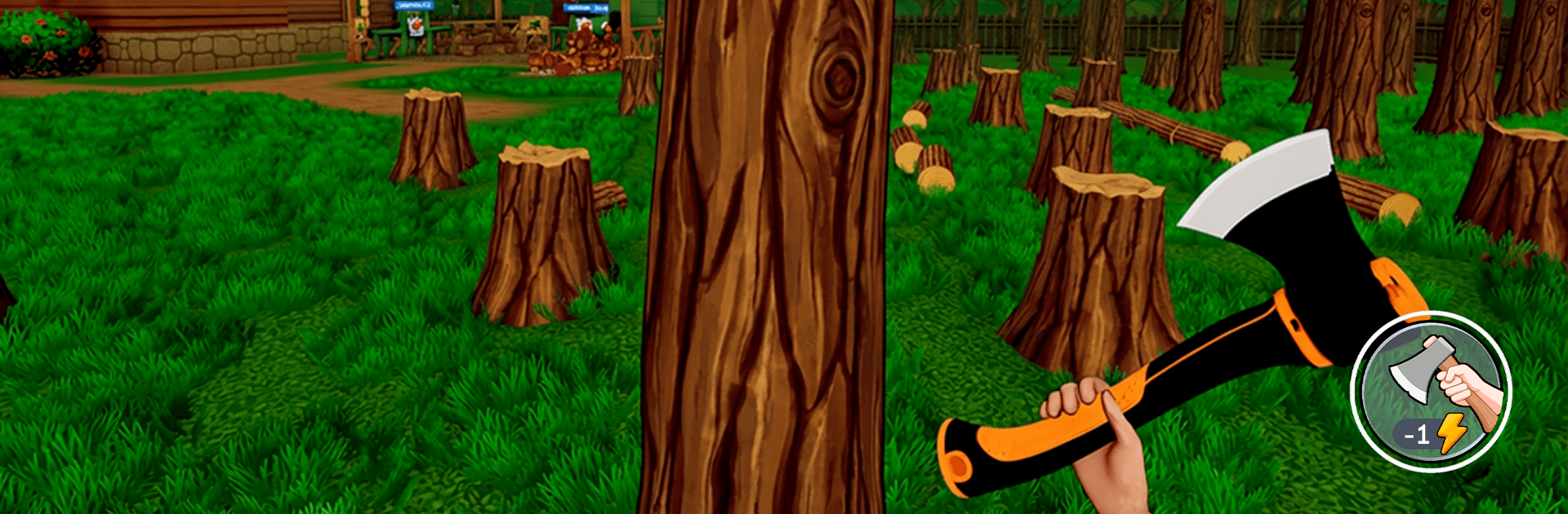
Timber Factory Simulation is a chill, numbers-satisfying builder where you turn fresh-cut logs into a humming network of sawmills and workshops. You’ll start with a modest yard and a couple of machines, then grow it into a serious operation by balancing harvesting, hauling, and processing. It’s made by MIGMIG DIJITAL PLATFORM ANONIM SIRKETI, and as a Simulation game it focuses on tight logistics, smart upgrades, and that cozy “watch it all click” feeling—great on mobile or on a bigger screen with BlueStacks if you prefer.

Game Features

  • Hands-on Logging: Plan where to cut, organize collections, and keep a steady flow of timber coming in without clogging your yard.
  • Sawmills & Woodworking: Feed logs through connected stations to turn rough cuts into usable products, and keep an eye on bottlenecks.
  • Upgrades That Matter: Boost speed, capacity, and efficiency across vehicles and machines so every minute (and every log) goes further.
  • Expand Your Footprint: Add new production lines, extend your facilities, and stitch multiple sites into a cohesive industrial network.
  • Idle-Friendly Flow: Simple, tap-friendly controls let your lines keep humming while you adjust priorities, fine-tune paths, and queue improvements.
  • Satisfying Progress Curve: See faster belts, tidier stacks, and bigger payouts as your setup becomes leaner and more automated.
  • Strategy Meets Calm: If you enjoy idle simulators, tycoon-style planning, and production management, this hits that sweet spot of low stress with real depth.
  • PC-Friendly Option: Prefer keyboard and mouse? Play it comfortably on BlueStacks for smooth controls and extra space to manage your empire.

Get ready for a buttery smooth, high-performance gaming action only on BlueStacks.

Game Features

Enhancements

  • Macros
  • Multi Instance
  • Multi Instance Sync
  • Script
  • Enhancements
Macros

Macros

Automate the predictable in Timber Factory Simulation and transform your gameplay with Macros. Get access to inventive Macros in the BlueStacks Macro Community
Multi Instance

Multi Instance

Play Timber Factory Simulation on one window. And chat with your friend on the other. Press CTRL + Shift + 8 to open the Multi-Instance Manager. And start creating fresh instances or clone an existing one.
Multi Instance Sync

Multi Instance Sync

Play Timber Factory Simulation with the power of Multi-Instance Sync. Replicate what you are doing on the main instance on all other instances. Level up faster, play more.
Script

Script

Script your way to gaming glory in Timber Factory Simulation with BlueStacks Script. Write and run a set of commands to automate repeated tasks. Trigger the command by assigning it to any key.
Read More

How to Download and Play Timber Factory Simulation on PC or Mac

  • Download and install BlueStacks on your PC or Mac

  • Complete Google sign-in to access the Play Store, or do it later

  • Look for Timber Factory Simulation in the search bar at the top right corner

  • Click to install Timber Factory Simulation from the search results

  • Complete Google sign-in (if you skipped step 2) to install Timber Factory Simulation

  • Click the Timber Factory Simulation icon on the home screen to start playing

video
Watch Video

Minimum System Requirements

With BlueStacks 5, you can get started on a PC that fulfills the following requirements.

  • Operating System

    Microsoft Windows 7 or above, macOS 11 (Big Sur) or above

  • Processor

    Intel, AMD or Apple Silicon Processor

  • RAM

    at least 4GB

  • HDD

    10GB Free Disk Space

Note:

* You must be an Administrator on your PC. Up to date graphics drivers from Microsoft or the chipset vendor.

Timber Factory Simulation - FAQs

  • How to play Timber Factory Simulation on Windows PC & Mac?

    Play Timber Factory Simulation on your PC or Mac by following these simple steps.

    • Click on 'Play Timber Factory Simulation on PC’ to download BlueStacks
    • Install it and log-in to Google Play Store
    • Launch and play the game.
  • Why is BlueStacks the fastest and safest platform to play games on PC?

    BlueStacks respects your privacy and is always safe and secure to use. It does not carry any malware, spyware, or any sort of additional software that could harm your PC.

    It is engineered to optimize speed and performance for a seamless gaming experience.

  • What are Timber Factory Simulation PC requirements?

    Minimum requirement to run Timber Factory Simulation on your PC

    • OS: Microsoft Windows 7 or above MacOS 11 (Big Sur) or above
    • Processor: Intel, AMD or Apple Silicon Processor
    • RAM: Your PC must have at least 4GB of RAM. (Note that having 4GB or more disk space is not a substitute for RAM)
    • HDD: 10GB Free Disk Space.
    • You must be an Administrator on your PC.