TopIsekai
TopIsekai

TopIsekai

Simulation

| BUFFALO

Play on PC with BlueStacks or from our cloud

  • Overview
  • Game Features
  • How to Play

Page Modified On: April 21, 2026

Play TopIsekai on PC or Mac

Step into the World of TopIsekai, a thrilling Simulation game from the house of BUFFALO. Play this Android game on BlueStacks App Player and experience immersive gaming on PC or Mac.

About the Game

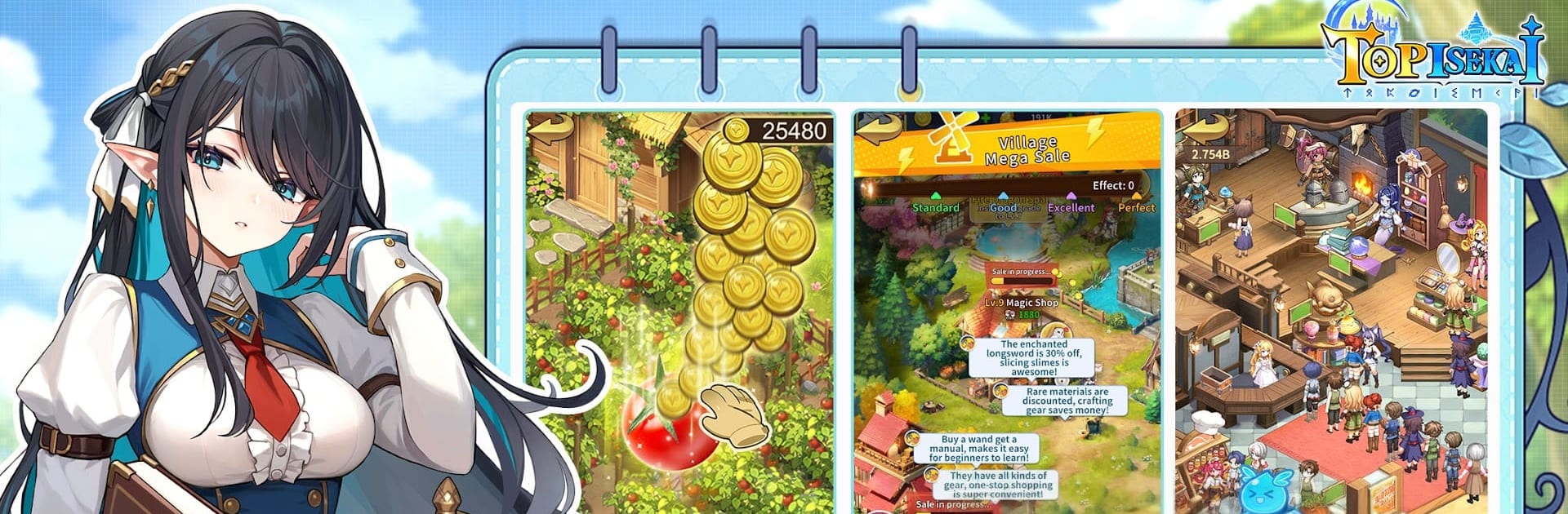
TopIsekai is a Simulation game from BUFFALO where you wake up in another world… as a chatty Beastia who looks suspiciously like a fish. Instead of swinging a sword, you’ll rebuild a broken village with sharp business instincts—opening shops, tinkering with alchemy, and turning a tiny outpost into a thriving realm. It’s part management sim, part adventure, with heartfelt bonds and a story that actually reacts to what you choose. Prefer playing on PC? BlueStacks makes that easy without getting in the way.

Game Features

  • Isekai Management Tale: Grow from “odd little Beastia” to community leader as you revive a kingdom using modern know-how in a land of magic.
  • Branching Choices: Your decisions steer the narrative—different routes, different futures for the people counting on you.
  • Smart Growth + Idle Comfort: Set up automated production to gather resources while you fine-tune the big strategy behind your workshops and trade routes.
  • Build a Magical Economy: Run alchemy labs, magic storefronts, and more—plan supply chains, upgrade facilities, and watch profits ripple across the continent.
  • Mini-Games & Creative Breaks: Solve puzzles, explore mazes, hunt treasure, cook unusual dishes, craft outfits, and decorate cozy estates.
  • Companions & Romance: Meet partners from many races—earn trust through daily interactions and unlock personal stories, from starry walks to hot-spring chats.
  • Flashy Fights: Recruit swordmasters and mages, unleash skills in lively battles, and take on towers, crystal lairs, and odd archaeological gigs.
  • Festivals & Mishaps: Seasonal events bring sweet, silly moments—unexpected kitchen experiments, prankish traps, and charming after-hours drama.
  • PvP Strategy Duels: Face real players in a floating city arena, combining hero skills to build teams that actually play to your style.
  • Guilds & Territory: Create or join a guild, expand your borders, compete for resources, and coordinate across servers for shared domains.
  • Rich Atmosphere: Story-heavy quests backed by punchy sound and music that make big victories and small celebrations feel earned.

Start your journey now. Download the game on BlueStacks, invite your friends, and march on a new adventure.


Game Features

Enhancements

  • Macros
  • Multi Instance
  • Multi Instance Sync
  • Script
  • Enhancements
Macros

Macros

Automate the predictable in TopIsekai and transform your gameplay with Macros. Get access to inventive Macros in the BlueStacks Macro Community
Multi Instance

Multi Instance

Play TopIsekai on one window. And chat with your friend on the other. Press CTRL + Shift + 8 to open the Multi-Instance Manager. And start creating fresh instances or clone an existing one.
Multi Instance Sync

Multi Instance Sync

Play TopIsekai with the power of Multi-Instance Sync. Replicate what you are doing on the main instance on all other instances. Level up faster, play more.
Script

Script

Script your way to gaming glory in TopIsekai with BlueStacks Script. Write and run a set of commands to automate repeated tasks. Trigger the command by assigning it to any key.
Read More

How to Download and Play TopIsekai on PC or Mac

  • Download and install BlueStacks on your PC or Mac

  • Complete Google sign-in to access the Play Store, or do it later

  • Look for TopIsekai in the search bar at the top right corner

  • Click to install TopIsekai from the search results

  • Complete Google sign-in (if you skipped step 2) to install TopIsekai

  • Click the TopIsekai icon on the home screen to start playing

video
Watch Video

Minimum System Requirements

With BlueStacks 5, you can get started on a PC that fulfills the following requirements.

  • Operating System

    Microsoft Windows 7 or above, macOS 11 (Big Sur) or above

  • Processor

    Intel, AMD or Apple Silicon Processor

  • RAM

    at least 4GB

  • HDD

    10GB Free Disk Space

Note:

* You must be an Administrator on your PC. Up to date graphics drivers from Microsoft or the chipset vendor.

TopIsekai - FAQs

  • How to play TopIsekai on Windows PC & Mac?

    Play TopIsekai on your PC or Mac by following these simple steps.

    • Click on 'Play TopIsekai on PC’ to download BlueStacks
    • Install it and log-in to Google Play Store
    • Launch and play the game.
  • Why is BlueStacks the fastest and safest platform to play games on PC?

    BlueStacks respects your privacy and is always safe and secure to use. It does not carry any malware, spyware, or any sort of additional software that could harm your PC.

    It is engineered to optimize speed and performance for a seamless gaming experience.

  • What are TopIsekai PC requirements?

    Minimum requirement to run TopIsekai on your PC

    • OS: Microsoft Windows 7 or above MacOS 11 (Big Sur) or above
    • Processor: Intel, AMD or Apple Silicon Processor
    • RAM: Your PC must have at least 4GB of RAM. (Note that having 4GB or more disk space is not a substitute for RAM)
    • HDD: 10GB Free Disk Space.
    • You must be an Administrator on your PC.