
ToponMX
ToponMX

ToponMX

Simulation

| Terminator626Gauss

Play on PC with BlueStacks or from our cloud

  • Overview
  • Game Features
  • How to Play

Page Modified On: August 15, 2026

Play ToponMX on PC or Mac

Play ToponMX by Terminator626Gauss on PC or Mac with BlueStacks. Use a bigger screen, mouse and keyboard controls, and smoother performance while you play.

About the Game

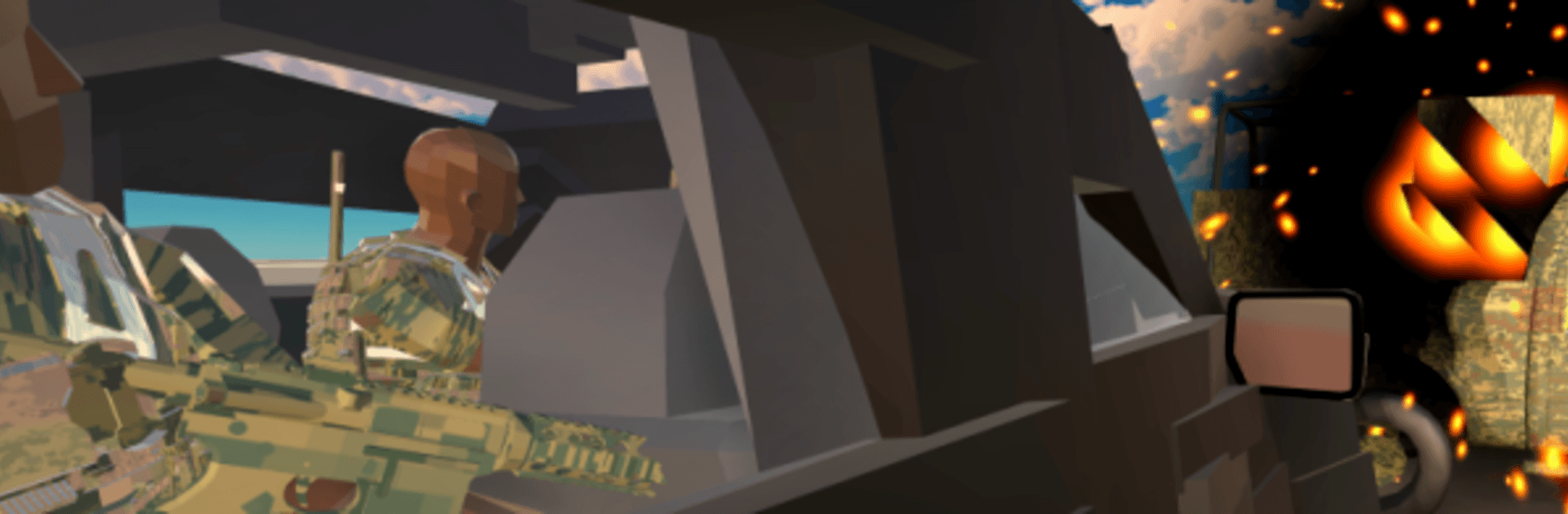
ToponMX is a Simulation game for players who like their combat grounded, tactical, and entirely offline. It’s all about smart positioning, clear lines of sight, and making tough calls under pressure rather than spraying bullets and hoping for the best. Prefer playing on a bigger screen? It feels right at home on PC with BlueStacks, keeping the controls crisp and responsive.

Game Features

  • Precision-first combat: Gunfights reward patience and accuracy. Every shot counts, so timing, recoil control, and steady aim matter more than rushing in.
  • Adaptive enemy behavior: Enemies don’t just stand there—they flank, pull back, and use cover. Expect them to push when you’re weak and hunker down when you’ve got the upper hand.
  • Cover and angles that matter: Survival comes from smart positioning. Peek, relocate, and hold corners carefully—your angle decides the outcome.
  • Grounded movement: No arcade sprinting everywhere. Movement feels weighty and deliberate, pushing you to plan routes and manage exposure.
  • Buy gear mid-mission: Pick up new weapons and vehicles during a match so your loadout evolves with the situation.
  • Earn-and-spend economy: Your performance fuels your budget. Use your earnings to reinforce your strategy or rebuild after a tough fight.
  • Respawn, rethink, reorganize: Head back to base to rearm and adjust your plan instead of repeating the same mistake.
  • Play your way: Go aggressive, set up a solid defense, or lean into a methodical, tactics-first approach—the sandbox supports each style.
  • Wide-open maps: Large areas with multiple entries and routes let you create your own path. No fixed corridors or forced solutions.
  • Fully offline: No connection needed, making it great for focused, interruption-free sessions.

Start your journey now. Download the game on BlueStacks, invite your friends, and march on a new adventure.


Game Features

Enhancements

  • Macros
  • Multi Instance
  • Multi Instance Sync
  • Script
  • Enhancements
Macros

Macros

Automate the predictable in ToponMX and transform your gameplay with Macros. Get access to inventive Macros in the BlueStacks Macro Community
Multi Instance

Multi Instance

Play ToponMX on one window. And chat with your friend on the other. Press CTRL + Shift + 8 to open the Multi-Instance Manager. And start creating fresh instances or clone an existing one.
Multi Instance Sync

Multi Instance Sync

Play ToponMX with the power of Multi-Instance Sync. Replicate what you are doing on the main instance on all other instances. Level up faster, play more.
Script

Script

Script your way to gaming glory in ToponMX with BlueStacks Script. Write and run a set of commands to automate repeated tasks. Trigger the command by assigning it to any key.
Read More

How to Download and Play ToponMX on PC or Mac

  • Download and install BlueStacks on your PC or Mac

  • Complete Google sign-in to access the Play Store, or do it later

  • Look for ToponMX in the search bar at the top right corner

  • Click to install ToponMX from the search results

  • Complete Google sign-in (if you skipped step 2) to install ToponMX

  • Click the ToponMX icon on the home screen to start playing

video
Watch Video

Minimum System Requirements

With BlueStacks 5, you can get started on a PC that fulfills the following requirements.

  • Operating System

    Microsoft Windows 7 or above, macOS 11 (Big Sur) or above

  • Processor

    Intel, AMD or Apple Silicon Processor

  • RAM

    at least 4GB

  • HDD

    10GB Free Disk Space

Note:

* You must be an Administrator on your PC. Up to date graphics drivers from Microsoft or the chipset vendor.

ToponMX - FAQs

  • How to play ToponMX on Windows PC & Mac?

    Play ToponMX on your PC or Mac by following these simple steps.

    • Click on 'Play ToponMX on PC’ to download BlueStacks
    • Install it and log-in to Google Play Store
    • Launch and play the game.
  • Why is BlueStacks the fastest and safest platform to play games on PC?

    BlueStacks respects your privacy and is always safe and secure to use. It does not carry any malware, spyware, or any sort of additional software that could harm your PC.

    It is engineered to optimize speed and performance for a seamless gaming experience.

  • What are ToponMX PC requirements?

    Minimum requirement to run ToponMX on your PC

    • OS: Microsoft Windows 7 or above MacOS 11 (Big Sur) or above
    • Processor: Intel, AMD or Apple Silicon Processor
    • RAM: Your PC must have at least 4GB of RAM. (Note that having 4GB or more disk space is not a substitute for RAM)
    • HDD: 10GB Free Disk Space.
    • You must be an Administrator on your PC.







