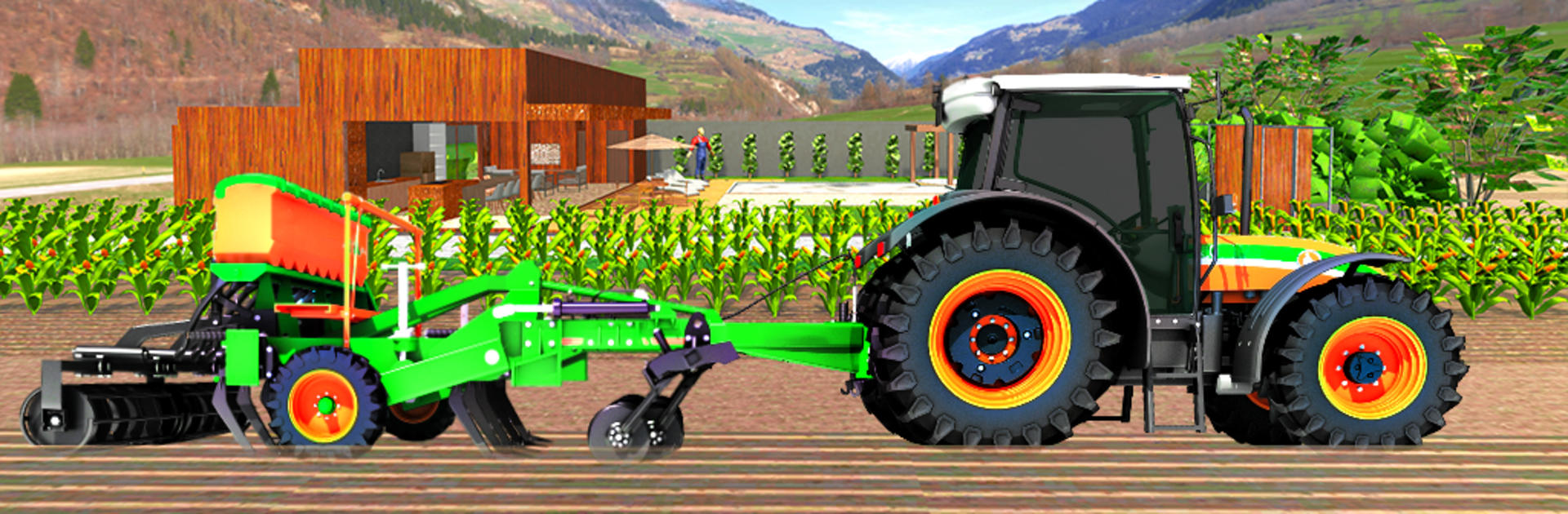
Tractor Farming 3D Harvest

Tractor Farming 3D Harvest

Simulation

| Satisfying Fidgets Toys Pop it ASMR Calming Games

Play on PC with BlueStacks or from our cloud

  • Overview
  • Game Features
  • How to Play

Page Modified On: August 08, 2025

Play Tractor Farming 3D Harvest on PC or Mac

Join millions to experience Tractor Farming 3D Harvest, an exciting Simulation game from Satisfying Fidgets Toys Pop it ASMR Calming Games. With BlueStacks App Player, you are always a step ahead of your opponent, ready to outplay them with faster gameplay and better control with the mouse and keyboard on your PC or Mac.

About the Game

Step into the boots of a hardworking farmer with Tractor Farming 3D Harvest, the laid-back simulation from Satisfying Fidgets Toys Pop it ASMR Calming Games. Whether you’re all about the hum of heavy machinery or you’ve just got a thing for wide-open fields, this game lets you live out that countryside dream without ever getting your hands dirty. You’re behind the wheel of a sturdy tractor, pulling off everything from planting seeds to rolling across bumpy village roads—if you’ve ever daydreamed of farming, this is your spot.

Game Features

  • Realistic Tractor Experience
    Take the driver’s seat and handle a variety of real tractors, each one feeling weighty and authentic as you move through your tasks. It’s a fun place to get a feel for navigating big machines, even if you’ve never seen a tractor up close.

  • Challenging Village Tracks
    It’s not just straight lines! Drive along winding rural paths that keep you guessing—tight corners, slopes, a few bumps here and there. The environment actually makes you plan your moves.

  • Dynamic Farming Tasks
    Plant seeds, harvest crops, and load up your yield to haul it off to the store. There’s always a job to keep your farming routine interesting, and getting everything done becomes its own kind of challenge.

  • Pulling Heavy Gear
    It’s not only about speeding around; you’ll try towing all sorts of equipment and hefty loads. It puts your “tractor pull” skills to the test and adds a bit of muscle to the gameplay.

  • Relaxing Soundtrack & Atmosphere
    Chill background music and the mellow rumble of engines set the scene. The field looks lush, and the graphics are inviting—almost enough to smell that fresh-cut hay.

  • Intuitive Controls
    Don’t worry about a learning curve. The controls are smooth and straightforward, letting you focus on the farming, not wrangling complex buttons or menus.

  • Offline Play
    No wi-fi? No problem. You can enjoy your farming routine anytime, whether you’re out and about or at home relaxing.

  • Try It on BlueStacks
    Looking for a bigger view of your farm? You can easily play Tractor Farming 3D Harvest on your PC using BlueStacks for that widescreen field feel.

Slay your opponents with your epic moves. Play it your way on BlueStacks and dominate the battlefield.


Game Features

Enhancements

  • Macros
  • Multi Instance
  • Multi Instance Sync
  • Script
  • Enhancements
Macros

Macros

Automate the predictable in Tractor Farming 3D Harvest and transform your gameplay with Macros. Get access to inventive Macros in the BlueStacks Macro Community
Multi Instance

Multi Instance

Play Tractor Farming 3D Harvest on one window. And chat with your friend on the other. Press CTRL + Shift + 8 to open the Multi-Instance Manager. And start creating fresh instances or clone an existing one.
Multi Instance Sync

Multi Instance Sync

Play Tractor Farming 3D Harvest with the power of Multi-Instance Sync. Replicate what you are doing on the main instance on all other instances. Level up faster, play more.
Script

Script

Script your way to gaming glory in Tractor Farming 3D Harvest with BlueStacks Script. Write and run a set of commands to automate repeated tasks. Trigger the command by assigning it to any key.
Read More

How to Download and Play Tractor Farming 3D Harvest on PC or Mac

  • Download and install BlueStacks on your PC or Mac

  • Complete Google sign-in to access the Play Store, or do it later

  • Look for Tractor Farming 3D Harvest in the search bar at the top right corner

  • Click to install Tractor Farming 3D Harvest from the search results

  • Complete Google sign-in (if you skipped step 2) to install Tractor Farming 3D Harvest

  • Click the Tractor Farming 3D Harvest icon on the home screen to start playing

video
Watch Video

Minimum System Requirements

With BlueStacks 5, you can get started on a PC that fulfills the following requirements.

  • Operating System

    Microsoft Windows 7 or above, macOS 11 (Big Sur) or above

  • Processor

    Intel, AMD or Apple Silicon Processor

  • RAM

    at least 4GB

  • HDD

    10GB Free Disk Space

Note:

* You must be an Administrator on your PC. Up to date graphics drivers from Microsoft or the chipset vendor.

Tractor Farming 3D Harvest - FAQs

  • How to play Tractor Farming 3D Harvest on Windows PC & Mac?

    Play Tractor Farming 3D Harvest on your PC or Mac by following these simple steps.

    • Click on 'Play Tractor Farming 3D Harvest on PC’ to download BlueStacks
    • Install it and log-in to Google Play Store
    • Launch and play the game.
  • Why is BlueStacks the fastest and safest platform to play games on PC?

    BlueStacks respects your privacy and is always safe and secure to use. It does not carry any malware, spyware, or any sort of additional software that could harm your PC.

    It is engineered to optimize speed and performance for a seamless gaming experience.

  • What are Tractor Farming 3D Harvest PC requirements?

    Minimum requirement to run Tractor Farming 3D Harvest on your PC

    • OS: Microsoft Windows 7 or above MacOS 11 (Big Sur) or above
    • Processor: Intel, AMD or Apple Silicon Processor
    • RAM: Your PC must have at least 4GB of RAM. (Note that having 4GB or more disk space is not a substitute for RAM)
    • HDD: 10GB Free Disk Space.
    • You must be an Administrator on your PC.